
HomeBox
Home inventory for the things you own, where they are and what they cost
- ghcr.io/hsinghhira/homebox:latest
- v0.27.1
- Updated 21 Nov 2026
- port 6781
- amd64 · arm64
- Home
- 7.9k stars
Screenshots
Open the app
About HomeBox
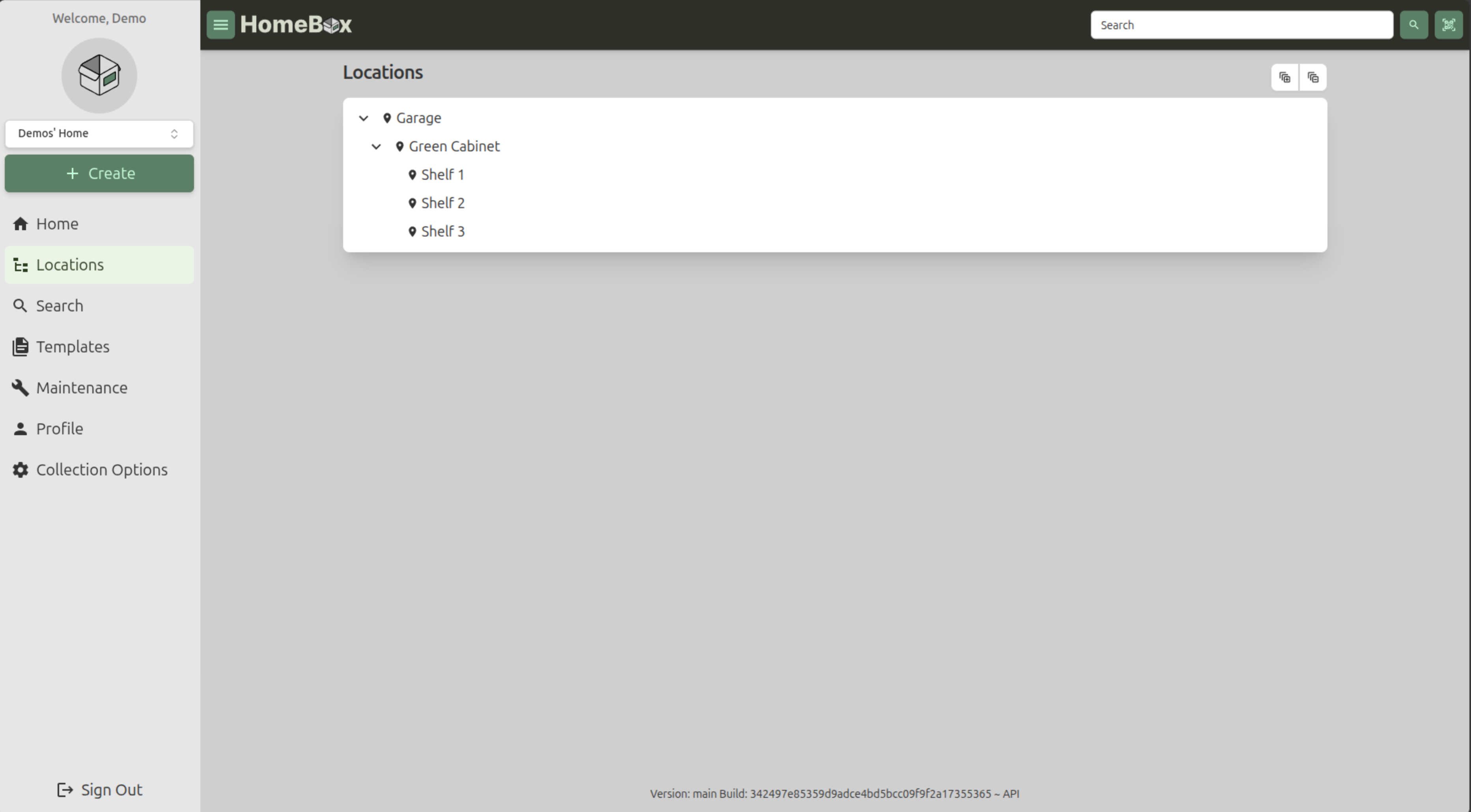
HomeBox keeps a list of everything in your home: what it is, where it is, what you paid and when its warranty ends. Sort things by room and shelf, print QR labels, and find anything with a quick search. It uses a built-in SQLite database, so it is one container with nothing else to set up.
Features
- Items with photos, receipts, manuals and custom fields
- Locations inside locations, like room, cupboard, shelf
- Labels, and QR codes you can print and scan
- Purchase prices, warranties and maintenance logs
- Search, CSV import and export, and reports
- Shared with your household, with single sign-on (OIDC)
How to use
- Open HomeBox from your dashboard.
- Click Register and make your account.
- Add your rooms and places under Locations.
- Click Create to add an item, with a photo and its receipt.
- Invite your household from your home's settings.
Before you install
You can install it as it is and open it at http://[ZIMAOS-IP-ADDRESS]:6781. There is no account yet: click Register. When everyone has an account, set HBOX_OPTIONS_ALLOW_REGISTRATION to false. The secret HomeBox needs to start is made for you on first start and kept in /DATA/AppData/homebox/data. Email, single sign-on and the other settings are in the Variables tab and are added in the app settings. It is ready in under a minute.
The settings in the first table are already in the app settings. To use any other one, open the app settings, add the variable with your value, save, and the app restarts with it. A setting you leave out uses its default.
In the app settings
| Variable | Default value | Description |
|---|---|---|
TZ | $TZ | Your time zone. It is filled in from your ZimaOS time zone. |
HBOX_ | true | Lets people make an account on the sign-in page. Set it to false after you and your household have registered; you can still invite people from your home's settings. |
HBOX_ | 10 | The biggest file you can attach (photos, receipts, manuals), in MB. |
Server
| Variable | Default value | Description |
|---|---|---|
HBOX_ | — | The secret API keys are hashed with, at least 32 characters. It is made on first start and kept in /data/secrets.env. Changing it voids every API key. |
HBOX_ | info | How much goes in the log: trace, debug, info, warn or error. |
HBOX_ | — | Your address, like homebox.example.com, for single sign-on links. |
HBOX_ | false | Set to true behind a reverse proxy. |
HBOX_ | true | Set to false to stop checking for new versions. |
Items
| Variable | Default value | Description |
|---|---|---|
HBOX_ | true | Give every new item the next asset ID. |
Email (SMTP)
| Variable | Default value | Description |
|---|---|---|
HBOX_ | — | Your email server, like smtp.gmail.com. |
HBOX_ | — | Your email server port, usually 587. |
HBOX_ | — | The user name for your email server. |
HBOX_ | — | The password for your email server. |
HBOX_ | — | The address emails are sent from. |
Single sign-on (OIDC)
| Variable | Default value | Description |
|---|---|---|
HBOX_ | false | Set to true to sign in with your own provider. |
HBOX_ | — | Your provider's issuer address, like https://auth.example.com. |
HBOX_ | — | The client ID from your provider. |
HBOX_ | — | The client secret from your provider. |
HBOX_ | — | Groups allowed to sign in, comma separated. |
HBOX_ | false | Set to true to go straight to your provider. |
HBOX_ | true | Set to false to allow only single sign-on. |
name: homebox

services:
  homebox:
    image: ghcr.io/hsinghhira/homebox:latest
    container_name: homebox
    restart: unless-stopped
    stop_grace_period: 30s
    network_mode: bridge
    environment:
      - TZ=$TZ
      - HBOX_OPTIONS_ALLOW_REGISTRATION=true
      - HBOX_WEB_MAX_UPLOAD_SIZE=10
    ports:
      - target: 7745
        published: "6781"
        protocol: tcp
    volumes:
      - type: bind
        source: /DATA/AppData/$AppID/data
        target: /data
        bind:
          create_host_path: true
    healthcheck:
      test: ["CMD", "wget", "-q", "-O", "/dev/null", "http://127.0.0.1:7745/api/v1/status"]
      interval: 30s
      timeout: 10s
      retries: 5
      start_period: 60s
    deploy:
      resources:
        limits:
          cpus: "1.00"
          memory: 512M
        reservations:
          cpus: "0.05"
          memory: 64M
    labels:
      icon: https://cdn.jsdelivr.net/gh/HSinghHira/IceStore@main/Apps/homebox/icon.png
    x-casaos:
      id: com.icestore.homebox
      envs:
        - container: TZ
          description:
            en_US: >-
              Your time zone. It is filled in from your ZimaOS time zone.
        - container: HBOX_OPTIONS_ALLOW_REGISTRATION
          description:
            en_US: >-
              Lets people make an account on the sign-in page. Set it to
              false after you and your household have registered; you can
              still invite people from your home's settings.
        - container: HBOX_WEB_MAX_UPLOAD_SIZE
          description:
            en_US: >-
              The biggest file you can attach (photos, receipts, manuals),
              in MB.
      ports:
        - container: "7745"
          description:
            en_US: HomeBox web UI and API, published on host as 6781
      volumes:
        - container: /data
          description:
            en_US: >-
              The SQLite database with your items, the photos and files you
              attach, and this install's own key (secrets.env). Back it up.

x-casaos:
  id: com.icestore.homebox
  architectures:
    - amd64
    - arm64
  main: homebox
  author: HSinghHira
  category: Home
  developer: Sysadmins Media
  icon: https://cdn.jsdelivr.net/gh/HSinghHira/IceStore@main/Apps/homebox/icon.png
  thumbnail: https://cdn.jsdelivr.net/gh/HSinghHira/IceStore@main/Apps/homebox/screenshot-1.png
  screenshot_link:
    - https://cdn.jsdelivr.net/gh/HSinghHira/IceStore@main/Apps/homebox/screenshot-1.png
  title:
    en_US: HomeBox
  tagline:
    en_US: Home inventory for the things you own, where they are and what they cost
  description:
    en_US: >-
      HomeBox keeps a list of everything in your home: what it is, where it
      is, what you paid and when its warranty ends. Sort things by room and
      shelf, print QR labels, and find anything with a quick search. It uses
      a built-in SQLite database, so it is one container with nothing else
      to set up.


      **Features**


      - Items with photos, receipts, manuals and custom fields

      - Locations inside locations, like room, cupboard, shelf

      - Labels, and QR codes you can print and scan

      - Purchase prices, warranties and maintenance logs

      - Search, CSV import and export, and reports

      - Shared with your household, with single sign-on (OIDC)


      **How to use?**


      1. Open HomeBox from the ZimaOS dashboard.

      2. Click Register and make your account.

      3. Add your rooms and places under Locations.

      4. Click Create to add an item, with a photo and its receipt.

      5. Invite your household from your home's settings.
  tips:
    before_install:
      en_US: >-
        1. More settings, like email and single sign-on, are listed on the
           HomeBox page at https://icestore.hsinghhira.me/app/homebox/
           (Variables tab). You can add them now or later in the app
           settings.


        2. Start the installation. It is ready in under a minute.


        3. Open http://[ZIMAOS-IP-ADDRESS]:6781 and click Register.


        4. When everyone has registered, set HBOX_OPTIONS_ALLOW_REGISTRATION
           to false.
  index: /
  port_map: "6781"
  scheme: http
  is_uncontrolled: false
  version: "0.27.1"
  update_at: "2026-11-21"
  release_notes:
    en_US: |-
      - First IceStore release, on port 6781
      - Built on ghcr.io/sysadminsmedia/homebox 0.27.1, with SQLite as the database
      - Each install makes its own HBOX_AUTH_API_KEY_PEPPER on first start
  repo: "https://github.com/sysadminsmedia/homebox"
  support: "https://github.com/sysadminsmedia/homebox/issues"
  docs: "https://homebox.software/en/"
Install HomeBox
Something not working with HomeBox?
Report it so it gets fixed, or ask for an app that is not here yet.
 ZimaOS
Add the store link, then find HomeBox in the App Store and install it.
 CasaOS
Add the store link, then find HomeBox in the App Store and install it.
 ReCasaOS
Add the store link, then find HomeBox in the App Store and install it.
 Homeio
Add the store link, then find HomeBox in the App Store and install it.
 MOS
Add the repository in MOS Hub Settings, then find HomeBox in Docker → MOS Hub and install it.


