
Kitchen Board
A family wall board for shopping, meals, calendars, chores and timers
- ghcr.io/hsinghhira/kitchen-board:latest
- v1.6
- Updated 30 Oct 2026
- port 6179
- amd64 · arm64
- Home
Screenshots
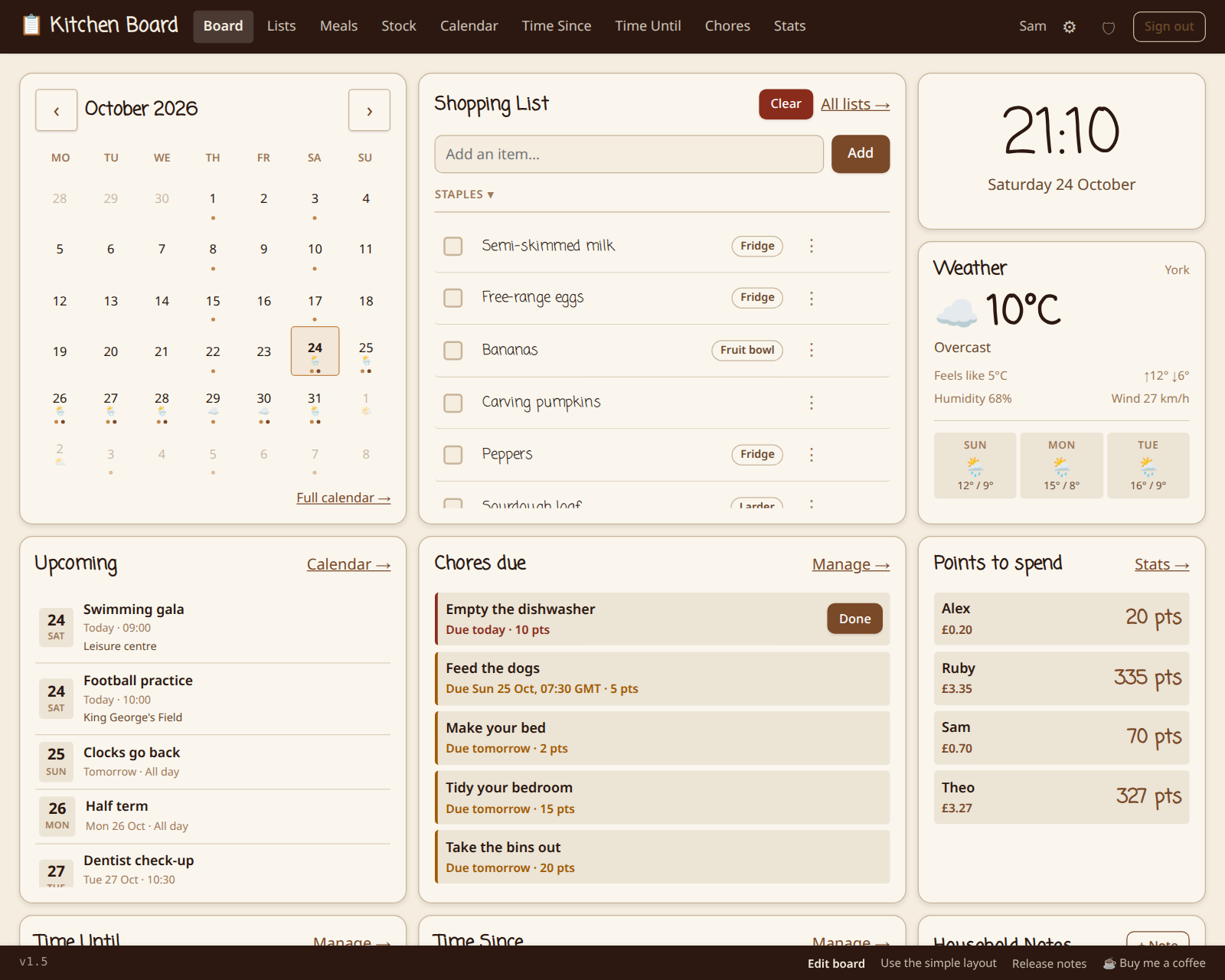
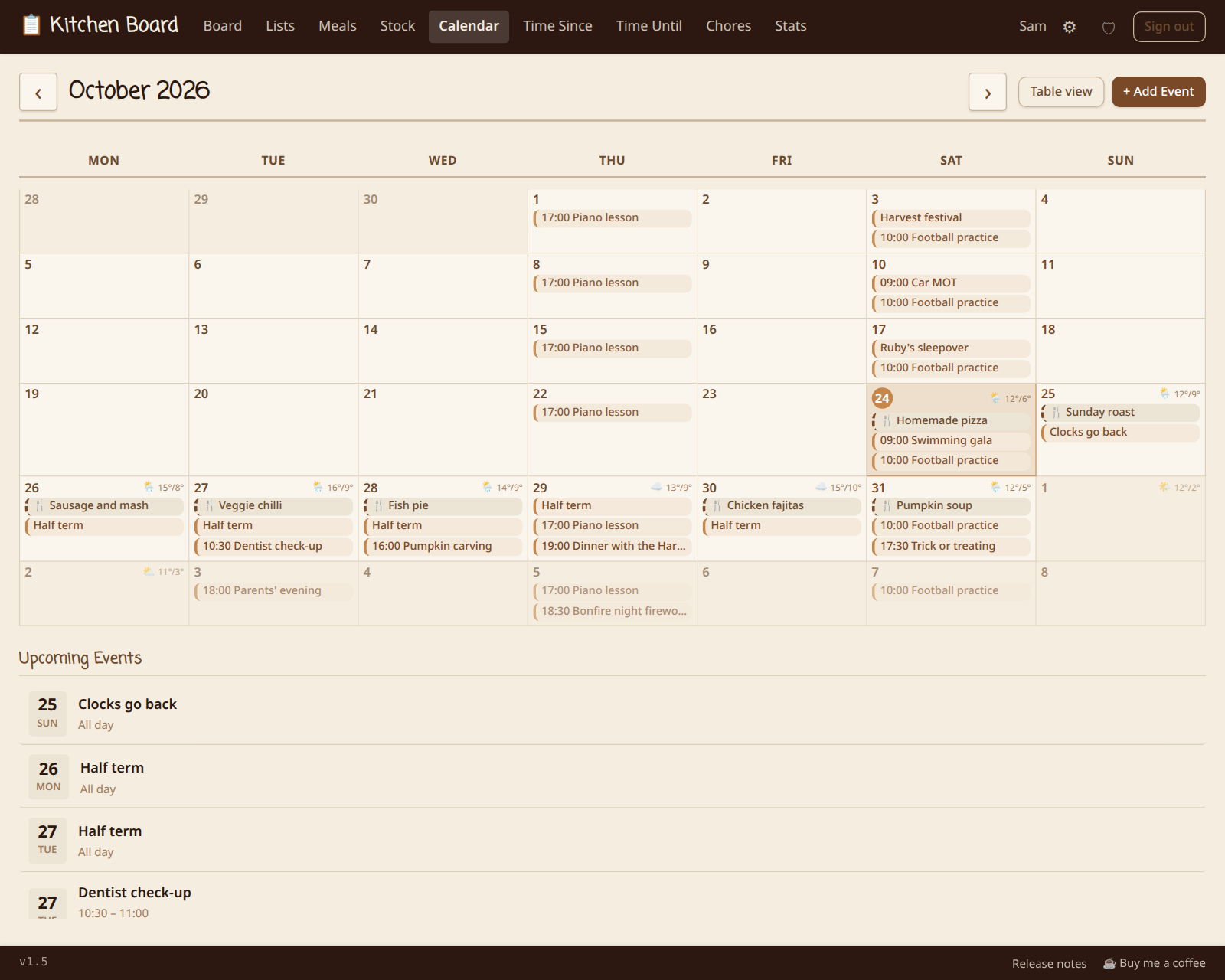
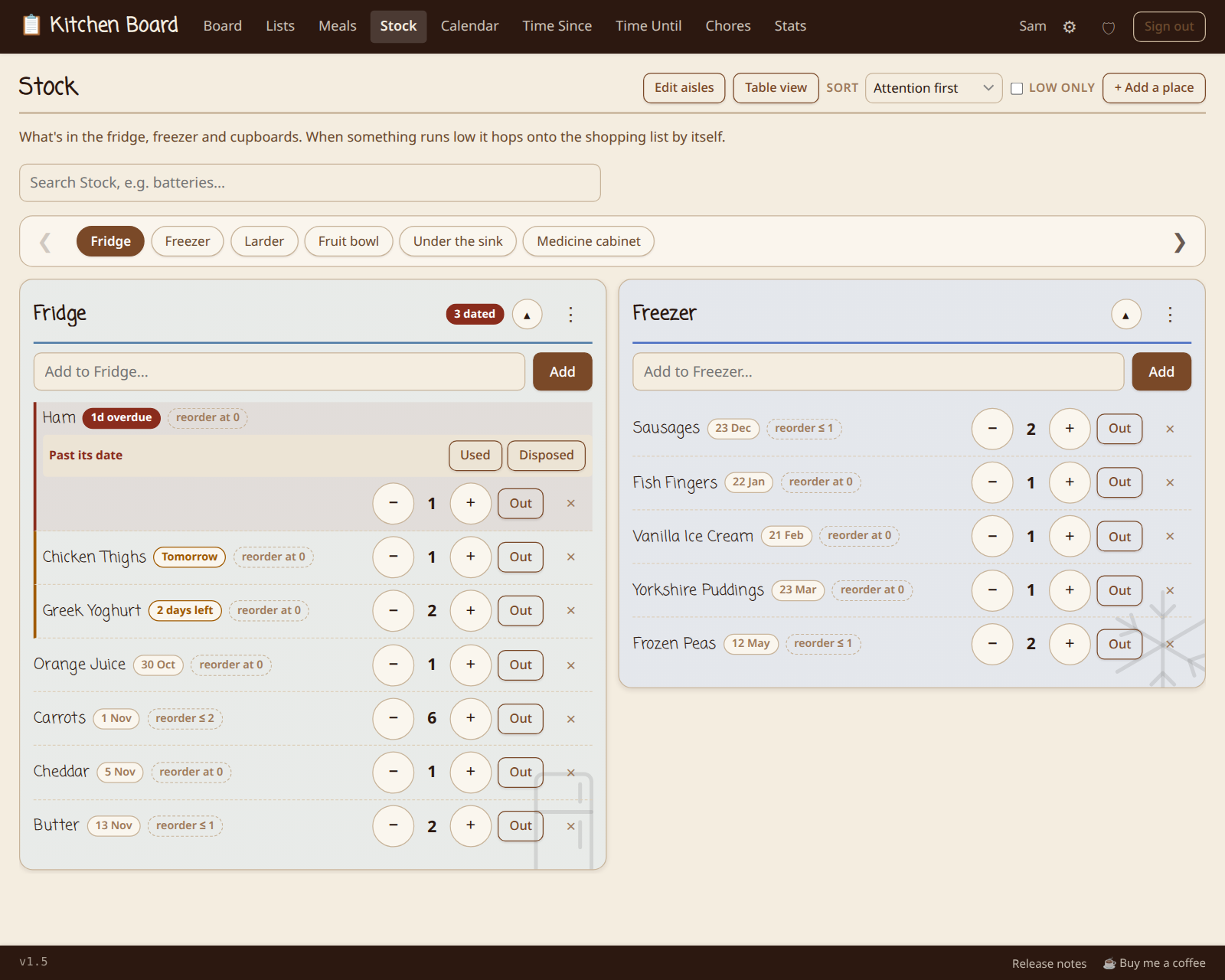
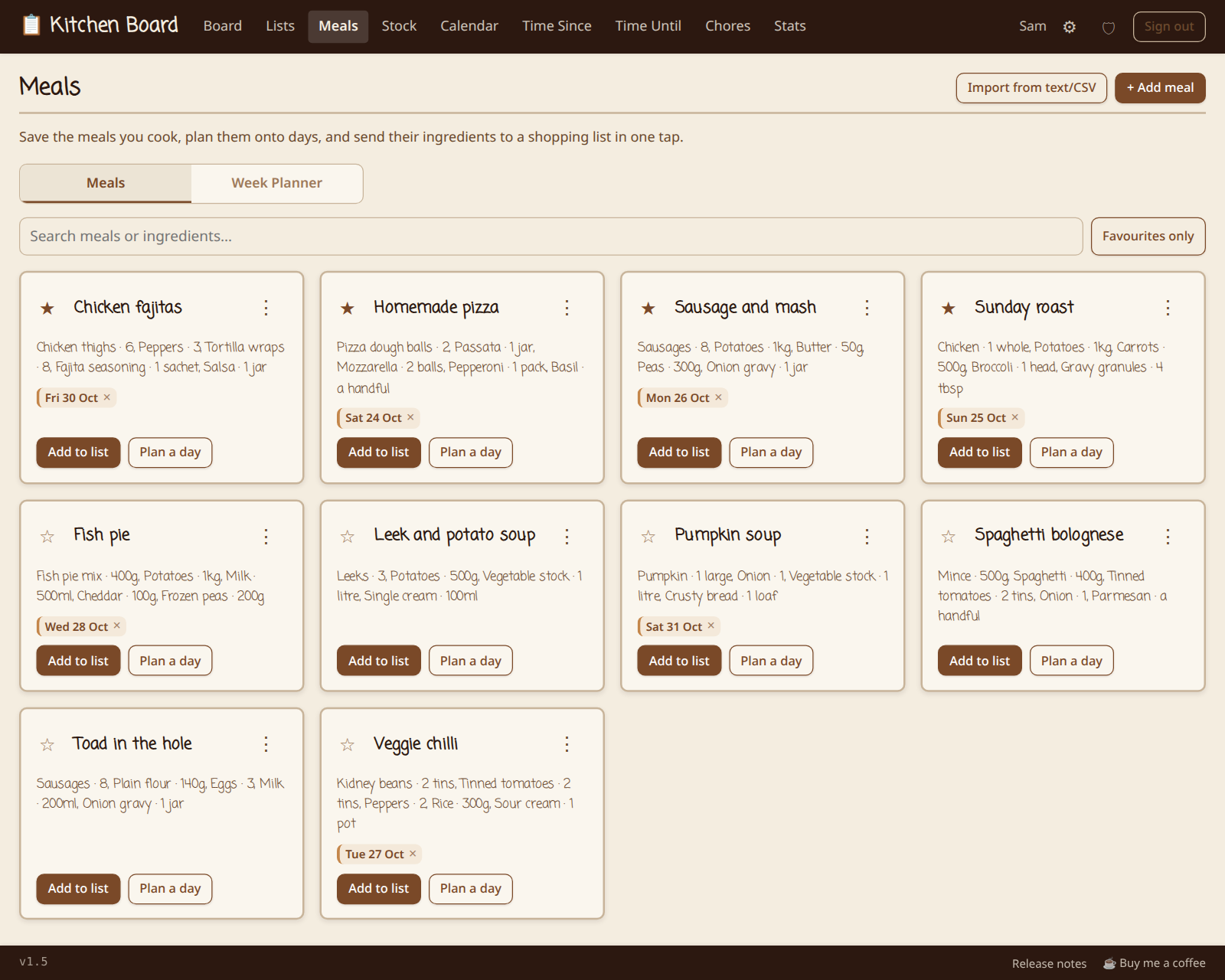
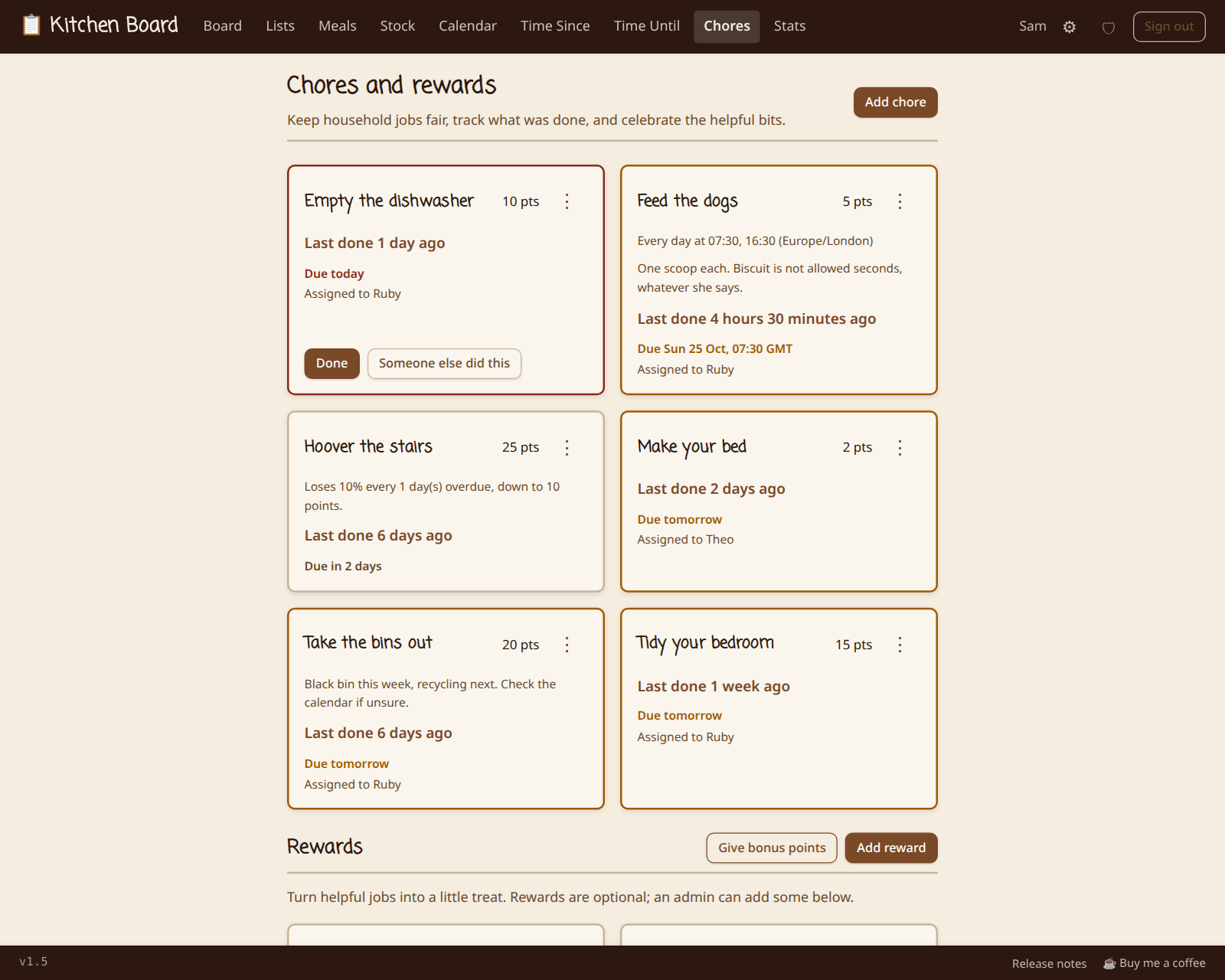
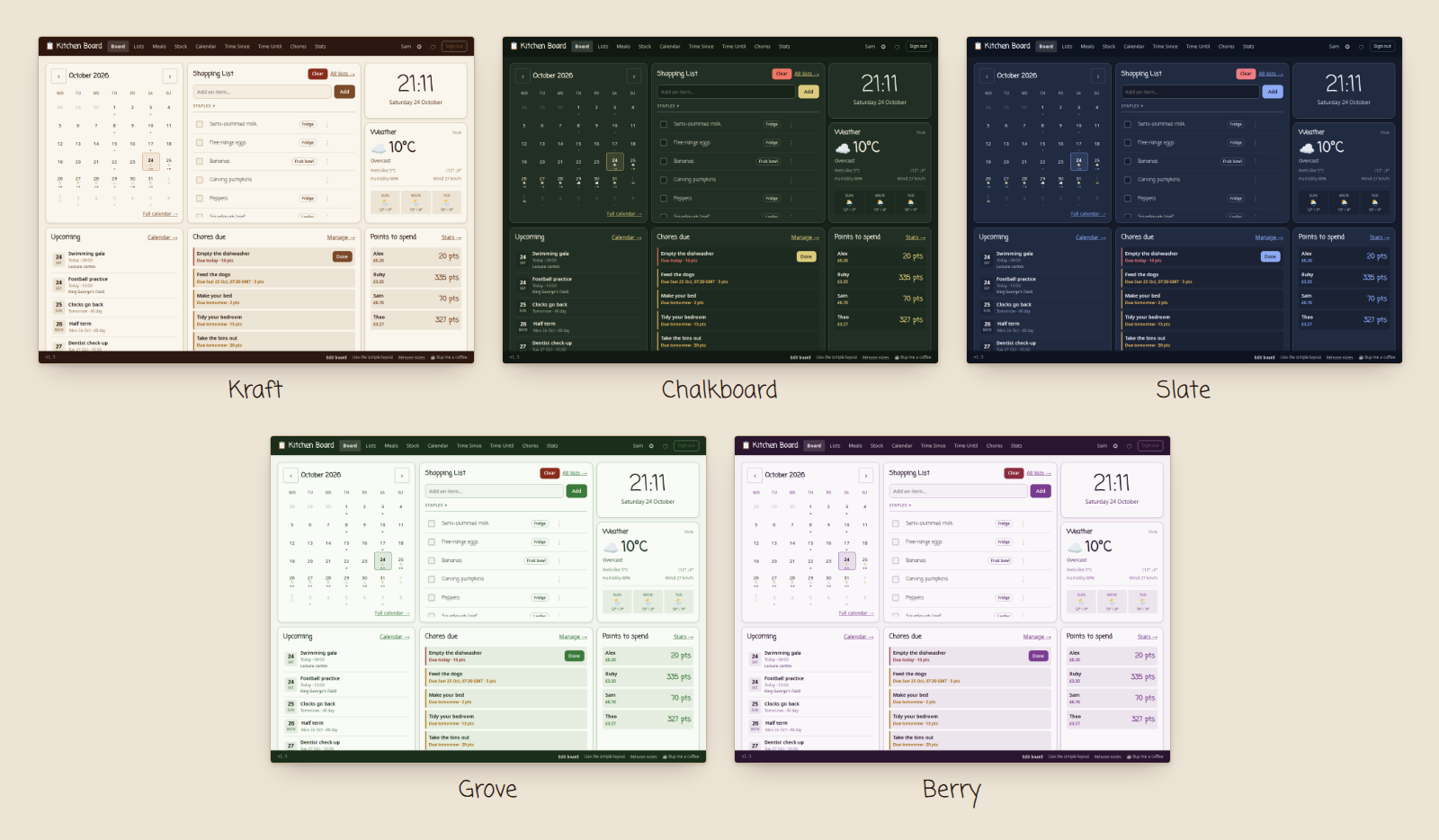
Open the app
About Kitchen Board
Kitchen Board is a household organiser made to live on a kitchen tablet and on everyone's phone. It looks like a paper wall calendar with a shopping list pinned to it, and keeps every screen in sync as people tick things off. Every install makes its own sign-in key on first start.
Features
- Shared shopping lists with a focused Shopping Trip mode
- Stock, meal planning and Mealie recipe import
- A shared calendar with recurring events,
.icsfeeds and Google Calendar overlays - Chores, rewards, routines, countdowns and kitchen timers
- Notes, weather and simple statistics
- A photo-frame screensaver, with an optional Immich album
- Push, email and Apprise notifications, OIDC single sign-on, and six languages
- Installs as an app on phones (PWA)
How to use
- Open Kitchen Board at
http://[ZIMAOS-IP-ADDRESS]:6179. - Sign in with your
ADMIN_EMAILand password. - Open Admin to add the people in your household.
- Add shopping items, events and chores. Every screen updates by itself.
- On a phone, use "Add to Home Screen" to install it like an app.
Before you install
Change ADMIN_EMAIL from [email protected] to your email. Set ADMIN_PASSWORD (8 characters or more), or leave it empty and Kitchen Board prints one in the app log on the line with Password:. Both are only read on the very first start. It is ready in about half a minute. The sign-in key is made on first start and kept in the data folder as .secret_key. Email, push notifications, OIDC and more are in the Variables tab; add them in the app settings, or set most of them in the Admin page.
The settings in the first table are already in the app settings. To use any other one, open the app settings, add the variable with your value, save, and the app restarts with it. A setting you leave out uses its default.
In the app settings
| Variable | Default value | Description |
|---|---|---|
TZ | $TZ | Your time zone. It is filled in from your ZimaOS time zone. Leave it unless you need another. |
ADMIN_ | [email protected] | The email you sign in with as the first admin. Replace [email protected] with your own. Only used on the very first start. |
ADMIN_ | — | Optional. The first admin's password, at least 8 characters. Leave it empty and Kitchen Board makes one and prints it in the app log on the line with "Password:". Only used on the very first start. |
Server
| Variable | Default value | Description |
|---|---|---|
SECRET_ | — | Your own sign-in key, at least 32 characters (openssl rand -hex 32). Leave it out: each install makes its own on first start and keeps it in the data folder as .secret_key. Changing it signs everyone out. |
KB_ | en-GB | The starting language: en-GB, en-001, de, fr, it or es. The language picked in Admin wins once it is saved. |
ALLOWED_ | — | Comma-separated host names Kitchen Board answers to, like 192.168.1.20,kitchen.local. Leave it out to answer on any address. If you set it, add every address you open it by. |
APP_ | — | The address used in password reset and magic sign-in emails, like http://192.168.1.20:6179. Leave it out to use the address in the browser. |
SECURE_ | false | Set to true when you open Kitchen Board through https. |
TRUSTED_ | 127.0.0.1,::1 | Reverse proxy IPs whose forwarded visitor address is trusted for the sign-in rate limit. |
FORWARDED_ | 127.0.0.1 | Reverse proxy IPs whose proxy headers are trusted. |
NIGHTLY_ | 7 | Nightly database copies kept in data/backups. 0 turns them off. |
DB_ | 10 | Minutes the database may stop answering before the app restarts itself. 0 only logs it. |
Sign-in
| Variable | Default value | Description |
|---|---|---|
ACCESS_ | 525600 | How long a sign-in lasts, in minutes. The default is one year. |
PASSWORD_ | 60 | How long a password reset link works, in minutes. |
MAGIC_ | 15 | How long a magic sign-in link works, in minutes. |
Sign in with OIDC
| Variable | Default value | Description |
|---|---|---|
OIDC_ | false | Set to true to show a single sign-on button. The Admin page setting wins once saved. |
OIDC_ | — | Your provider's address, like https://id.example.com. |
OIDC_ | — | The client ID from your provider. |
OIDC_ | — | The client secret. Leave it out for a public client. |
OIDC_ | — | The name on the sign-in button, like Pocket ID. |
OIDC_ | openid email profile | The scopes asked for. |
OIDC_ | — | Your own callback address. Leave it out to build it from APP_BASE_URL. |
OIDC_ | false | Set to true to make an account the first time someone signs in. |
OIDC_ | false | Set to true to also ask for the Kitchen Board authenticator code. |
OIDC_ | false | Set to true when your provider runs on your home network. |
Email (SMTP)
| Variable | Default value | Description |
|---|---|---|
SMTP_ | — | Your SMTP server, for password resets and magic sign-in links. |
SMTP_ | 587 | The SMTP port. |
SMTP_ | — | The SMTP user name, often the sending mailbox. |
SMTP_ | — | The SMTP password or app password. |
SMTP_ | — | The From address. Leave it out to use SMTP_USERNAME. |
SMTP_ | starttls | starttls (port 587), ssl (port 465) or none. |
SMTP_ | password | password, or oauth2 with the SMTP_OAUTH_* settings below. |
SMTP_ | custom | google, microsoft or custom, for oauth2 email. |
SMTP_ | — | The token address, for a custom OAuth provider. |
SMTP_ | — | The OAuth client ID for email. |
SMTP_ | — | The OAuth client secret for email. |
SMTP_ | — | The refresh token used to get email access tokens. |
SMTP_ | — | An optional scope, like https://mail.google.com/. |
SMTP_ | — | The OAuth callback address. Leave it out to use /admin/email-oauth/callback. |
Notifications
| Variable | Default value | Description |
|---|---|---|
VAPID_ | — | The public key for web push notifications. Push stays off without a key pair. Keys made in the Admin page win. |
VAPID_ | — | The private key paired with VAPID_PUBLIC_KEY. |
VAPID_ | [email protected] | The contact email sent with push notifications. |
APPRISE_ | — | Apprise notification URLs, one per line. |
name: kitchen-board

services:
  kitchen-board:
    image: ghcr.io/hsinghhira/kitchen-board:latest
    container_name: kitchen-board
    restart: unless-stopped
    stop_grace_period: 30s
    network_mode: bridge
    environment:
      - TZ=$TZ
      - [email protected]
      - ADMIN_PASSWORD=
    ports:
      - target: 8000
        published: "6179"
        protocol: tcp
    volumes:
      - type: bind
        source: /DATA/AppData/$AppID/data
        target: /data
        bind:
          create_host_path: true
    healthcheck:
      test: ["CMD", "python", "-c", "import urllib.request; urllib.request.urlopen('http://127.0.0.1:8000/health/db')"]
      interval: 30s
      timeout: 10s
      retries: 3
      start_period: 30s
    deploy:
      resources:
        limits:
          cpus: "1.00"
          memory: 512M
        reservations:
          cpus: "0.00"
          memory: 64M
    labels:
      icon: https://cdn.jsdelivr.net/gh/HSinghHira/IceStore@main/Apps/kitchen-board/icon.png
    x-casaos:
      id: com.icestore.kitchen-board
      envs:
        - container: TZ
          description:
            en_US: >-
              Your time zone. It is filled in from your ZimaOS time zone.
              Leave it unless you need another.
        - container: ADMIN_EMAIL
          description:
            en_US: >-
              The email you sign in with as the first admin. Replace
              [email protected] with your own. Only used on the very first
              start.
        - container: ADMIN_PASSWORD
          description:
            en_US: >-
              Optional. The first admin's password, at least 8 characters.
              Leave it empty and Kitchen Board makes one and prints it in the
              app log on the line with "Password:". Only used on the very
              first start.
      ports:
        - container: "8000"
          description:
            en_US: Kitchen Board web app, published on host as 6179
      volumes:
        - container: /data
          description:
            en_US: >-
              The SQLite database (kitchenboard.db), nightly backups,
              uploaded photos and .secret_key, this install's own sign-in key
              made on first start. Back this folder up.

x-casaos:
  id: com.icestore.kitchen-board
  architectures:
    - amd64
    - arm64
  main: kitchen-board
  author: HSinghHira
  category: Home
  developer: g33kphr33k
  icon: https://cdn.jsdelivr.net/gh/HSinghHira/IceStore@main/Apps/kitchen-board/icon.png
  thumbnail: https://cdn.jsdelivr.net/gh/HSinghHira/IceStore@main/Apps/kitchen-board/screenshot-1.png
  screenshot_link:
    - https://cdn.jsdelivr.net/gh/HSinghHira/IceStore@main/Apps/kitchen-board/screenshot-1.png
    - https://cdn.jsdelivr.net/gh/HSinghHira/IceStore@main/Apps/kitchen-board/screenshot-2.png
    - https://cdn.jsdelivr.net/gh/HSinghHira/IceStore@main/Apps/kitchen-board/screenshot-3.png
    - https://cdn.jsdelivr.net/gh/HSinghHira/IceStore@main/Apps/kitchen-board/screenshot-4.png
    - https://cdn.jsdelivr.net/gh/HSinghHira/IceStore@main/Apps/kitchen-board/screenshot-5.png
    - https://cdn.jsdelivr.net/gh/HSinghHira/IceStore@main/Apps/kitchen-board/screenshot-6.png
  title:
    en_US: Kitchen Board
  tagline:
    en_US: A family wall board for shopping, meals, calendars, chores and timers
  description:
    en_US: >-
      Visit: [https://icestore.hsinghhira.me/app/kitchen-board/](https://icestore.hsinghhira.me/app/kitchen-board/) for full details


      Kitchen Board is a household organiser made to live on a kitchen tablet
      and on everyone's phone. It looks like a paper wall calendar with a
      shopping list pinned to it, and keeps every screen in sync as people
      tick things off. Every install makes its own sign-in key on first start.


      **Features**


      - Shared shopping lists with a focused Shopping Trip mode

      - Stock, meal planning and Mealie recipe import

      - A shared calendar with recurring events, .ics feeds and Google
        Calendar overlays

      - Chores, rewards, routines, countdowns and kitchen timers

      - Notes, weather and simple statistics

      - A photo-frame screensaver, with an optional Immich album

      - Push, email and Apprise notifications, OIDC single sign-on, and
        six languages

      - Installs as an app on phones (PWA)


      **How to use?**


      1. Open Kitchen Board at http://[ZIMAOS-IP-ADDRESS]:6179.

      2. Sign in with your ADMIN_EMAIL and password.

      3. Open Admin to add the people in your household.

      4. Add shopping items, events and chores. Every screen updates by
         itself.

      5. On a phone, use "Add to Home Screen" to install it like an app.
  tips:
    before_install:
      en_US: >-
        1. Find ADMIN_EMAIL. Change [email protected] to your email.


        2. You can set ADMIN_PASSWORD now (8 characters or more). Or leave it
           empty and Kitchen Board makes one for you.


        3. More settings, like email, push notifications and sign in with
           OIDC, are listed on the Kitchen Board page at
           https://icestore.hsinghhira.me/app/kitchen-board/ (Variables tab).
           You can add them now or later in the app settings. Most can also
           be set in the Admin page.


        4. Start the installation. It is ready in about half a minute.


        5. If you left the password empty, open the app log and find the
           line with "Password:". That is your password.


        6. Open http://[ZIMAOS-IP-ADDRESS]:6179 and sign in with your email
           and password.
  index: /
  port_map: "6179"
  scheme: http
  is_uncontrolled: false
  version: "1.6"
  update_at: "2026-10-30"
  release_notes:
    en_US: |-
      - First IceStore release, on port 6179
      - Built on g33kphr33k/kitchenboard 1.6, plus a start script that makes each install's own SECRET_KEY
      - No secret in the compose file: it is made on first start and kept in the data folder as .secret_key
  repo: "https://gitlab.com/g33kphr33k/kitchen-board"
  support: "https://gitlab.com/g33kphr33k/kitchen-board/-/issues"
  docs: "https://gitlab.com/g33kphr33k/kitchen-board/-/blob/main/README.md"
Install Kitchen Board
Something not working with Kitchen Board?
Report it so it gets fixed, or ask for an app that is not here yet.
 ZimaOS
 CasaOS
 Homeio
