
MailFlow
One modern webmail inbox for Gmail, Outlook, iCloud and any IMAP account
- ghcr.io/hsinghhira/mailflow:latest
- v4.1.0
- Updated 28 Oct 2026
- port 6130
- amd64 · arm64
- Productivity
- 604 stars
Screenshots
Open the app
About MailFlow
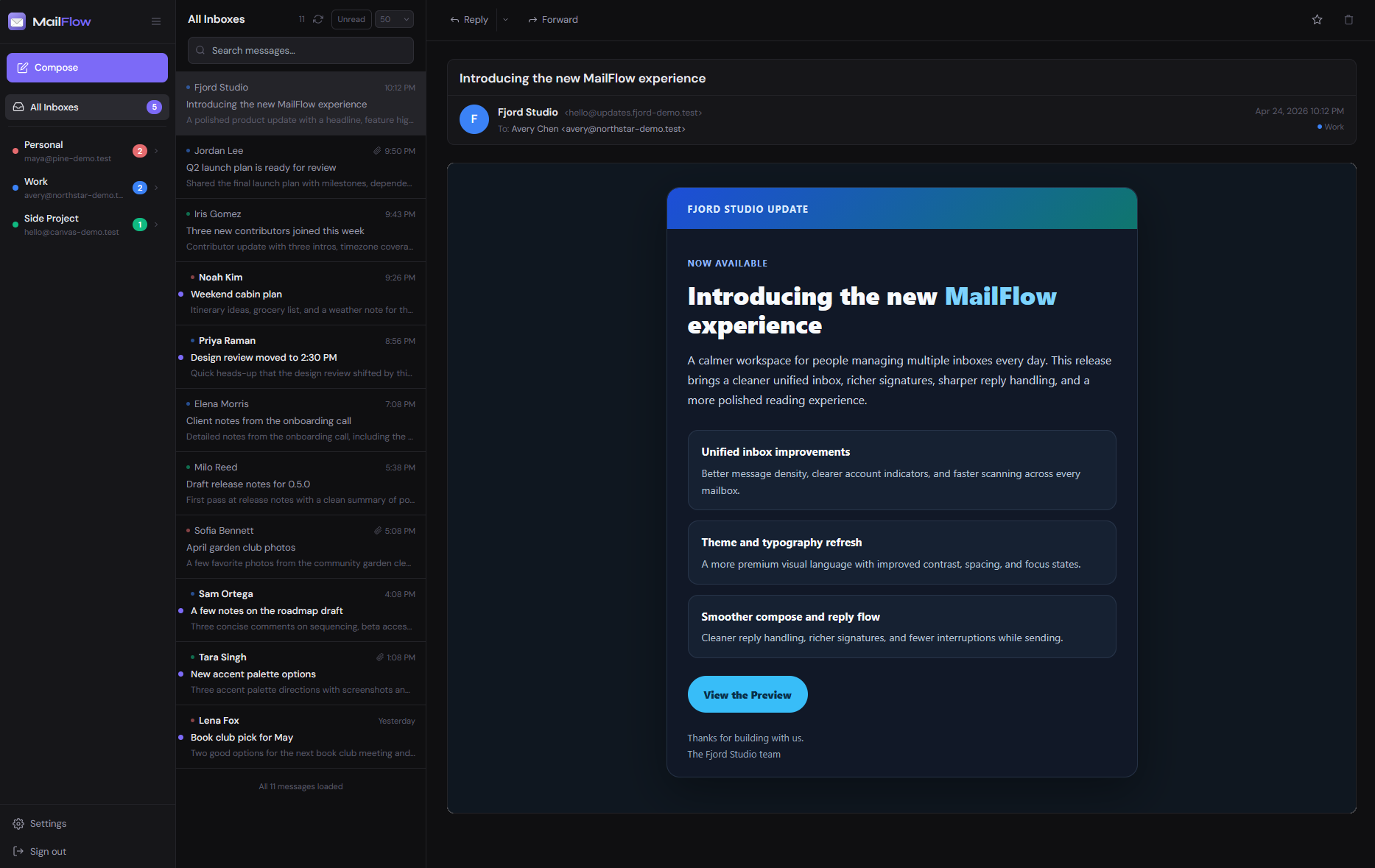
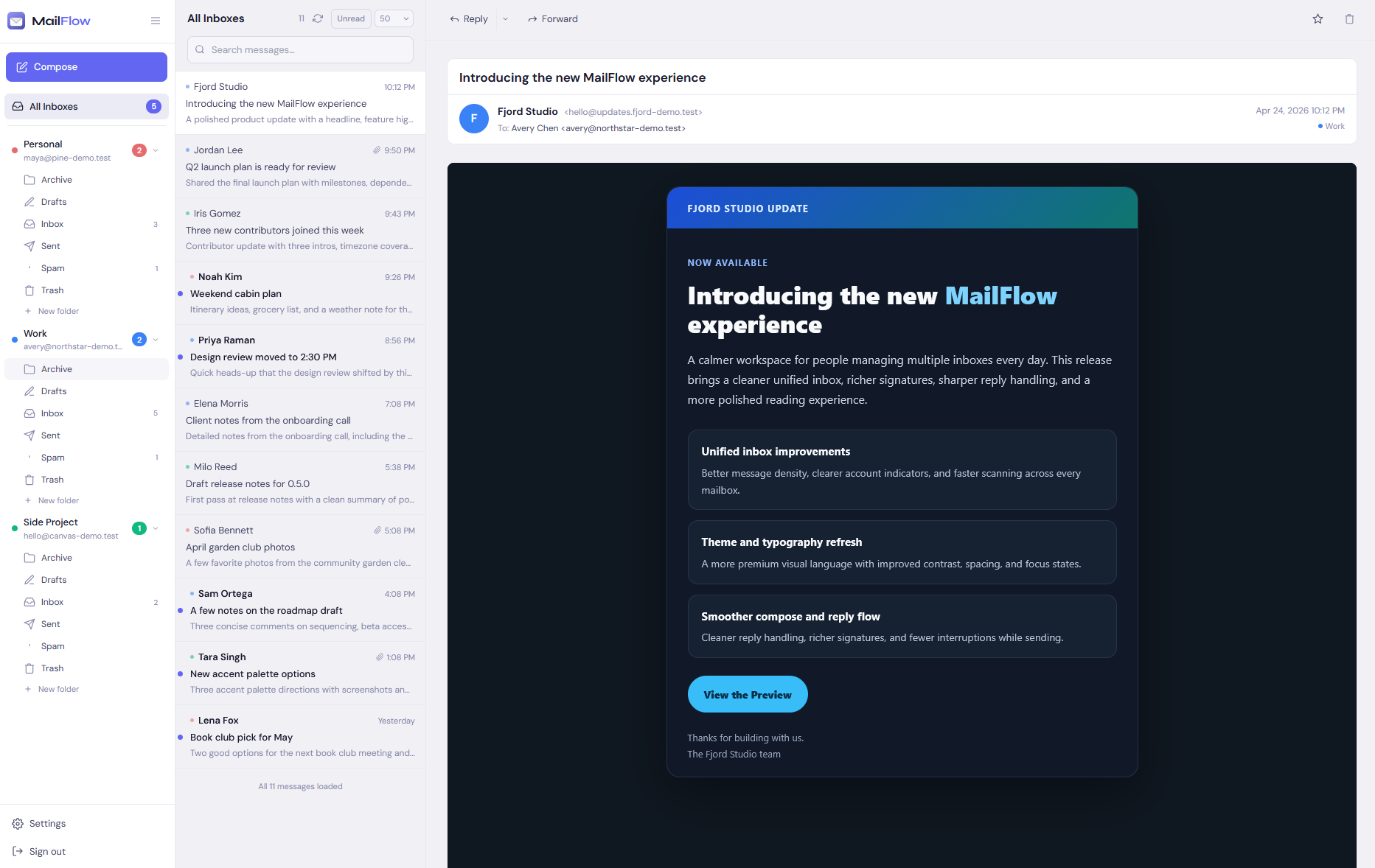
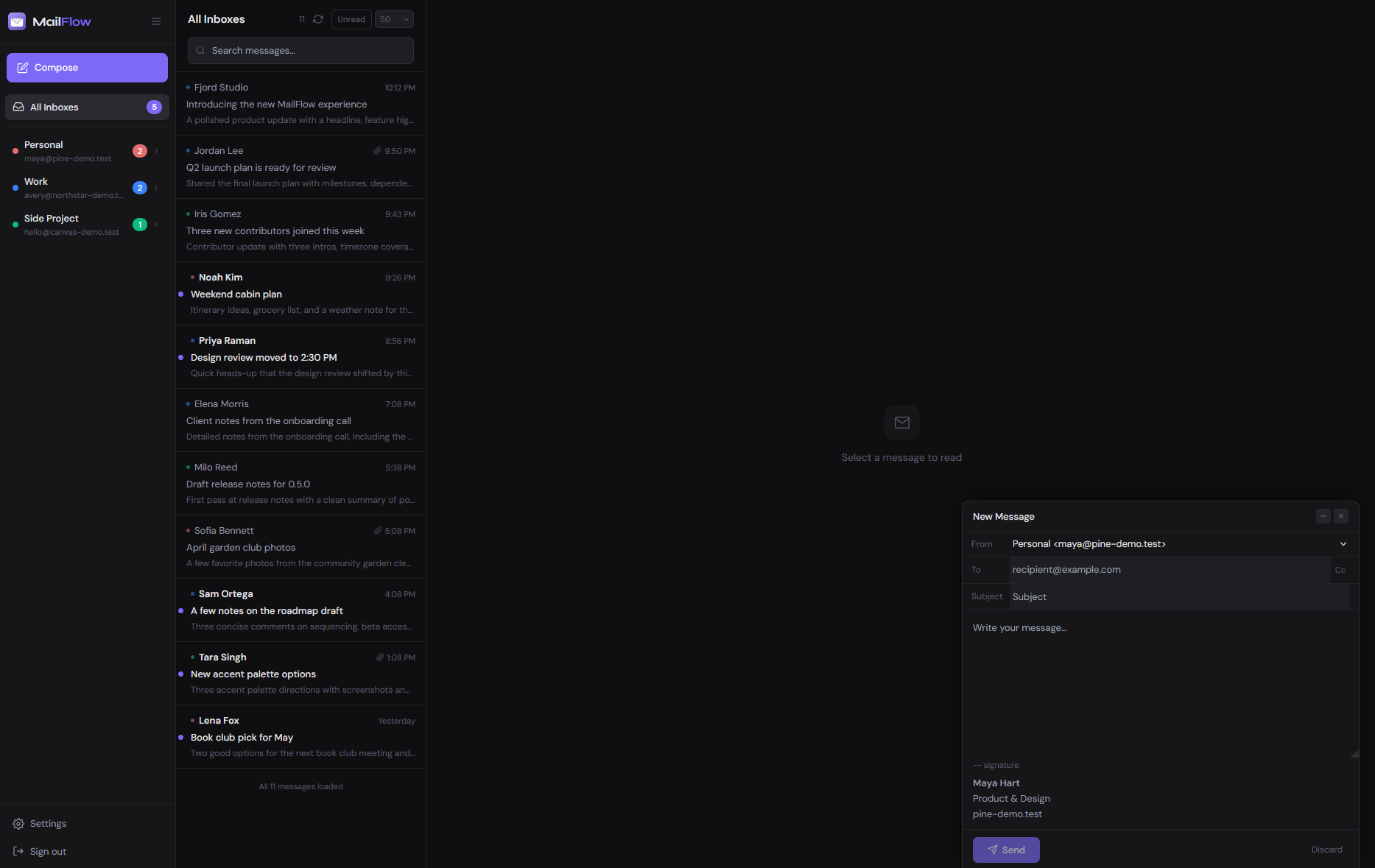
MailFlow is a self-hosted webmail client that puts all your email accounts, like Gmail, iCloud Mail, Outlook and any other IMAP account, into one fast, modern inbox. A modern alternative to Roundcube and SnappyMail. This is MailFlow in a single container, with one port and one data folder. Secret keys are made for you on first start.
Features
- A unified inbox for many accounts, with live updates over IMAP IDLE
- Threaded conversations, fast full-text search and inbox rules
- Contacts with a built-in CardDAV server for your phone
- Several users, an admin panel, two-factor sign-in and OIDC single sign-on
- Themes, layouts and push notifications (keys made for you)
- PostgreSQL and Redis inside; the optional Caddy HTTPS service is left out
How to use
- Open MailFlow from your dashboard, or go to
http://[ZIMAOS-IP-ADDRESS]:6130. - Create your account. The first account becomes the admin.
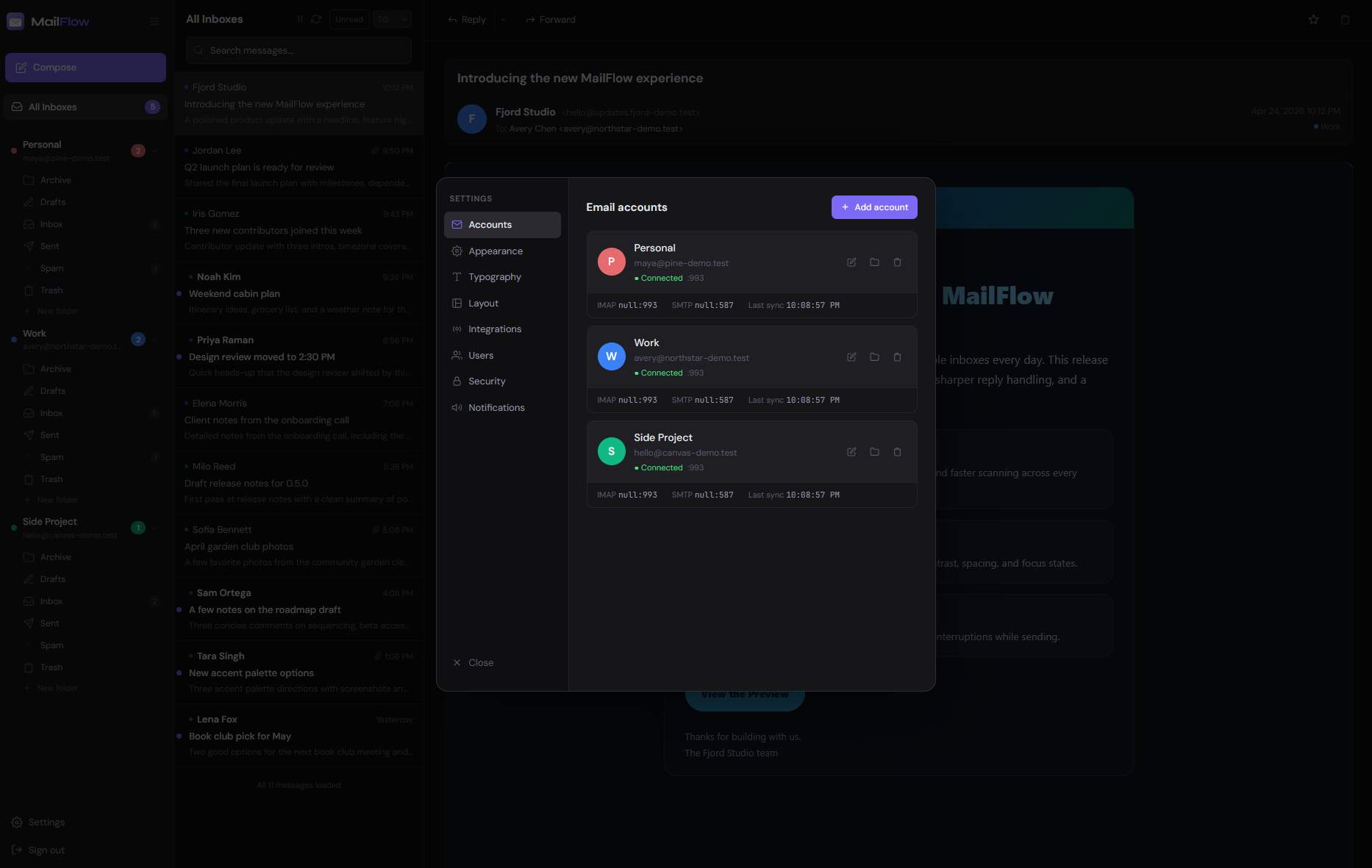
- Add an email account. For Gmail and iCloud, use an app password from your Google or Apple account settings.
Before you install
Change localhost in PUBLIC_URL to your ZimaOS IP, like http://192.168.1.20:6130, or to your domain. MailFlow opens from any address either way, but links in invite and password reset emails and single sign-on (OIDC) use this one. Create your account as soon as the app starts: the first account becomes the admin. Push notifications only work over HTTPS (or on the ZimaOS box itself), so put MailFlow behind a reverse proxy with a domain if you want them, and set TRUST_PROXY_HOPS to 2. Every other setting is optional and listed in the Variables tab. To use one, add it in the app settings with your value; a setting you leave out keeps its default. The first start takes about 2 minutes. Back up the whole data folder: the keys in data/state are needed to read your stored mail passwords.
The settings in the first table are already in the app settings. To use any other one, open the app settings, add the variable with your value, save, and the app restarts with it. A setting you leave out uses its default.
In the app settings
| Variable | Default value | Description |
|---|---|---|
TZ | $TZ | Your time zone. It is filled in from your ZimaOS time zone. Leave it unless you need another. |
PUBLIC_ | http://localhost:6130 | The address you type in your browser. MailFlow works from any address, but links in invite and password reset emails, and single sign-on (OIDC), use this one. It starts as localhost. Change localhost to your ZimaOS IP or your domain, like http://[ZIMAOS-IP-ADDRESS]:6130. Keep the port at 6130 unless you use a domain. |
Server
| Variable | Default value | Description |
|---|---|---|
TRUST_ | 1 | How many proxies sit between the browser and MailFlow, counting its own gateway. Set to 2 if you put MailFlow behind your own reverse proxy, so sign-in limits and Login Activity see the real address. |
LOG_ | info | How much the app log shows: error, warn, info or debug. |
UPDATE_ | false | Set to true to stop MailFlow from checking GitHub for new versions. |
Mail accounts
| Variable | Default value | Description |
|---|---|---|
IMAP_ | 0 | Most always-on connections MailFlow keeps to one mail server. Only set this if you have many accounts on one server that limits connections; the rest are checked on a timer. 0 means no limit. |
ALLOW_ | false | Set to true to allow mail servers on your own network and any port, like Proton Mail Bridge. |
IMAGE_ | 512 | Disk space in MB for images in emails that MailFlow keeps so it doesn't fetch them from the sender again. |
Sign in with Microsoft
| Variable | Default value | Description |
|---|---|---|
MS_ | true | Personal Outlook.com and Hotmail accounts connect through MailFlow's own Microsoft app with no setup. Set to false to stop offering it. The switch under Settings, Email providers wins over this. |
MS_ | — | The client ID of your own Microsoft Entra app. Needed for work and school accounts. You can also set this under Settings, Email providers. |
MS_ | — | The client secret of your own Microsoft Entra app. |
MS_ | common | Your Microsoft tenant ID, or common for any account. |
MS_ | — | The redirect address registered in your Microsoft app, like https://mail.example.com/oauth/microsoft/callback. |
Sign in with Google
| Variable | Default value | Description |
|---|---|---|
GOOGLE_ | — | The client ID of your Google Cloud OAuth app, to connect Gmail and Google Workspace with OAuth instead of an app password. You can also set this under Settings, Email providers. |
GOOGLE_ | — | The client secret of your Google Cloud OAuth app. |
GOOGLE_ | — | The redirect address registered in your Google app, like https://mail.example.com/oauth/google/callback. |
Push notifications
| Variable | Default value | Description |
|---|---|---|
VAPID_ | — | Your own web push public key. Leave it out to use the keys made on first start. Set it together with VAPID_PRIVATE_KEY. |
VAPID_ | — | Your own web push private key. Only used together with VAPID_PUBLIC_KEY. |
VAPID_ | mailto:[email protected] | Contact for the push services, like mailto:[email protected]. When PUBLIC_URL starts with https, that address is used instead. |
name: mailflow

services:
  mailflow:
    image: ghcr.io/hsinghhira/mailflow:latest
    container_name: mailflow
    restart: unless-stopped
    stop_grace_period: 90s
    privileged: true
    environment:
      - TZ=$TZ
      - PUBLIC_URL=http://localhost:6130
    ports:
      - target: 8080
        published: "6130"
        protocol: tcp
    volumes:
      - type: bind
        source: /DATA/AppData/$AppID/data
        target: /data
        bind:
          create_host_path: true
    healthcheck:
      test: ["CMD", "curl", "-fsS", "-o", "/dev/null", "http://127.0.0.1:8080/api/health"]
      interval: 30s
      timeout: 10s
      retries: 5
      start_period: 120s
    deploy:
      resources:
        limits:
          cpus: "2.00"
          memory: 2048M
        reservations:
          cpus: "0.00"
          memory: 256M
    labels:
      icon: https://cdn.jsdelivr.net/gh/HSinghHira/IceStore@main/Apps/mailflow/icon.png
    x-casaos:
      id: com.icestore.mailflow
      envs:
        - container: TZ
          description:
            en_US: >-
              Your time zone. It is filled in from your ZimaOS time zone.
              Leave it unless you need another.
        - container: PUBLIC_URL
          description:
            en_US: >-
              The address you type in your browser. MailFlow works from any
              address, but links in invite and password reset emails, and
              single sign-on (OIDC), use this one. It starts as localhost.
              Change `localhost` to your ZimaOS IP or your domain, like
              http://[ZIMAOS-IP-ADDRESS]:6130. Keep the port at 6130 unless
              you use a domain.
      ports:
        - container: "8080"
          description:
            en_US: MailFlow web app and API, published on host as 6130
      volumes:
        - container: /data
          description:
            en_US: >-
              The database (your accounts, synced mail and settings), the
              secret keys and the push notification keys. Back up the whole
              folder: without data/state, stored mail passwords can't be read.

x-casaos:
  id: com.icestore.mailflow
  architectures:
    - amd64
    - arm64
  main: mailflow
  author: HSinghHira
  category: Productivity
  developer: maathimself
  icon: https://cdn.jsdelivr.net/gh/HSinghHira/IceStore@main/Apps/mailflow/icon.png
  title:
    en_US: MailFlow
  tagline:
    en_US: One modern webmail inbox for Gmail, Outlook, iCloud and any IMAP account
  description:
    en_US: >-
      MailFlow is a self-hosted webmail client that puts all your email
      accounts, like Gmail, iCloud Mail, Outlook and any other IMAP account,
      into one fast, modern inbox. A modern alternative to Roundcube and
      SnappyMail. This is MailFlow in a single container, with one port and
      one data folder. Secret keys are made for you on first start.


      **Features**


      - A unified inbox for many accounts, with live updates over IMAP IDLE

      - Threaded conversations, fast full-text search and inbox rules

      - Contacts with a built-in CardDAV server for your phone

      - Several users, an admin panel, two-factor sign-in and OIDC single sign-on

      - Themes, layouts and push notifications (keys made for you)

      - PostgreSQL and Redis inside; the optional Caddy HTTPS service is left out


      **How to use?**

      1. Open MailFlow from the Zima OS dashboard.

      2. Create your account. The first account becomes the admin.

      3. Add an email account. For Gmail and iCloud, use an app password from
         your Google or Apple account settings.
  tips:
    before_install:
      en_US: >-
        1. Open the app configuration before you install.


        2. Find PUBLIC_URL. It starts as http://localhost:6130.


        3. Change localhost to your ZimaOS IP, like http://192.168.1.20:6130.
           Then links in invite and password reset emails work.


        4. More settings, like Google and Microsoft sign-in for mail
           accounts, are listed on the MailFlow page at
           https://icestore.hsinghhira.me/app/mailflow/ (Variables tab). You
           can add them now or later in the app settings.


        5. Start the installation.


        6. Wait about 2 minutes for all parts to start.


        7. Open MailFlow from the Zima OS dashboard, or go to
           http://[ZIMAOS-IP-ADDRESS]:6130 on another device.


        8. Create your account right away. The first account becomes the
           admin.


        9. Add your email account. For Gmail and iCloud, make an app password
           in your Google or Apple account and use it here.
  index: /
  port_map: "6130"
  scheme: http
  is_uncontrolled: false
  version: "4.1.0"
  update_at: "2026-10-28"
  release_notes:
    en_US: |-
      - Single-container MailFlow with one port (6130) and one data folder
      - Secret keys and web push keys are made on first start, so each install gets its own
      - Works from any address: the gateway passes live-update connections from the address you opened
      - Upstream's frontend nginx is replaced by the built-in gateway; the optional Caddy HTTPS service is left out
      - mailflow-backend 4.1.0
      - mailflow-frontend 4.1.0
      - PostgreSQL 16 and Redis inside
  repo: "https://github.com/maathimself/mailflow"
  support: "https://github.com/maathimself/mailflow/issues"
  docs: "https://mailflow.sh/docs.html"
Install MailFlow
 ZimaOS
Add the store link, then find MailFlow in the App Store and install it.
 CasaOS
Add the store link, then find MailFlow in the App Store and install it.
 Homeio
Add the store link, then find MailFlow in the App Store and install it.
Something not working with MailFlow? Report a problem or request another app.


