
LibreTranslate
Machine translation you host yourself, with a web page and an API.
- libretranslate/libretranslate:v1.9.6
- v1.9.6
- Updated 16 Nov 2026
- port 6737
- amd64 · arm64
- AI
- 17.8k stars
Screenshots
Open the app
About LibreTranslate
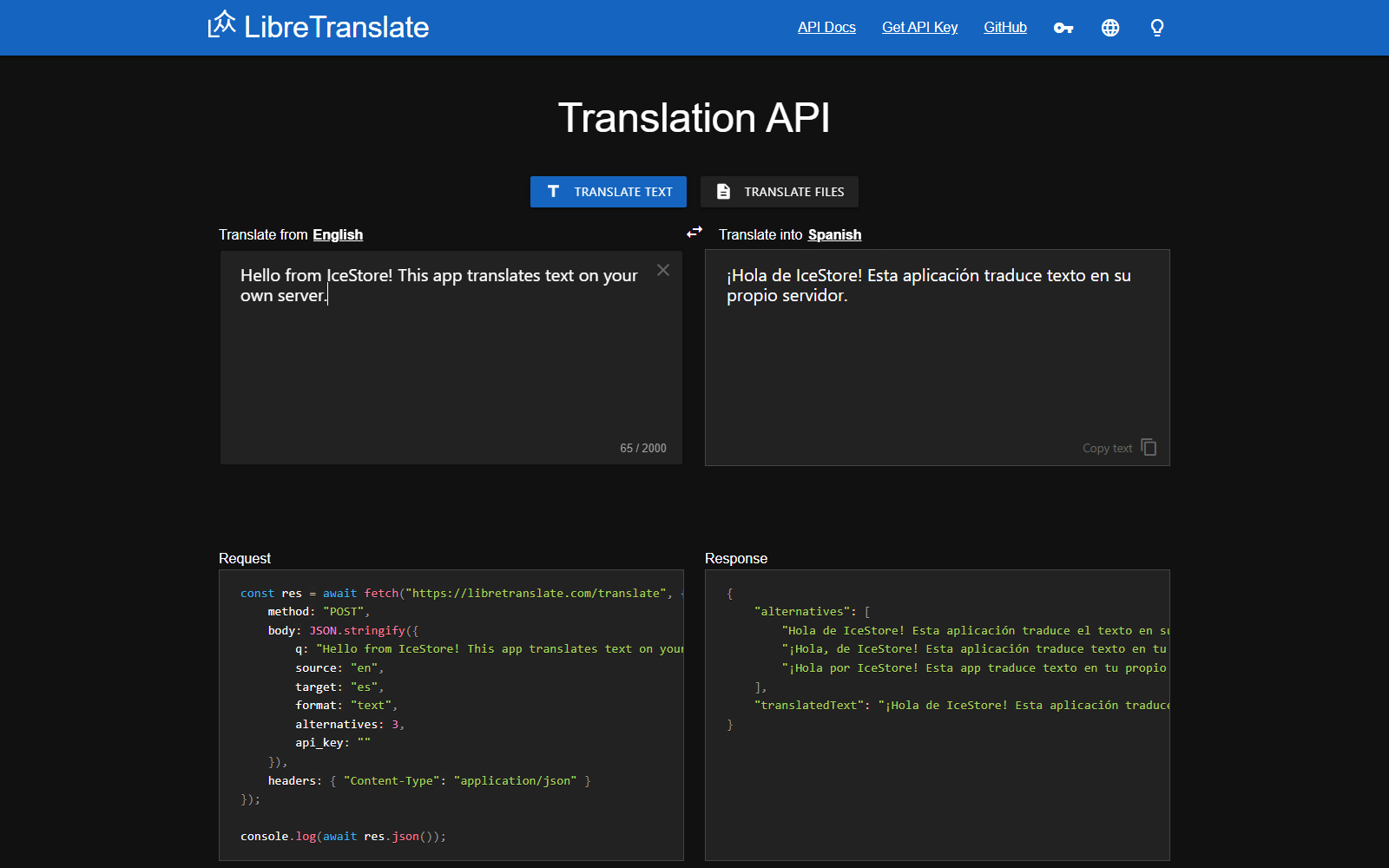
LibreTranslate translates text and documents on your own server, with no cloud service and no account. Use the web page, or point other apps at its API: many apps support it, like Immich, Paperless, Mealie, browser extensions and Home Assistant.
Features
- Over 40 languages, all running offline on your box
- Translate text or whole files (Word, PowerPoint, PDF, text)
- Detects the source language by itself
- A simple REST API, with optional API keys and limits
- Works on the CPU; no graphics card needed
How to use
- Wait for the first start to finish downloading the languages.
- Open
http://[ZIMAOS-IP-ADDRESS]:6737in your browser. - Pick the languages, type or paste your text, or upload a file.
- In other apps, use
http://[ZIMAOS-IP-ADDRESS]:6737as the LibreTranslate address.
Before you install
Pick your languages in LT_LOAD_ONLY (two-letter codes, comma separated, like en,es,fr,de,it,ja); it starts with English, Spanish, French and German. Leaving it blank loads every language, which is about 10 GB and needs a lot of memory. The first start downloads the models and can take 5 to 15 minutes; they are kept in the app folder after that. There is no login, so keep port 6737 on your home network or turn on API keys. Limits, API keys and the other settings are in the Variables tab; add them in the app settings.
The settings in the first table are already in the app settings. To use any other one, open the app settings, add the variable with your value, save, and the app restarts with it. A setting you leave out uses its default.
In the app settings
| Variable | Default value | Description |
|---|---|---|
TZ | $TZ | Your time zone. It is filled in from your ZimaOS time zone. Leave it unless you need another. |
LT_ | en,es,fr,de | The languages to download and load, as two-letter codes, comma separated, like en,es,fr,de,it,ja. Fewer languages means a faster start and less memory. Leave it blank for all of them (about 10 GB and a lot of memory). |
LT_ | true | true downloads newer language models when they come out, on start. Set to false to keep the ones you have. |
API keys and limits
| Variable | Default value | Description |
|---|---|---|
LT_ | false | Set to true to turn on API keys. Make keys with ltmanage keys add in the app's terminal. |
LT_ | — | Needs an API key for every request, except from this web address (like your own site). |
LT_ | -1 | Most requests per minute from one address. -1 means no limit. |
LT_ | -1 | Most characters in one request. -1 means no limit. |
LT_ | -1 | Most texts in one batch request. -1 means no limit. |
Server
| Variable | Default value | Description |
|---|---|---|
LT_ | 4 | How many translations can run at the same time. Each one uses more memory. |
LT_ | false | Set to true behind a reverse proxy, so limits count each visitor's real address. |
LT_ | — | A sub-path when served behind a reverse proxy, like /translate. |
Web page
| Variable | Default value | Description |
|---|---|---|
LT_ | auto | The language the web page starts from, like en, or auto to detect it. |
LT_ | locale | The language the web page translates into, like es, or locale for the browser's language. |
LT_ | — | Your own title for the web page. |
LT_ | false | Set to true to turn off the web page and keep only the API. |
LT_ | false | Set to true to turn off translating files. |
LT_ | false | Set to true to let people suggest better translations. |
Logs
| Variable | Default value | Description |
|---|---|---|
LT_ | false | Set to true for detailed logs. |
name: libretranslate

services:
  libretranslate:
    image: libretranslate/libretranslate:v1.9.6
    container_name: libretranslate
    restart: unless-stopped
    stop_grace_period: 30s
    network_mode: bridge
    user: "0:0"
    environment:
      - TZ=$TZ
      - LT_LOAD_ONLY=en,es,fr,de
      - LT_UPDATE_MODELS=true
    ports:
      - target: 5000
        published: "6737"
        protocol: tcp
    volumes:
      - type: bind
        source: /DATA/AppData/$AppID/models
        target: /home/libretranslate/.local
        bind:
          create_host_path: true
      - type: bind
        source: /DATA/AppData/$AppID/db
        target: /app/db
        bind:
          create_host_path: true
    healthcheck:
      test: ["CMD", "./venv/bin/python", "scripts/healthcheck.py"]
      interval: 30s
      timeout: 60s
      retries: 4
      start_period: 900s
    deploy:
      resources:
        limits:
          cpus: "4.00"
          memory: 4096M
        reservations:
          cpus: "0.00"
          memory: 512M
    labels:
      icon: https://cdn.jsdelivr.net/gh/HSinghHira/IceStore@main/Apps/libretranslate/icon.png
    x-casaos:
      id: com.icestore.libretranslate
      envs:
        - container: TZ
          description:
            en_US: >-
              Your time zone. It is filled in from your ZimaOS time zone.
              Leave it unless you need another.
        - container: LT_LOAD_ONLY
          description:
            en_US: >-
              The languages to download and load, as two-letter codes,
              comma separated, like en,es,fr,de,it,ja. Fewer languages means
              a faster start and less memory. Leave it blank for all of them
              (about 10 GB and a lot of memory).
        - container: LT_UPDATE_MODELS
          description:
            en_US: >-
              true downloads newer language models when they come out, on
              start. Set to false to keep the ones you have.
      ports:
        - container: "5000"
          description:
            en_US: LibreTranslate web page and API, published on host as 6737
      volumes:
        - container: /home/libretranslate/.local
          description:
            en_US: >-
              The downloaded language models, so they are not downloaded
              again after an update.
        - container: /app/db
          description:
            en_US: The API keys database, when API keys are turned on.

x-casaos:
  id: com.icestore.libretranslate
  architectures:
    - amd64
    - arm64
  main: libretranslate
  author: HSinghHira
  category: AI
  developer: LibreTranslate
  icon: https://cdn.jsdelivr.net/gh/HSinghHira/IceStore@main/Apps/libretranslate/icon.png
  screenshot_link:
    - https://cdn.jsdelivr.net/gh/HSinghHira/IceStore@main/Apps/libretranslate/screenshot-1.png
  thumbnail: https://cdn.jsdelivr.net/gh/HSinghHira/IceStore@main/Apps/libretranslate/screenshot-1.png
  title:
    en_US: LibreTranslate
  tagline:
    en_US: Machine translation you host yourself, with a web page and an API.
  description:
    en_US: >-
      Visit: [https://icestore.hsinghhira.me/app/libretranslate/](https://icestore.hsinghhira.me/app/libretranslate/) for full details


      LibreTranslate translates text and documents on your own server, with
      no cloud service and no account. Use the web page, or point other
      apps at its API: many apps support it, like Immich, Paperless,
      Mealie, browser extensions and Home Assistant.


      **Features**


      - Over 40 languages, all running offline on your box

      - Translate text or whole files (Word, PowerPoint, PDF, text)

      - Detects the source language by itself

      - A simple REST API, with optional API keys and limits

      - Works on the CPU; no graphics card needed


      **How to use?**


      1. Wait for the first start to finish downloading the languages.


      2. Open http://[ZIMAOS-IP-ADDRESS]:6737 in your browser.


      3. Pick the languages, type or paste your text, or upload a file.


      4. In other apps, use http://[ZIMAOS-IP-ADDRESS]:6737 as the
         LibreTranslate address.
  tips:
    before_install:
      en_US: >-
        1. Pick your languages in LT_LOAD_ONLY, like en,es,fr,de,it. Fewer
           languages start faster and use less memory.


        2. Start the installation. The first start downloads the language
           models and can take 5 to 15 minutes. Watch the log.


        3. Open http://[ZIMAOS-IP-ADDRESS]:6737 in your browser, like
           http://192.168.1.20:6737 on your laptop.


        4. There is no login. Keep the port on your home network, or turn on
           API keys.


        5. More settings, like limits and API keys, are listed on the
           LibreTranslate page at
           https://icestore.hsinghhira.me/app/libretranslate/ (Variables
           tab). You can add them now or later in the app settings.
  index: /
  port_map: "6737"
  scheme: http
  is_uncontrolled: false
  version: "v1.9.6"
  update_at: "2026-11-16"
  release_notes:
    en_US: |-
      - First IceStore version: libretranslate/libretranslate v1.9.6
      - Web page and API on port 6737; English, Spanish, French and German by default
      - Runs as root so it can write to the app folder that ZimaOS makes
  repo: "https://github.com/LibreTranslate/LibreTranslate"
  support: "https://github.com/LibreTranslate/LibreTranslate/issues"
  docs: "https://docs.libretranslate.com"
Install LibreTranslate
Something not working with LibreTranslate?
Report it so it gets fixed, or ask for an app that is not here yet.
 ZimaOS
Add the store link, then find LibreTranslate in the App Store and install it.
 CasaOS
Add the store link, then find LibreTranslate in the App Store and install it.
 ReCasaOS
Add the store link, then find LibreTranslate in the App Store and install it.
 Homeio
Add the store link, then find LibreTranslate in the App Store and install it.
 MOS
Add the repository in MOS Hub Settings, then find LibreTranslate in Docker → MOS Hub and install it.


