
Octypo
Turns feeds and your documents into source-checked articles, in any language.
- ghcr.io/hsinghhira/octypo:latest
- v1.0.0
- Updated 10 Nov 2026
- port 6719
- amd64 · arm64
- AI
- 0 stars
Screenshots
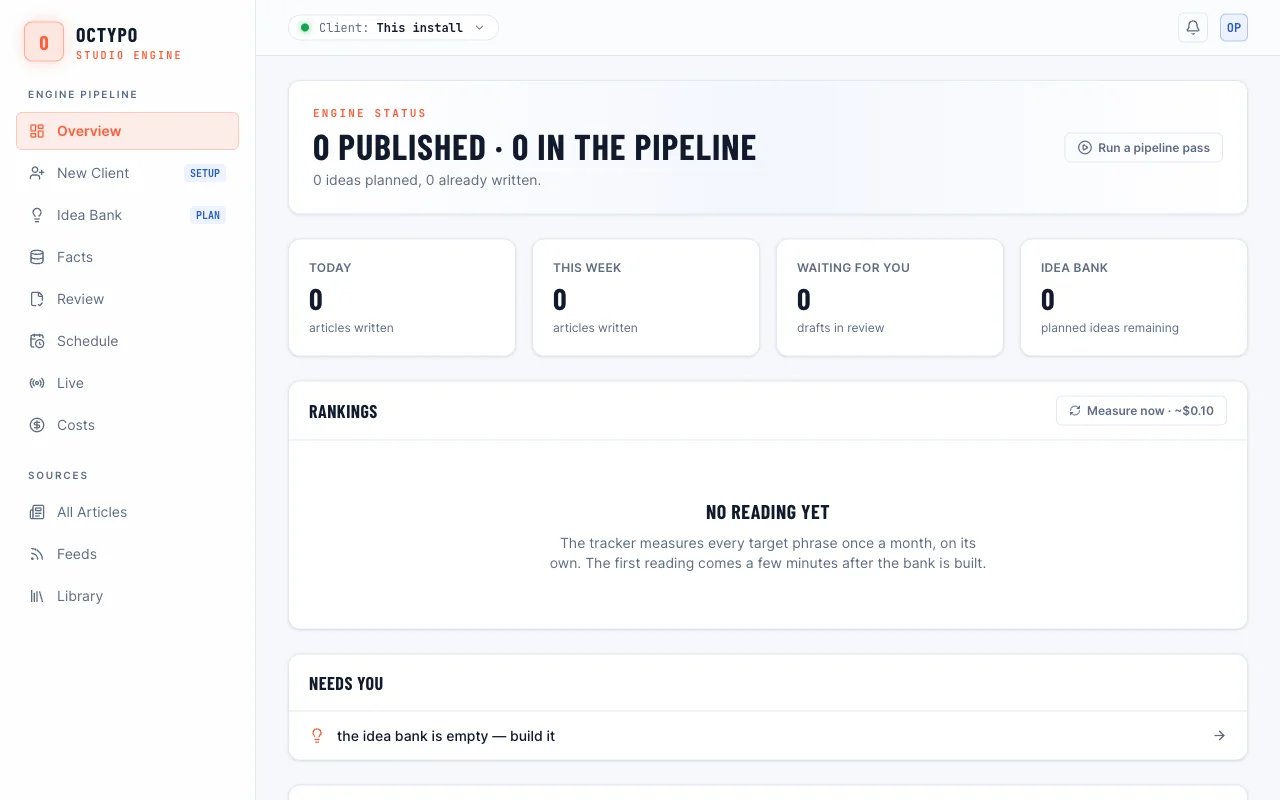
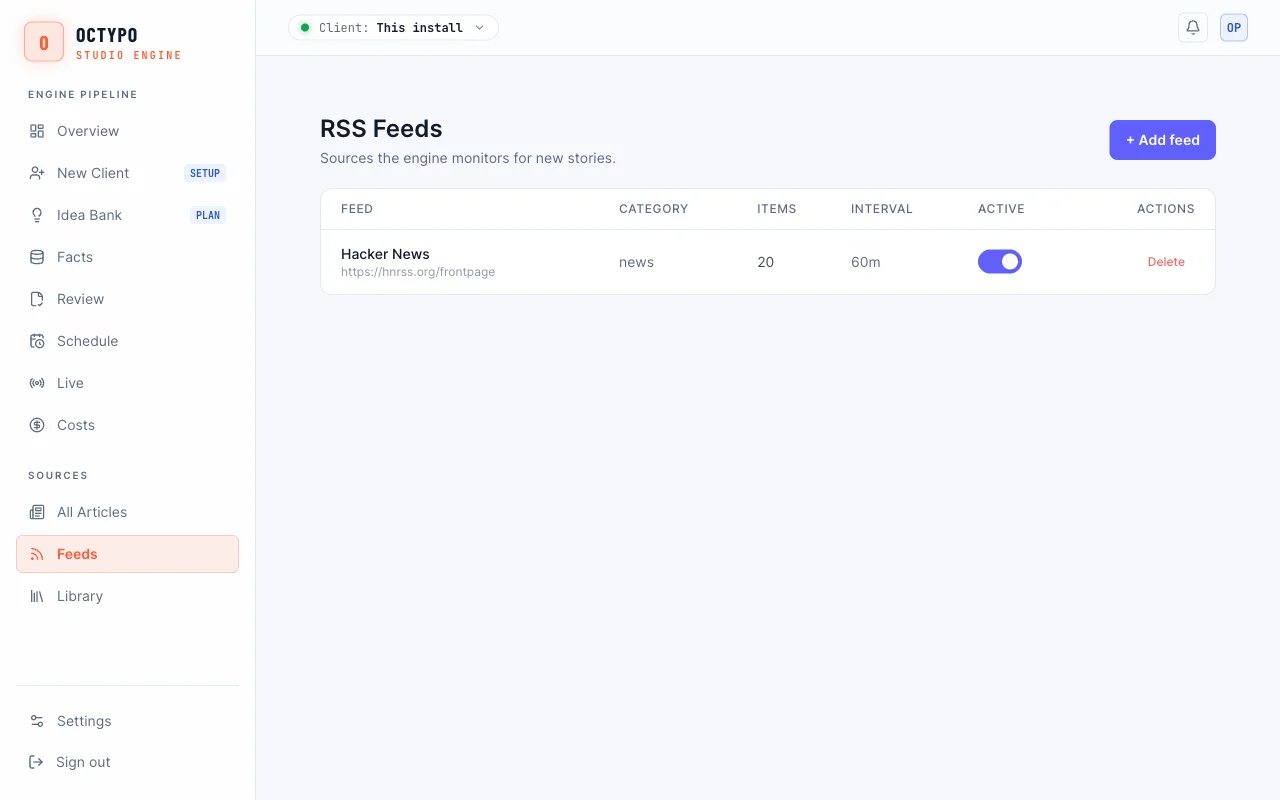
Open the app
About Octypo
Octypo is a self-hosted engine that turns RSS feeds and your own documents into articles checked against their sources, in any language. It picks what is worth writing about, writes it, checks it, and holds anything that fails for a person to review. PostgreSQL is inside this one container.
Features
- Articles written natively in any of 185 languages
- Anthropic, OpenAI, Gemini, Groq, OpenRouter and more, with fallback
- Quality gates: scoring, number checks against sources, duplicate detection
- Drafts by default and a daily spend limit
- Admin panel, REST API and an Astro blog to publish to
How to use
- Add a model key (like
ANTHROPIC_API_KEY) before you install. - Open
http://[ZIMAOS-IP-ADDRESS]:6719/adminand sign in with the password from the app's logs. - Add an RSS feed under Feeds, or upload documents to the Library.
- Review the drafts and publish.
Before you install
Octypo needs at least one model key to write anything: put it in ANTHROPIC_API_KEY, or add OPENAI_API_KEY, GEMINI_API_KEY or GROQ_API_KEY. The admin password is made on first start and shown in the app's logs, in the box marked CREDENTIALS, unless you set ADMIN_PASSWORD. Articles stay drafts until you publish them. Upstream's whole list of settings is in its .env.example; the common ones are in the Variables tab, and any other is added the same way in the app settings.
The settings in the first table are already in the app settings. To use any other one, open the app settings, add the variable with your value, save, and the app restarts with it. A setting you leave out uses its default.
In the app settings
| Variable | Default value | Description |
|---|---|---|
TZ | $TZ | Your time zone. It is filled in from your ZimaOS time zone. |
ANTHROPIC_ | — | A model key, needed to write articles. Use this one, or add OPENAI_API_KEY, GEMINI_API_KEY or GROQ_API_KEY instead (Variables tab). |
ADMIN_ | — | The admin panel password. Leave it empty to have one made; it is shown in the app's logs, in the box marked CREDENTIALS. |
Models
| Variable | Default value | Description |
|---|---|---|
OPENAI_ | — | An OpenAI key, as a model provider (and for hero images). |
GEMINI_ | — | A Google Gemini key, as a model provider. |
GROQ_ | — | A Groq key, as a model provider. |
OCTYPO_ | — | Stop generating for the day once model spend reaches this many dollars, like 5. |
LANGUAGE_ | — | A specialist OpenAI-compatible model per language, as JSON (see upstream's .env.example). |
Content
| Variable | Default value | Description |
|---|---|---|
CONTENT_ | general news and analysis | What your site is about; it steers every prompt. |
TOPICS_ | — | Topics for tagging and per-topic daily limits, as a JSON array. |
SITE_ | — | Your public site, for IndexNow pings and rank tracking. |
SITE_ | en | The site's language as a BCP 47 tag; sets the text direction. |
ARTICLE_ | /guides | The path articles live under on your site. |
Publishing
| Variable | Default value | Description |
|---|---|---|
AUTO_ | false | Set to true to publish approved articles straight away instead of keeping them as drafts. |
Schedules
| Variable | Default value | Description |
|---|---|---|
RSS_ | 30 | How often feeds are checked. |
RSS_ | 20 | The most articles written from feeds per day. |
LIBRARY_ | 3 | The most articles written from the document library per day. |
ENABLE_ | false | Set to true for the autonomous growth plan (needs GROWTH_SEEDS). |
Images
| Variable | Default value | Description |
|---|---|---|
ENABLE_ | true | Hero images, when OPENAI_API_KEY and the R2_* storage settings are set. |
R2_ | — | The S3/R2 endpoint for hero images, with R2_ACCESS_KEY_ID, R2_SECRET_ACCESS_KEY, R2_BUCKET and R2_PUBLIC_BASE_URL. |
name: octypo

services:
  octypo:
    image: ghcr.io/hsinghhira/octypo:latest
    container_name: octypo
    restart: unless-stopped
    stop_grace_period: 60s
    network_mode: bridge
    environment:
      - TZ=$TZ
      - ANTHROPIC_API_KEY=
      - ADMIN_PASSWORD=
    ports:
      - target: 3000
        published: "6719"
        protocol: tcp
    volumes:
      - type: bind
        source: /DATA/AppData/$AppID/data
        target: /data
        bind:
          create_host_path: true
    healthcheck:
      test: ["CMD", "curl", "-fsS", "-o", "/dev/null", "http://127.0.0.1:3000/health"]
      interval: 30s
      timeout: 10s
      retries: 5
      start_period: 90s
    deploy:
      resources:
        limits:
          cpus: "2.00"
          memory: 1536M
        reservations:
          cpus: "0.10"
          memory: 192M
    labels:
      icon: https://cdn.jsdelivr.net/gh/HSinghHira/IceStore@main/Apps/octypo/icon.png
    x-casaos:
      id: com.icestore.octypo
      envs:
        - container: TZ
          description:
            en_US: >-
              Your time zone. It is filled in from your ZimaOS time zone.
        - container: ANTHROPIC_API_KEY
          description:
            en_US: >-
              A model key, needed to write articles. Use this one, or add
              OPENAI_API_KEY, GEMINI_API_KEY or GROQ_API_KEY instead (Variables
              tab).
        - container: ADMIN_PASSWORD
          description:
            en_US: >-
              The admin panel password. Leave it empty to have one made; it is
              shown in the app's logs, in the box marked CREDENTIALS.
      ports:
        - container: "3000"
          description:
            en_US: Octypo admin panel (/admin) and REST API, published on host as 6719
      volumes:
        - container: /data
          description:
            en_US: >-
              The database (postgres/), the engine's encrypted secrets file
              (octypo/) and the passwords made on first start (state/). Back
              up the whole folder.

x-casaos:
  id: com.icestore.octypo
  architectures:
    - amd64
    - arm64
  main: octypo
  author: HSinghHira
  category: AI
  developer: KBRglobal
  icon: https://cdn.jsdelivr.net/gh/HSinghHira/IceStore@main/Apps/octypo/icon.png
  thumbnail: https://cdn.jsdelivr.net/gh/HSinghHira/IceStore@main/Apps/octypo/screenshot-1.jpg
  screenshot_link:
    - https://cdn.jsdelivr.net/gh/HSinghHira/IceStore@main/Apps/octypo/screenshot-1.jpg
    - https://cdn.jsdelivr.net/gh/HSinghHira/IceStore@main/Apps/octypo/screenshot-2.jpg
  title:
    en_US: Octypo
  tagline:
    en_US: Turns feeds and your documents into source-checked articles, in any language.
  description:
    en_US: >-
      Visit: [https://icestore.hsinghhira.me/app/octypo/](https://icestore.hsinghhira.me/app/octypo/) for full details


      Octypo is a self-hosted engine that turns RSS feeds and your own
      documents into articles checked against their sources, in any
      language. It picks what is worth writing about, writes it, checks it,
      and holds anything that fails for a person to review. PostgreSQL is
      inside this one container.


      **Features**


      - Articles written natively in any of 185 languages

      - Anthropic, OpenAI, Gemini, Groq, OpenRouter and more, with fallback

      - Quality gates: scoring, number checks against sources, duplicate
        detection

      - Drafts by default and a daily spend limit

      - Admin panel, REST API and an Astro blog to publish to


      **How to use?**


      1. Add a model key (like ANTHROPIC_API_KEY) before you install.


      2. Open http://[ZIMAOS-IP-ADDRESS]:6719/admin and sign in with the
         password from the app's logs.


      3. Add an RSS feed under Feeds, or upload documents to the Library.


      4. Review the drafts and publish.
  tips:
    before_install:
      en_US: >-
        1. Open the app configuration before you install.


        2. Put a model key in ANTHROPIC_API_KEY, or add OPENAI_API_KEY,
           GEMINI_API_KEY or GROQ_API_KEY. Without one, no articles are
           written.


        3. Start the installation. It is ready in about a minute.


        4. Look in the app's logs for the box marked CREDENTIALS. It has the
           admin password (unless you set ADMIN_PASSWORD yourself).


        5. Open http://[ZIMAOS-IP-ADDRESS]:6719/admin and sign in.


        6. The topic, schedules, spend limit and publishing options are
           listed on the Octypo page at
           https://icestore.hsinghhira.me/app/octypo/ (Variables tab).
  index: /admin
  port_map: "6719"
  scheme: http
  is_uncontrolled: false
  version: "1.0.0"
  update_at: "2026-11-10"
  release_notes:
    en_US: |-
      - First IceStore version: Octypo 1.0.0 from npm (upstream's quick start) with PostgreSQL 16 in one container; upstream publishes no image.
      - Port 6719. The admin password, the database password and the secrets-file password are made on first start.
  repo: "https://github.com/KBRglobal/octypo-engine-oss"
  support: "https://github.com/KBRglobal/octypo-engine-oss/issues"
  docs: "https://github.com/KBRglobal/octypo-engine-oss#readme"
Install Octypo
Something not working with Octypo?
Report it so it gets fixed, or ask for an app that is not here yet.
 ZimaOS
Add the store link, then find Octypo in the App Store and install it.
 CasaOS
Add the store link, then find Octypo in the App Store and install it.
 ReCasaOS
Add the store link, then find Octypo in the App Store and install it.
 Homeio
Add the store link, then find Octypo in the App Store and install it.
 MOS
Add the repository in MOS Hub Settings, then find Octypo in Docker → MOS Hub and install it.


