
MindSift
Notes, tasks and shared lists with quick capture, an outliner, kanban and an MCP server.
- ghcr.io/mindsift-app/mindsift:v0.89.0
- v0.89.0
- Updated 9 Nov 2026
- port 6710
- amd64
- Productivity
- 8 stars
Screenshots
Open the app
About MindSift
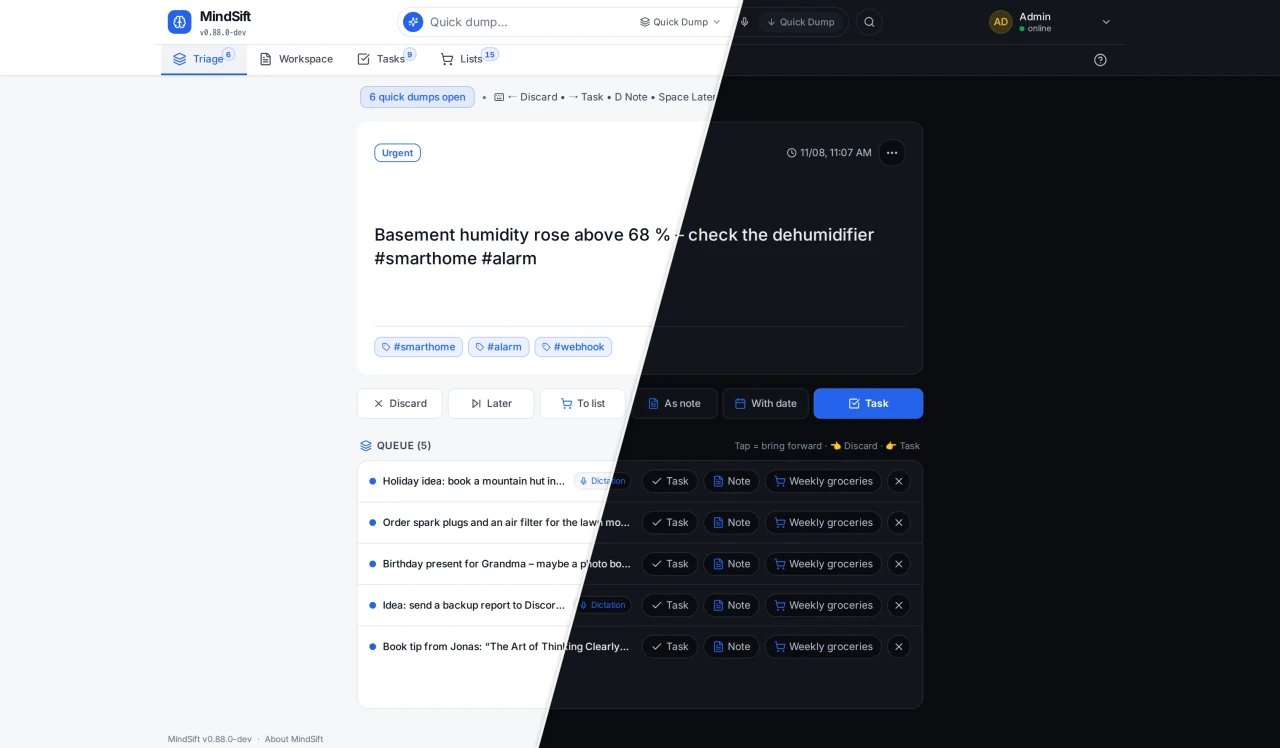
MindSift is a self-hosted home for notes, tasks and shared lists: catch a thought in a second, sort it later, and work on it together live. One Go program with one SQLite file.
Features
- Quick capture and a triage inbox
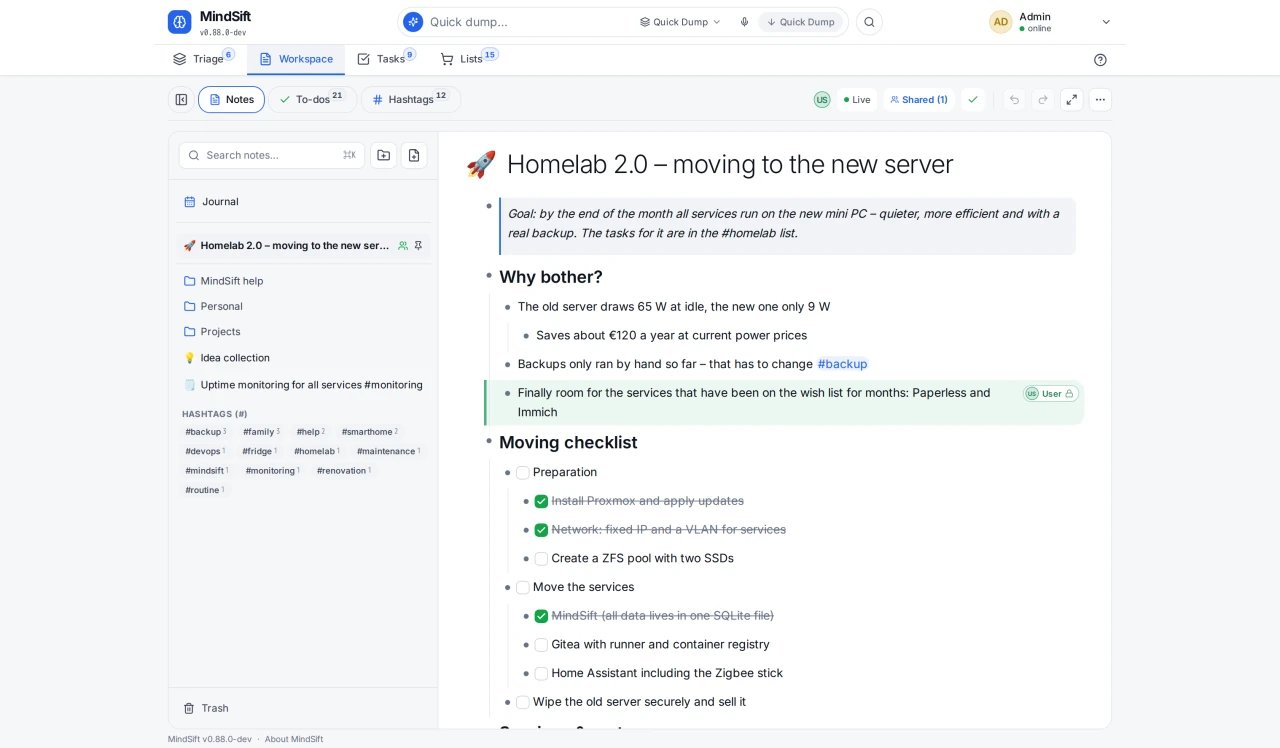
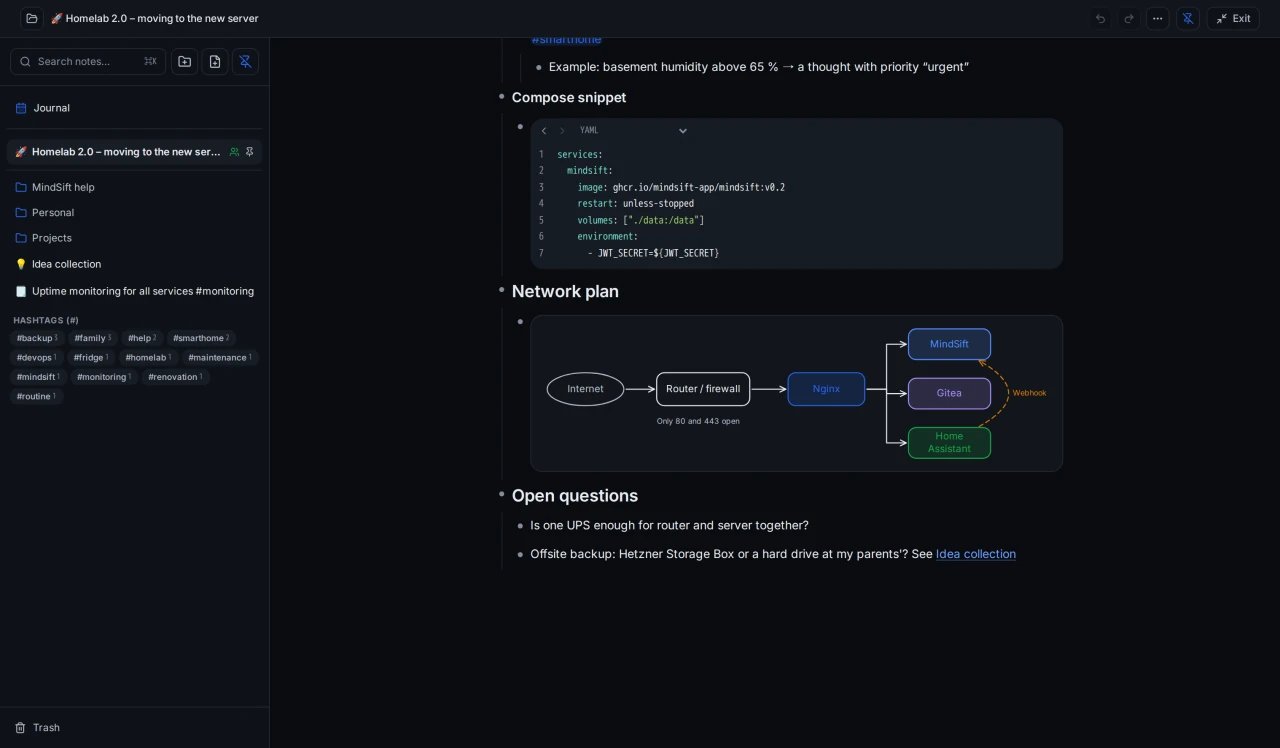
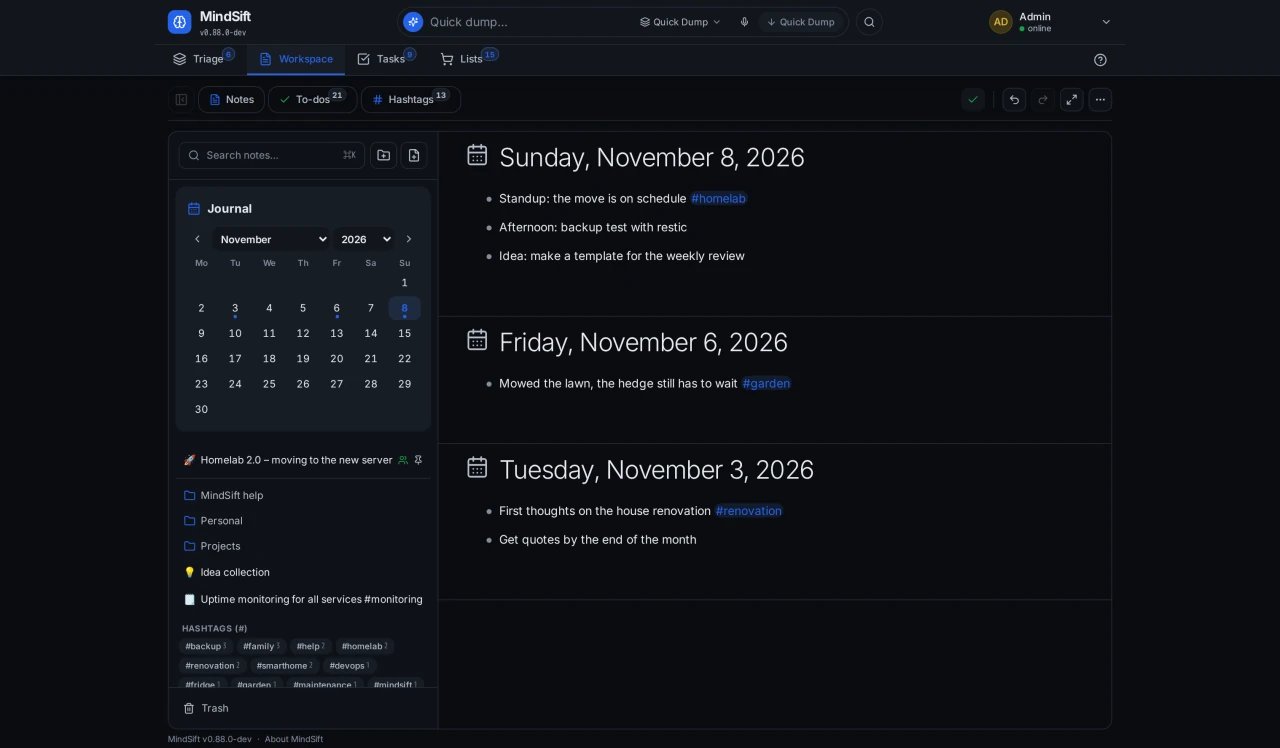
- Live outliner, kanban boards, a journal and a focus view
- Shared lists and workspaces, live collaboration, invite codes and organizations
- Voice input (optional Whisper server), reminders and email digests
- MCP server for AI agents, automatic backups and restore
How to use
- Set
BASE_URLto your ZimaOS IP before you install. - Open MindSift right after the first start and create the admin account in the setup wizard.
- Capture notes and tasks, then sort them into workspaces.
- Invite others with invite codes from the admin settings.
Before you install
You must set BASE_URL first. It starts as http://[ZIMAOS-IP-ADDRESS]:6710: replace [ZIMAOS-IP-ADDRESS] with your ZimaOS IP, like http://192.168.1.20:6710. Live updates only work from this address.
The first person to open MindSift creates the admin account in its setup wizard, so open it right after installing. Its sign-in and encryption keys are made on first start and kept in the data folder. More settings (sign-up, email, voice input) are in the Variables tab. The image is built for amd64 only.
The settings in the first table are already in the app settings. To use any other one, open the app settings, add the variable with your value, save, and the app restarts with it. A setting you leave out uses its default.
In the app settings
| Variable | Default value | Description |
|---|---|---|
TZ | $TZ | Your time zone. It is filled in from your ZimaOS time zone. |
BASE_ | http://[ZIMAOS-IP-ADDRESS]:6710 | Required. Replace [ZIMAOS-IP-ADDRESS] with your ZimaOS IP, like http://192.168.1.20:6710, or use your https domain. Live updates only work from this address, and email links use it. |
Sign-up and accounts
| Variable | Default value | Description |
|---|---|---|
REGISTRATION_ | — | Who may sign up: approval, domain, domain+approval or open. Left out, the admin chooses in the settings. |
REGISTRATION_ | — | Email domains for the domain modes, like company.com, family.org. |
REGISTRATION_ | — | Set to true so new accounts confirm their email first (needs email). |
DEFAULT_ | — | The language for new users, like en or de. |
Server
| Variable | Default value | Description |
|---|---|---|
TRUSTED_ | private | Proxies whose forwarded client address is believed. |
LOGIN_ | true | Slows down repeated failed logins. Set to false to turn it off. |
LOG_ | info | debug, info, warn or error. |
Email (SMTP)
| Variable | Default value | Description |
|---|---|---|
SMTP_ | — | Your mail server, for password resets, invitations and digests. |
SMTP_ | 587 | Your mail server's port. |
SMTP_ | — | The user name for your mail server. |
SMTP_ | — | The password for your mail server. |
SMTP_ | — | The address email comes from. |
SMTP_ | true | Set to false for a mail server without TLS. |
Voice input
| Variable | Default value | Description |
|---|---|---|
STT_ | — | A Whisper server (faster-whisper or speaches), like http://192.168.1.20:8000, for voice input on the server. |
STT_ | deepdml/faster-whisper-large-v3-turbo-ct2 | The Whisper model the server uses. |
STT_ | false | Set to true to turn voice input off. |
Media
| Variable | Default value | Description |
|---|---|---|
MEDIA_ | 15 | The largest image upload, in MB. |
MEDIA_ | 0 | Upload space per user in MB; 0 means no limit. |
Keys
| Variable | Default value | Description |
|---|---|---|
SECRETS_ | — | The key for hidden values in notes. Made on first start and kept in secrets.key when left out; never change it once values are stored. |
name: mindsift

services:
  mindsift:
    image: ghcr.io/mindsift-app/mindsift:v0.89.0
    container_name: mindsift
    restart: unless-stopped
    stop_grace_period: 20s
    network_mode: bridge
    environment:
      - TZ=$TZ
      - BASE_URL=http://[ZIMAOS-IP-ADDRESS]:6710
    ports:
      - target: 8080
        published: "6710"
        protocol: tcp
    volumes:
      - type: bind
        source: /DATA/AppData/$AppID/data
        target: /data
        bind:
          create_host_path: true
    deploy:
      resources:
        limits:
          cpus: "1.00"
          memory: 512M
        reservations:
          cpus: "0.00"
          memory: 32M
    labels:
      icon: https://cdn.jsdelivr.net/gh/HSinghHira/IceStore@main/Apps/mindsift/icon.png
    x-casaos:
      id: com.icestore.mindsift
      envs:
        - container: TZ
          description:
            en_US: >-
              Your time zone. It is filled in from your ZimaOS time zone.
        - container: BASE_URL
          description:
            en_US: >-
              Required. Replace [ZIMAOS-IP-ADDRESS] with your ZimaOS IP, like
              http://192.168.1.20:6710, or use your https domain. Live updates
              only work from this address, and email links use it.
      ports:
        - container: "8080"
          description:
            en_US: MindSift web app, published on host as 6710
      volumes:
        - container: /data
          description:
            en_US: >-
              The SQLite database, uploaded images and audio, backups and the
              keys MindSift makes on first start (secrets.key encrypts hidden
              values in notes). Back up the whole folder.

x-casaos:
  id: com.icestore.mindsift
  architectures:
    - amd64
  main: mindsift
  author: HSinghHira
  category: Productivity
  developer: mindsift-app
  icon: https://cdn.jsdelivr.net/gh/HSinghHira/IceStore@main/Apps/mindsift/icon.png
  thumbnail: https://cdn.jsdelivr.net/gh/HSinghHira/IceStore@main/Apps/mindsift/screenshot-1.jpg
  screenshot_link:
    - https://cdn.jsdelivr.net/gh/HSinghHira/IceStore@main/Apps/mindsift/screenshot-1.jpg
    - https://cdn.jsdelivr.net/gh/HSinghHira/IceStore@main/Apps/mindsift/screenshot-2.jpg
    - https://cdn.jsdelivr.net/gh/HSinghHira/IceStore@main/Apps/mindsift/screenshot-3.jpg
    - https://cdn.jsdelivr.net/gh/HSinghHira/IceStore@main/Apps/mindsift/screenshot-4.jpg
  title:
    en_US: MindSift
  tagline:
    en_US: Notes, tasks and shared lists with quick capture, an outliner, kanban and an MCP server.
  description:
    en_US: >-
      Visit: [https://icestore.hsinghhira.me/app/mindsift/](https://icestore.hsinghhira.me/app/mindsift/) for full details


      MindSift is a self-hosted home for notes, tasks and shared lists: catch
      a thought in a second, sort it later, and work on it together live.
      One Go program with one SQLite file.


      **Features**


      - Quick capture and a triage inbox

      - Live outliner, kanban boards, a journal and a focus view

      - Shared lists and workspaces, live collaboration, invite codes and
        organizations

      - Voice input (optional Whisper server), reminders and email digests

      - MCP server for AI agents, automatic backups and restore


      **How to use?**


      1. Set BASE_URL to your ZimaOS IP before you install.


      2. Open MindSift right after the first start and create the admin
         account in the setup wizard.


      3. Capture notes and tasks, then sort them into workspaces.


      4. Invite others with invite codes from the admin settings.
  tips:
    before_install:
      en_US: >-
        1. Open the app configuration before you install.


        2. Find BASE_URL. It starts as http://[ZIMAOS-IP-ADDRESS]:6710 and
           needs your ZimaOS IP in place of [ZIMAOS-IP-ADDRESS], like
           http://192.168.1.20:6710 for the IP 192.168.1.20, and save. You
           must do this, or live updates won't work.


        3. Start the installation. It is ready in a few seconds.


        4. Open your BASE_URL right away. A setup wizard creates the admin
           account; the first person to open it gets it.


        5. Email, sign-up rules and voice input are listed on the MindSift
           page at https://icestore.hsinghhira.me/app/mindsift/ (Variables
           tab).
  index: /
  port_map: "6710"
  scheme: http
  is_uncontrolled: false
  version: "v0.89.0"
  update_at: "2026-11-09"
  release_notes:
    en_US: |-
      - First IceStore version: ghcr.io/mindsift-app/mindsift v0.89.0
      - Port 6710; the data folder is /DATA/AppData/mindsift/data. MindSift makes its own sign-in and encryption keys there on first start.
  repo: "https://github.com/mindsift-app/mindsift"
  support: "https://github.com/mindsift-app/mindsift/issues"
  docs: "https://mindsift.app/en/"
Install MindSift
Something not working with MindSift?
Report it so it gets fixed, or ask for an app that is not here yet.
 ZimaOS
Add the store link, then find MindSift in the App Store and install it.
 CasaOS
Add the store link, then find MindSift in the App Store and install it.
 ReCasaOS
Add the store link, then find MindSift in the App Store and install it.
 Homeio
Add the store link, then find MindSift in the App Store and install it.
 MOS
Add the repository in MOS Hub Settings, then find MindSift in Docker → MOS Hub and install it.


