
Tessera
Self-hosted file and note sharing that cleans up after itself
- ghcr.io/limatura/tessera:0.3.1
- v0.3.1
- Updated 30 Oct 2026
- port 6178
- amd64 · arm64
- Productivity
- 71 stars
Screenshots
Open the app
About Tessera
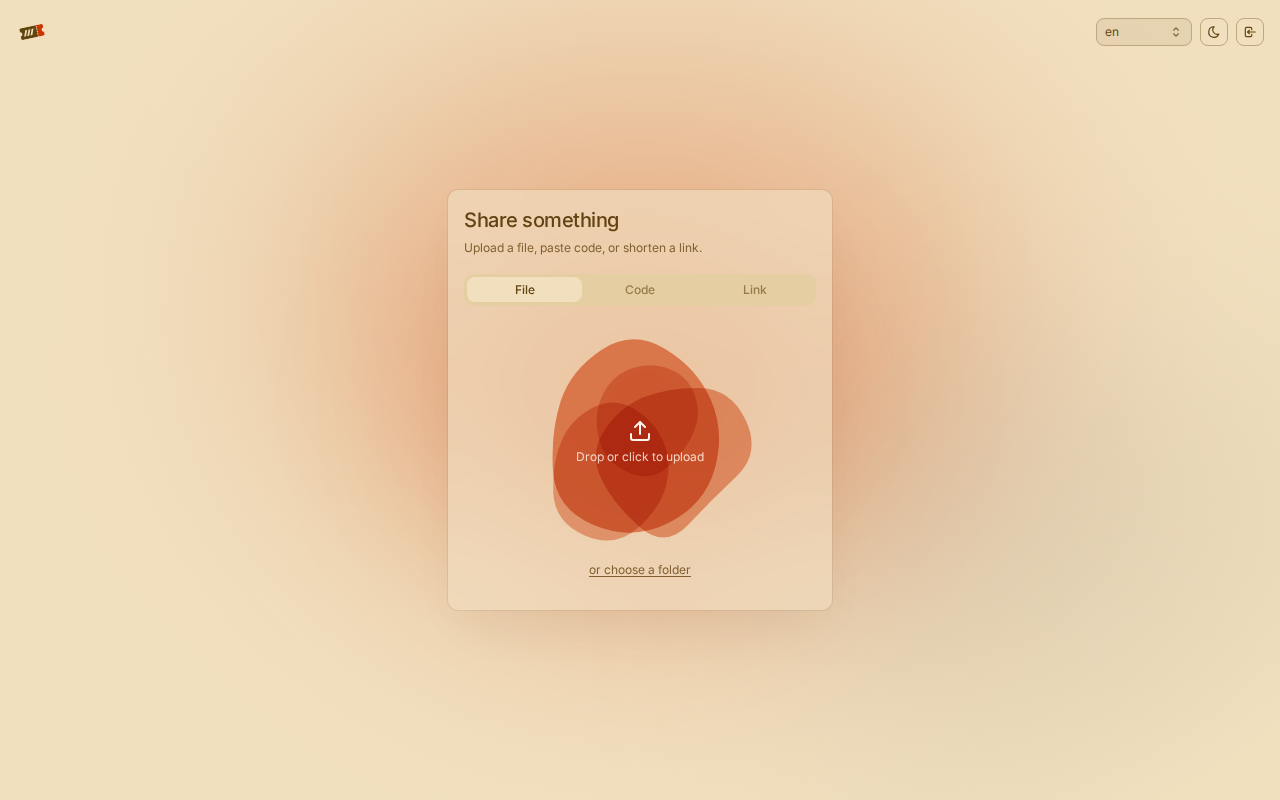
Tessera lets you upload a file, a folder, a snippet of code or a link and get back a short code and a URL. Whoever has them can open it until it expires or has been downloaded as many times as you allowed. Then it is deleted. It is one small program with the web app built in, and keeps its data in SQLite and on local disk.
Features
- Every share has a lifetime and, if you want, a download limit
- Optional passwords, asked before anything is shown or downloaded
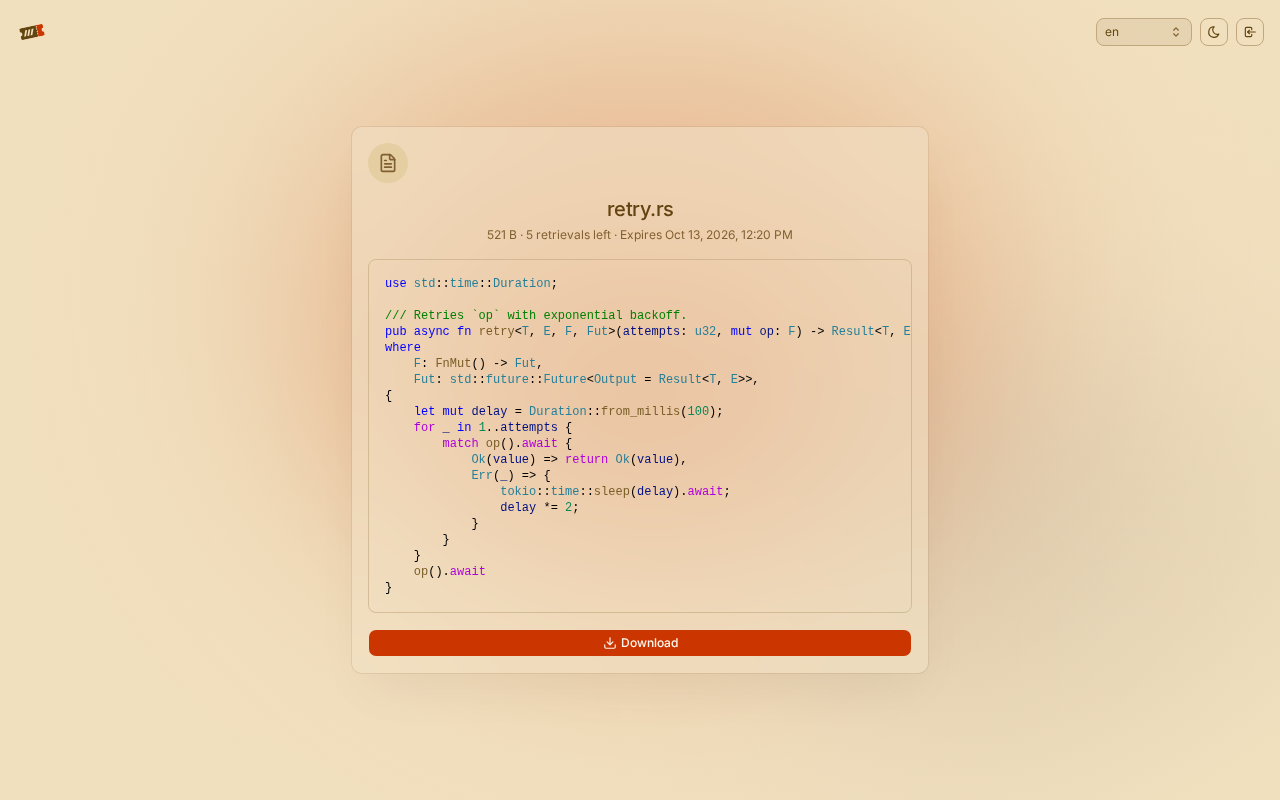
- Previews for code, images, SVGs and Mermaid diagrams
- Folders and many files, downloaded together as one archive
- Upload without an account, or turn on accounts with open, invite-only or closed sign-up, GitHub, Discord or any OpenID Connect provider
- An admin panel at
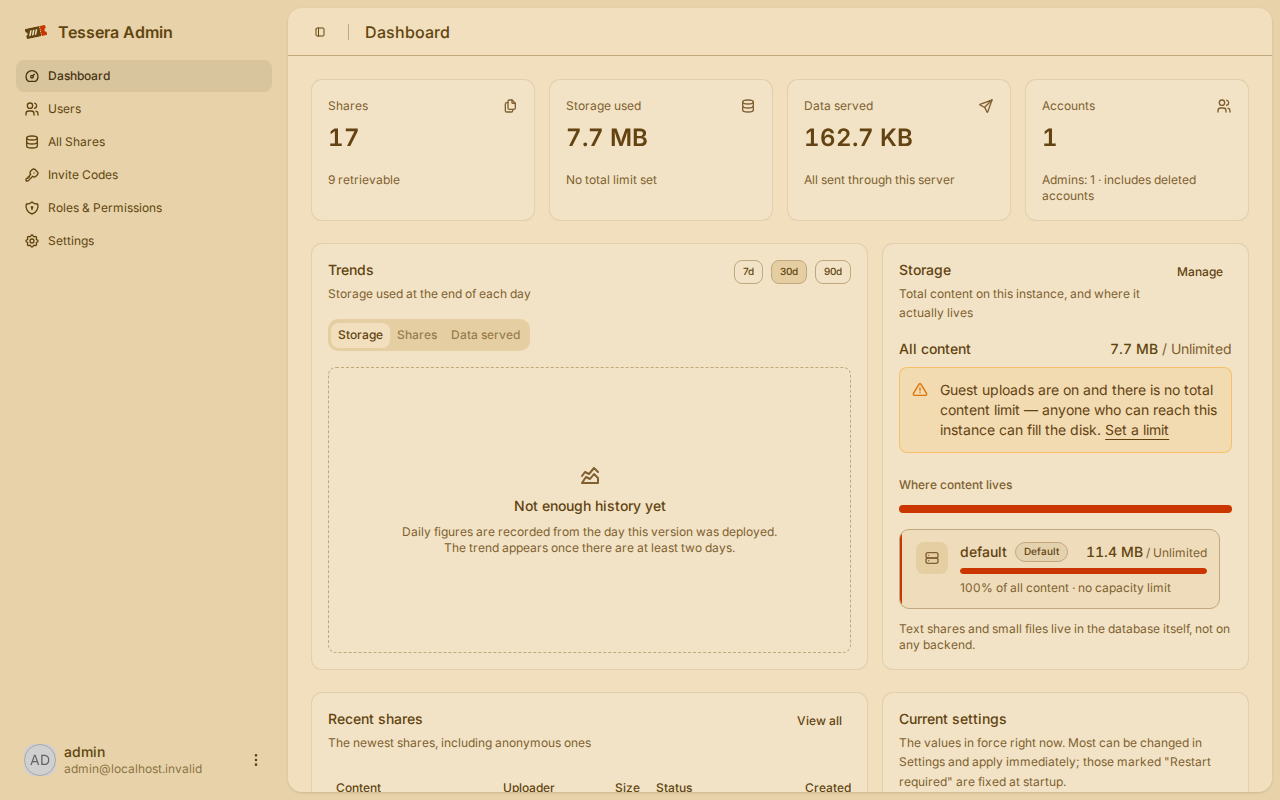
/adminfor users, shares, quotas, storage (local, S3, Azure, Google Cloud, WebDAV), email and branding - A command-line client (
tess) and plaincurluploads
How to use
- Open Tessera at
http://[ZIMAOS-IP-ADDRESS]:6178. - Drop a file, a folder or some text on the page and pick how long it should last.
- Share the short code or link it gives you.
- Sign in as admin and open
/adminto change sign-up, limits and storage.
Before you install
You can set TESSERA_AUTH__ADMIN_PASSWORD to pick the admin password, or leave it empty and Tessera makes one on first start and prints it in the app log once (look for the line with "password"). The admin user name is admin. It is ready in a few seconds at http://[ZIMAOS-IP-ADDRESS]:6178. Anyone who can reach it can upload without an account, so turn that off in /admin if other people can reach it. Most settings live in the admin panel and work straight away; the ones in the Variables tab are added in the app settings. Back up the whole data folder: it holds the files, the database and secret.key.
The settings in the first table are already in the app settings. To use any other one, open the app settings, add the variable with your value, save, and the app restarts with it. A setting you leave out uses its default.
In the app settings
| Variable | Default value | Description |
|---|---|---|
TZ | $TZ | Your time zone. It is filled in from your ZimaOS time zone. Leave it unless you need another. |
TESSERA_ | — | Optional. The password for the first admin account (user name admin). Leave it empty and Tessera makes one on first start and prints it in the app log once. Only used on the very first start. |
First admin
| Variable | Default value | Description |
|---|---|---|
TESSERA_ | admin | The user name of the first admin account. Only used on the very first start. |
TESSERA_ | [email protected] | The email of the first admin account. Only used on the very first start. |
Sign-up and accounts
| Variable | Default value | Description |
|---|---|---|
TESSERA_ | open | Who can make an account: open, invite (invite codes from the admin panel) or closed (only the admin adds accounts). |
TESSERA_ | true | Set to false so only people who are signed in can upload. |
TESSERA_ | true | Set to false to turn accounts off completely, so Tessera is upload-only. |
TESSERA_ | 720 | How many hours someone stays signed in. |
Shares
| Variable | Default value | Description |
|---|---|---|
TESSERA_ | 168 | How long a share lasts when the uploader picks nothing, in hours. The default is one week. |
TESSERA_ | 720 | The longest lifetime anyone can ask for, in hours. The default is 30 days. |
TESSERA_ | 104857600 | The biggest single upload request in bytes (100 MiB by default). Needs a restart to change. |
Server
| Variable | Default value | Description |
|---|---|---|
TESSERA_ | — | The address people open Tessera at, like https://share.example.com. Used in links in emails and the command-line client. Leave it out to use the address in the browser. |
TESSERA_ | false | Set to true to show the API reference page. |
TESSERA_ | Tessera | The name shown in the browser tab and in link previews. |
TESSERA_ | — | Your own key for the passwords saved in the admin panel, as 64 hex characters (openssl rand -hex 32). Leave it out: Tessera makes one on first start and keeps it in the data folder as secret.key. Never change it afterwards. |
Email (SMTP)
| Variable | Default value | Description |
|---|---|---|
TESSERA_ | — | Your SMTP server, for password reset and sign-up emails. Leave it out to send no email. |
TESSERA_ | 587 | The SMTP port. |
TESSERA_ | auto | auto, starttls or implicit (for port 465). |
TESSERA_ | — | The SMTP user name. |
TESSERA_ | — | The SMTP password. |
TESSERA_ | — | The address emails are sent from, like Tessera <[email protected]>. |
Logs
| Variable | Default value | Description |
|---|---|---|
TESSERA_ | info | How much goes in the log: error, warn, info, debug or trace. |
name: tessera

services:
  tessera:
    image: ghcr.io/limatura/tessera:0.3.1
    container_name: tessera
    restart: unless-stopped
    stop_grace_period: 30s
    network_mode: bridge
    init: true
    user: "0:0"
    environment:
      - TZ=$TZ
      - TESSERA_AUTH__ADMIN_PASSWORD=
    ports:
      - target: 12923
        published: "6178"
        protocol: tcp
    volumes:
      - type: bind
        source: /DATA/AppData/$AppID/data
        target: /data
        bind:
          create_host_path: true
    healthcheck:
      test: ["CMD", "/usr/local/bin/tessera-server", "--health-check"]
      interval: 30s
      timeout: 5s
      retries: 3
      start_period: 20s
    deploy:
      resources:
        limits:
          cpus: "1.00"
          memory: 512M
        reservations:
          cpus: "0.00"
          memory: 32M
    labels:
      icon: https://cdn.jsdelivr.net/gh/HSinghHira/IceStore@main/Apps/tessera/icon.png
    x-casaos:
      id: com.icestore.tessera
      envs:
        - container: TZ
          description:
            en_US: >-
              Your time zone. It is filled in from your ZimaOS time zone.
              Leave it unless you need another.
        - container: TESSERA_AUTH__ADMIN_PASSWORD
          description:
            en_US: >-
              Optional. The password for the first admin account (user name
              admin). Leave it empty and Tessera makes one on first start and
              prints it in the app log once. Only used on the very first
              start.
      ports:
        - container: "12923"
          description:
            en_US: Tessera web app, admin panel and API, published on host as 6178
      volumes:
        - container: /data
          description:
            en_US: >-
              The SQLite database, every uploaded file (blobs/), the log copy
              for the admin panel and secret.key, the key that seals the
              passwords saved in the admin panel. Back up the whole folder.

x-casaos:
  id: com.icestore.tessera
  architectures:
    - amd64
    - arm64
  main: tessera
  author: HSinghHira
  category: Productivity
  developer: Limatura
  icon: https://cdn.jsdelivr.net/gh/HSinghHira/IceStore@main/Apps/tessera/icon.png
  thumbnail: https://cdn.jsdelivr.net/gh/HSinghHira/IceStore@main/Apps/tessera/screenshot-1.png
  screenshot_link:
    - https://cdn.jsdelivr.net/gh/HSinghHira/IceStore@main/Apps/tessera/screenshot-1.png
    - https://cdn.jsdelivr.net/gh/HSinghHira/IceStore@main/Apps/tessera/screenshot-2.png
    - https://cdn.jsdelivr.net/gh/HSinghHira/IceStore@main/Apps/tessera/screenshot-3.png
  title:
    en_US: Tessera
  tagline:
    en_US: Self-hosted file and note sharing that cleans up after itself
  description:
    en_US: >-
      Visit: [https://icestore.hsinghhira.me/app/tessera/](https://icestore.hsinghhira.me/app/tessera/) for full details


      Tessera lets you upload a file, a folder, a snippet of code or a link
      and get back a short code and a URL. Whoever has them can open it until
      it expires or has been downloaded as many times as you allowed. Then it
      is deleted. It is one small program with the web app built in, and keeps
      its data in SQLite and on local disk.


      **Features**


      - Every share has a lifetime and, if you want, a download limit

      - Optional passwords, asked before anything is shown or downloaded

      - Previews for code, images, SVGs and Mermaid diagrams

      - Folders and many files, downloaded together as one archive

      - Upload without an account, or turn on accounts with open, invite-only
        or closed sign-up, GitHub, Discord or any OpenID Connect provider

      - An admin panel at /admin for users, shares, quotas, storage (local,
        S3, Azure, Google Cloud, WebDAV), email and branding

      - A command-line client (tess) and plain curl uploads


      **How to use?**


      1. Open Tessera at http://[ZIMAOS-IP-ADDRESS]:6178.

      2. Drop a file, a folder or some text on the page and pick how long it
         should last.

      3. Share the short code or link it gives you.

      4. Sign in as admin and open /admin to change sign-up, limits and
         storage.
  tips:
    before_install:
      en_US: >-
        1. You can set TESSERA_AUTH__ADMIN_PASSWORD now to pick the admin
           password. Or leave it empty and Tessera makes one for you.


        2. More settings, like sign-up, email and upload size, are listed on
           the Tessera page at https://icestore.hsinghhira.me/app/tessera/
           (Variables tab). You can add them now or later in the app
           settings. Most of them are also in the admin panel.


        3. Start the installation. It is ready in a few seconds.


        4. If you left the password empty, open the app log and look for the
           line with "password". That is your admin password. It is shown
           only once.


        5. Open http://[ZIMAOS-IP-ADDRESS]:6178 and sign in as admin.


        6. Anyone who can reach the app can upload without an account. Turn
           that off in http://[ZIMAOS-IP-ADDRESS]:6178/admin if other people
           can reach it.
  index: /
  port_map: "6178"
  scheme: http
  is_uncontrolled: false
  version: "0.3.1"
  update_at: "2026-10-30"
  release_notes:
    en_US: |-
      - First IceStore release, on port 6178
      - Uses ghcr.io/limatura/tessera 0.3.1 as upstream ships it
      - Runs as root so it can write the data folder ZimaOS makes
      - The secret key and admin password are made by Tessera on first start, nothing is fixed in the compose file
  repo: "https://github.com/Limatura/tessera"
  support: "https://github.com/Limatura/tessera/issues"
  docs: "https://github.com/Limatura/tessera-docs"
Install Tessera
 ZimaOS
Add the store link, then find Tessera in the App Store and install it.
 CasaOS
Add the store link, then find Tessera in the App Store and install it.
 Homeio
Add the store link, then find Tessera in the App Store and install it.
Something not working with Tessera? Report a problem or request another app.


