
Trackhop
Keeps playlists in sync across Spotify, Apple Music, YouTube Music, TIDAL, Plex, Jellyfin and more.
- ghcr.io/hsinghhira/trackhop:latest
- v1.8.1
- Updated 10 Nov 2026
- port 6715
- amd64 · arm64
- Media
- 259 stars
Screenshots
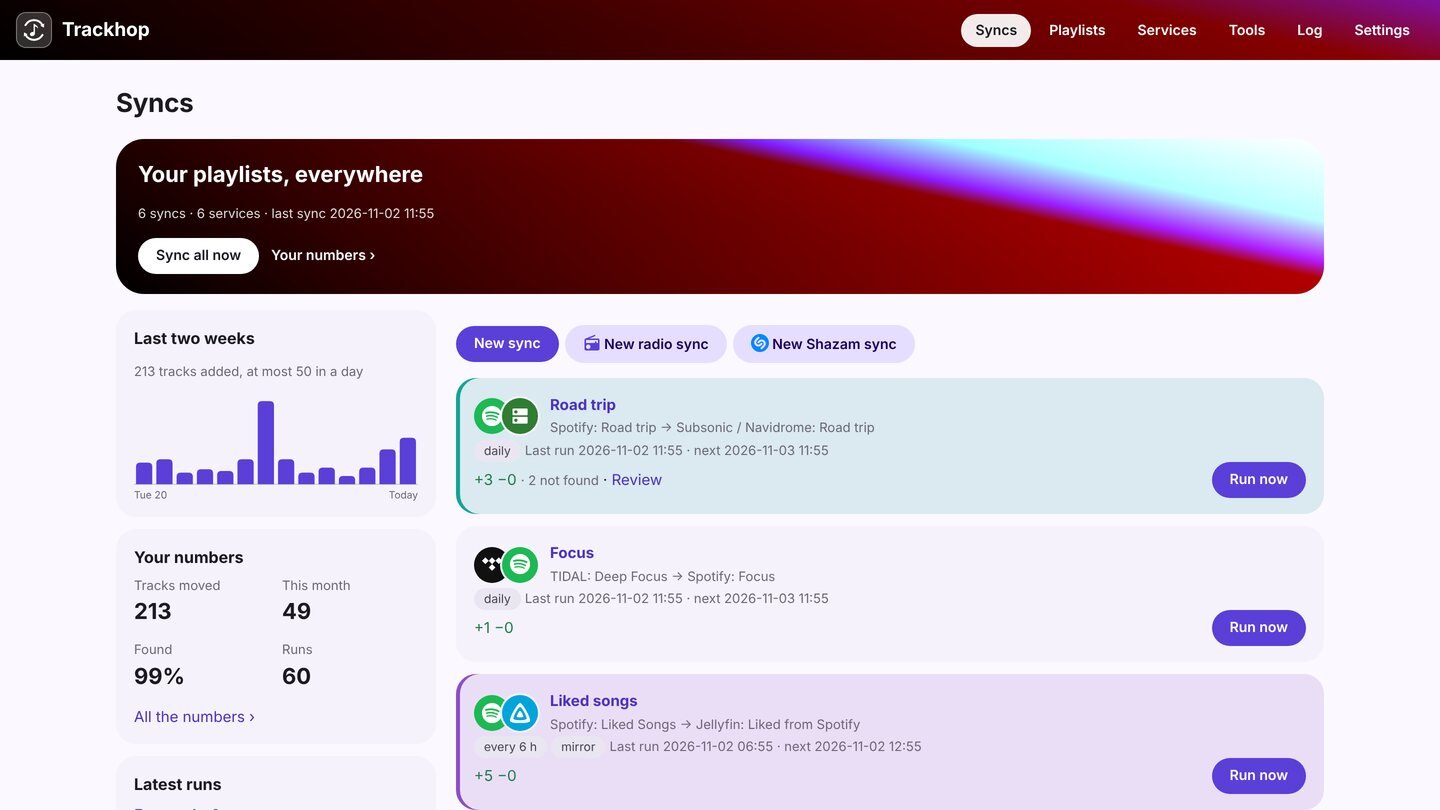
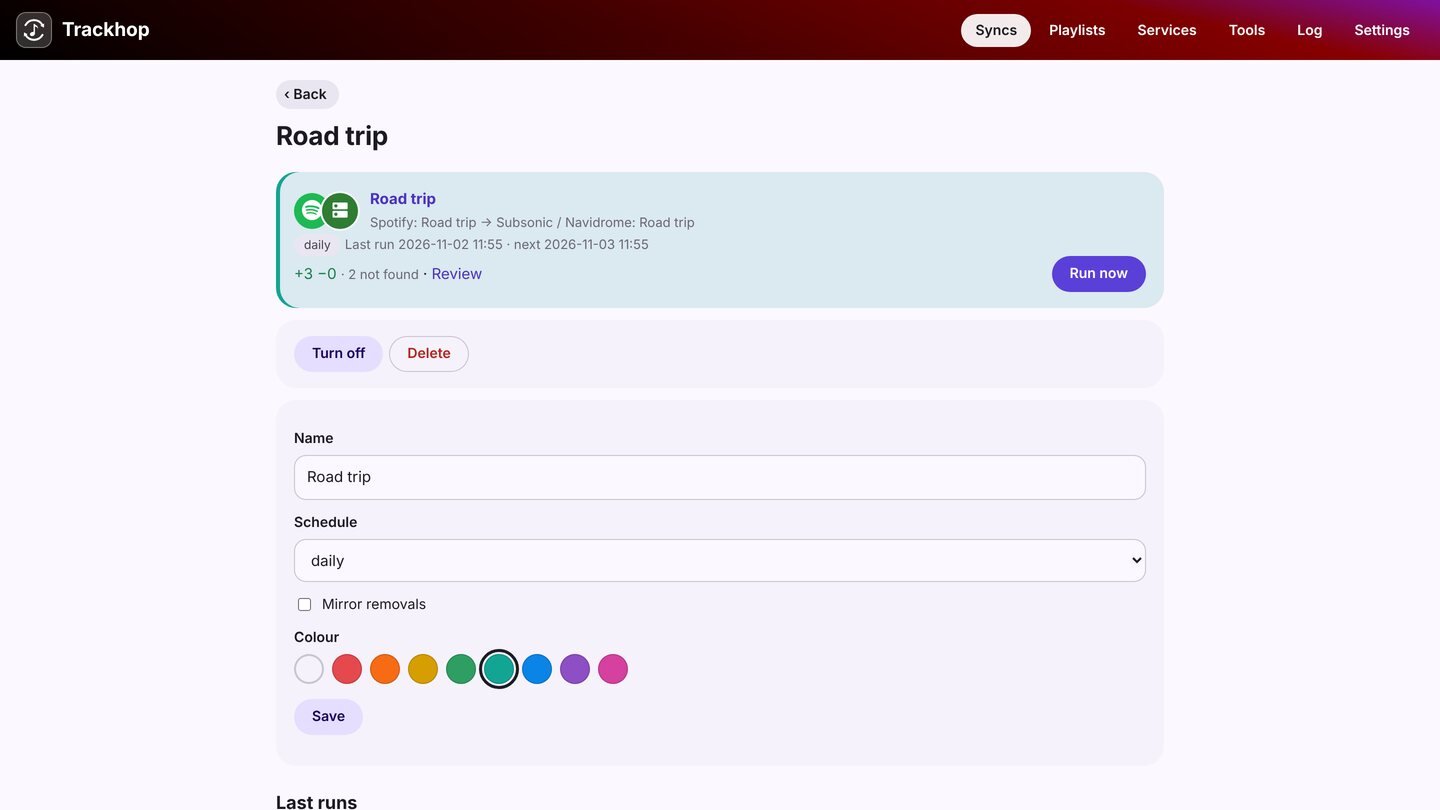
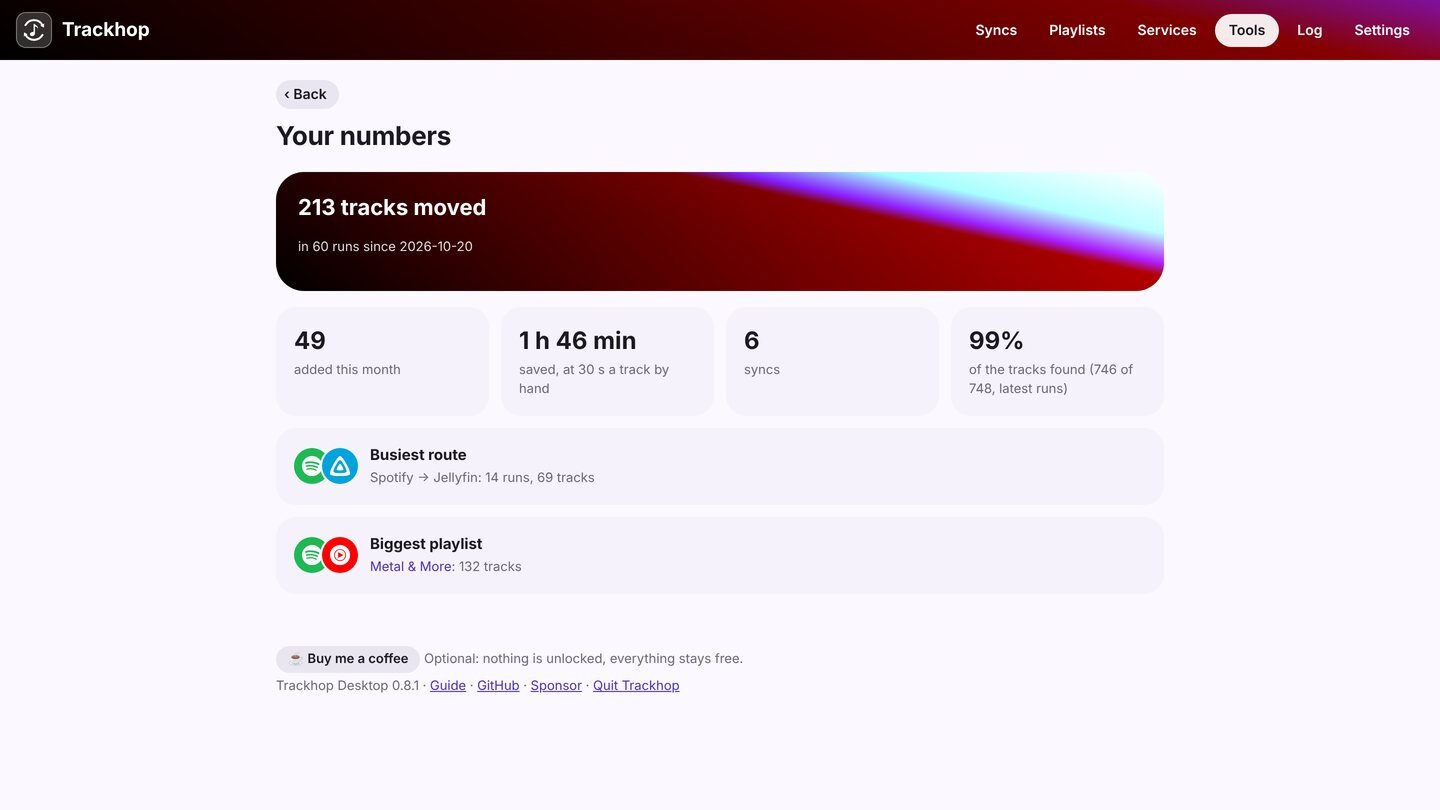
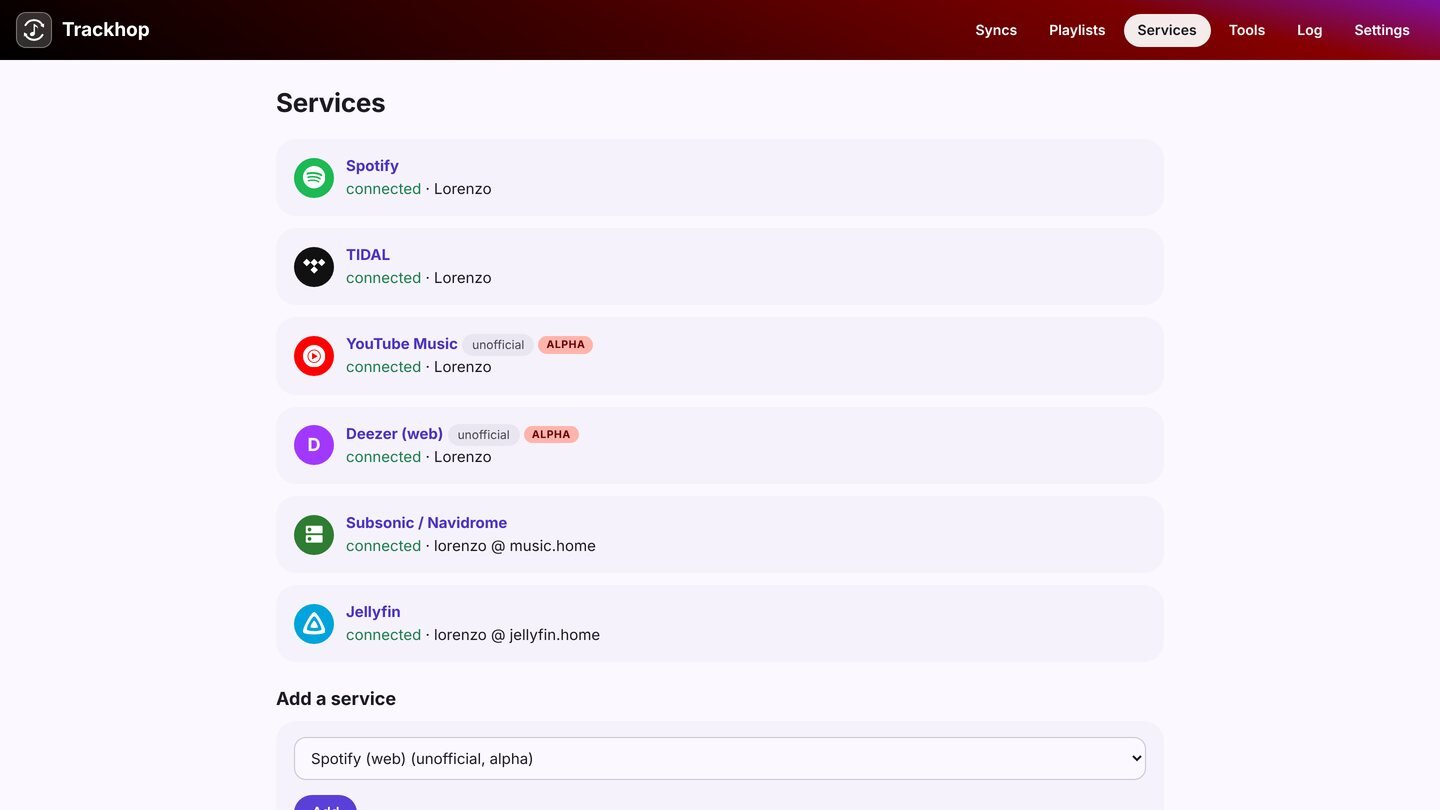
Open the app
About Trackhop
Trackhop keeps playlists identical across Spotify, Apple Music, YouTube Music, Amazon Music, TIDAL, Deezer, SoundCloud, Navidrome, Jellyfin, Emby and Plex. Scheduled syncs run on your server, and tracks it can't find are easy to review. No Trackhop account: your sign-ins stay on your server.
Features
- Two-way and one-way playlist syncs between music services and your own servers
- Scheduled syncs, with a report of what was matched
- Review and replace tracks that weren't found or can't be played
- Playlist files (CSV, M3U, iTunes XML) and Last.fm, ListenBrainz sources
- Optional separate accounts for each person
How to use
- Set
SONGPORT_URLto your ZimaOS IP (or your https address) before you install. - Open Trackhop. Your browser asks for a user name and password: type any name and the password from the CREDENTIALS box in the app's logs.
- Connect your music services, then create a sync.
Before you install
You must set SONGPORT_URL first. It starts as http://[ZIMAOS-IP-ADDRESS]:6715: replace [ZIMAOS-IP-ADDRESS] with your ZimaOS IP, like http://192.168.1.20:6715, and always open Trackhop at exactly that address, because music service sign-ins come back to SONGPORT_URL/callback.
Spotify, YouTube Music and Deezer only allow https sign-ins: put Trackhop behind a reverse proxy with your own domain and set SONGPORT_URL to it, like https://music.example.com, then register that callback with each service. Navidrome, Jellyfin and Plex work without https.
This install's password is made on first start and shown in the app's logs, in the box marked CREDENTIALS; when the browser asks, type any user name and that password. To choose your own password, add SONGPORT_PASSWORD in the app settings. Service keys and more settings are in the Variables tab.
The settings in the first table are already in the app settings. To use any other one, open the app settings, add the variable with your value, save, and the app restarts with it. A setting you leave out uses its default.
In the app settings
| Variable | Default value | Description |
|---|---|---|
TZ | $TZ | Your time zone, for scheduled syncs. It is filled in from your ZimaOS time zone. |
SONGPORT_ | http://[ZIMAOS-IP-ADDRESS]:6715 | Required. The address you open Trackhop at: replace [ZIMAOS-IP-ADDRESS] with your ZimaOS IP, like http://192.168.1.20:6715. Music service sign-ins come back to this address followed by /callback. Spotify, YouTube Music and Deezer only accept an https address, like https://music.example.com through your reverse proxy. |
Sign-in
| Variable | Default value | Description |
|---|---|---|
SONGPORT_ | — | The password for every page. Made on first start and kept in .icestore-password in the data folder when left out. |
SONGPORT_ | — | Only this user name may sign in. Left out, any name works. |
SONGPORT_ | — | Set to true for separate accounts per person; the admin signs in with the password and invites the others. |
Server
| Variable | Default value | Description |
|---|---|---|
SONGPORT_ | — | The language of the engine's texts, like it, de or pt-BR. |
SONGPORT_ | — | A music folder for the Lyrics tool. Add it as a volume too (not read-only). |
SONGPORT_ | — | Set to false to turn off the daily version check. |
Service keys
| Variable | Default value | Description |
|---|---|---|
SPOTIFY_ | — | Your Spotify app's client ID (developer.spotify.com), instead of entering it in the page. |
GOOGLE_ | — | A Google "Web application" OAuth client ID, for YouTube Music. |
TIDAL_ | — | Your TIDAL app's client ID (developer.tidal.com). |
DEEZER_ | — | Your Deezer app's ID. |
DEEZER_ | — | Deezer's redirect address (must be https). Left out, it is SONGPORT_URL followed by /callback. |
LASTFM_ | — | Your Last.fm API key. |
name: trackhop

services:
  trackhop:
    image: ghcr.io/hsinghhira/trackhop:latest
    container_name: trackhop
    restart: unless-stopped
    stop_grace_period: 30s
    network_mode: bridge
    environment:
      - TZ=$TZ
      - SONGPORT_URL=http://[ZIMAOS-IP-ADDRESS]:6715
    ports:
      - target: 8080
        published: "6715"
        protocol: tcp
    volumes:
      - type: bind
        source: /DATA/AppData/$AppID/data
        target: /data
        bind:
          create_host_path: true
    healthcheck:
      test: ["CMD", "wget", "-q", "-O", "/dev/null", "http://127.0.0.1:8080/health"]
      interval: 30s
      timeout: 5s
      retries: 3
      start_period: 40s
    deploy:
      resources:
        limits:
          cpus: "1.00"
          memory: 768M
        reservations:
          cpus: "0.00"
          memory: 128M
    labels:
      icon: https://cdn.jsdelivr.net/gh/HSinghHira/IceStore@main/Apps/trackhop/icon.png
    x-casaos:
      id: com.icestore.trackhop
      envs:
        - container: TZ
          description:
            en_US: >-
              Your time zone, for scheduled syncs. It is filled in from your
              ZimaOS time zone.
        - container: SONGPORT_URL
          description:
            en_US: >-
              Required. The address you open Trackhop at: replace
              [ZIMAOS-IP-ADDRESS] with your ZimaOS IP, like
              http://192.168.1.20:6715. Music service sign-ins come back to
              this address followed by /callback. Spotify, YouTube Music and
              Deezer only accept an https address, like
              https://music.example.com through your reverse proxy.
      ports:
        - container: "8080"
          description:
            en_US: Trackhop web app, published on host as 6715
      volumes:
        - container: /data
          description:
            en_US: >-
              Your syncs, reports and settings (store.json), music service
              sign-ins (tokens.json), playlist files and this install's
              password (.icestore-password).

x-casaos:
  id: com.icestore.trackhop
  architectures:
    - amd64
    - arm64
  main: trackhop
  author: HSinghHira
  category: Media
  developer: xlollx
  icon: https://cdn.jsdelivr.net/gh/HSinghHira/IceStore@main/Apps/trackhop/icon.png
  thumbnail: https://cdn.jsdelivr.net/gh/HSinghHira/IceStore@main/Apps/trackhop/screenshot-1.jpg
  screenshot_link:
    - https://cdn.jsdelivr.net/gh/HSinghHira/IceStore@main/Apps/trackhop/screenshot-1.jpg
    - https://cdn.jsdelivr.net/gh/HSinghHira/IceStore@main/Apps/trackhop/screenshot-2.jpg
    - https://cdn.jsdelivr.net/gh/HSinghHira/IceStore@main/Apps/trackhop/screenshot-3.jpg
    - https://cdn.jsdelivr.net/gh/HSinghHira/IceStore@main/Apps/trackhop/screenshot-4.jpg
  title:
    en_US: Trackhop
  tagline:
    en_US: Keeps playlists in sync across Spotify, Apple Music, YouTube Music, TIDAL, Plex, Jellyfin and more.
  description:
    en_US: >-
      Visit: [https://icestore.hsinghhira.me/app/trackhop/](https://icestore.hsinghhira.me/app/trackhop/) for full details


      Trackhop keeps playlists identical across Spotify, Apple Music, YouTube
      Music, Amazon Music, TIDAL, Deezer, SoundCloud, Navidrome, Jellyfin,
      Emby and Plex. Scheduled syncs run on your server, and tracks it can't
      find are easy to review. No Trackhop account: your sign-ins stay on
      your server.


      **Features**


      - Two-way and one-way playlist syncs between music services and your
        own servers

      - Scheduled syncs, with a report of what was matched

      - Review and replace tracks that weren't found or can't be played

      - Playlist files (CSV, M3U, iTunes XML) and Last.fm, ListenBrainz
        sources

      - Optional separate accounts for each person


      **How to use?**


      1. Set SONGPORT_URL to your ZimaOS IP (or your https address) before
         you install.


      2. Open Trackhop. Your browser asks for a user name and password: type
         any name and the password from the CREDENTIALS box in the app's logs.


      3. Connect your music services, then create a sync.
  tips:
    before_install:
      en_US: >-
        1. Open the app configuration before you install.


        2. Find SONGPORT_URL. It starts as http://[ZIMAOS-IP-ADDRESS]:6715
           and needs your ZimaOS IP in place of [ZIMAOS-IP-ADDRESS], like
           http://192.168.1.20:6715 for the IP 192.168.1.20 (use yours). You
           must do this, and always open Trackhop at exactly that address.


        3. Spotify, YouTube Music and Deezer only allow https sign-ins. For
           them, use a reverse proxy with your own domain pointed at
           http://[ZIMAOS-IP-ADDRESS]:6715 and set SONGPORT_URL to it, like
           https://music.example.com. Navidrome, Jellyfin and Plex work
           without https.


        4. Start the installation. It is ready in about half a minute.


        5. When Trackhop opens, your browser asks for a user name and a
           password. Type any user name. The password is in the app's logs,
           in the box marked CREDENTIALS. To pick your own password instead,
           add SONGPORT_PASSWORD in the app settings.


        6. Service keys and more settings are listed on the Trackhop page at
           https://icestore.hsinghhira.me/app/trackhop/ (Variables tab).
  index: /
  port_map: "6715"
  scheme: http
  is_uncontrolled: false
  version: "1.8.1"
  update_at: "2026-11-10"
  release_notes:
    en_US: |-
      - First IceStore version: ghcr.io/xlollx/trackhop 1.8.1, plus a start script that makes this install's SONGPORT_PASSWORD on first start and keeps it in the data folder.
      - Port 6715; the data folder is /DATA/AppData/trackhop/data.
      - Fixed: the healthcheck and the CREDENTIALS box now use /health, which needs no password, so the app turns healthy and the box with the password shows in the logs within a minute.
  repo: "https://github.com/xlollx/Trackhop"
  support: "https://github.com/xlollx/Trackhop/issues"
  docs: "https://trackhop.org/guide/docker"
Install Trackhop
Something not working with Trackhop?
Report it so it gets fixed, or ask for an app that is not here yet.
 ZimaOS
Add the store link, then find Trackhop in the App Store and install it.
 CasaOS
Add the store link, then find Trackhop in the App Store and install it.
 ReCasaOS
Add the store link, then find Trackhop in the App Store and install it.
 Homeio
Add the store link, then find Trackhop in the App Store and install it.
 MOS
Add the repository in MOS Hub Settings, then find Trackhop in Docker → MOS Hub and install it.


