
Youtarr
Downloads and organizes YouTube channels on a schedule for your media server
- ghcr.io/hsinghhira/youtarr:latest
- v1.93.0
- Updated 20 Nov 2026
- port 6755
- amd64 · arm64
- Media
- 1.8k stars
Screenshots
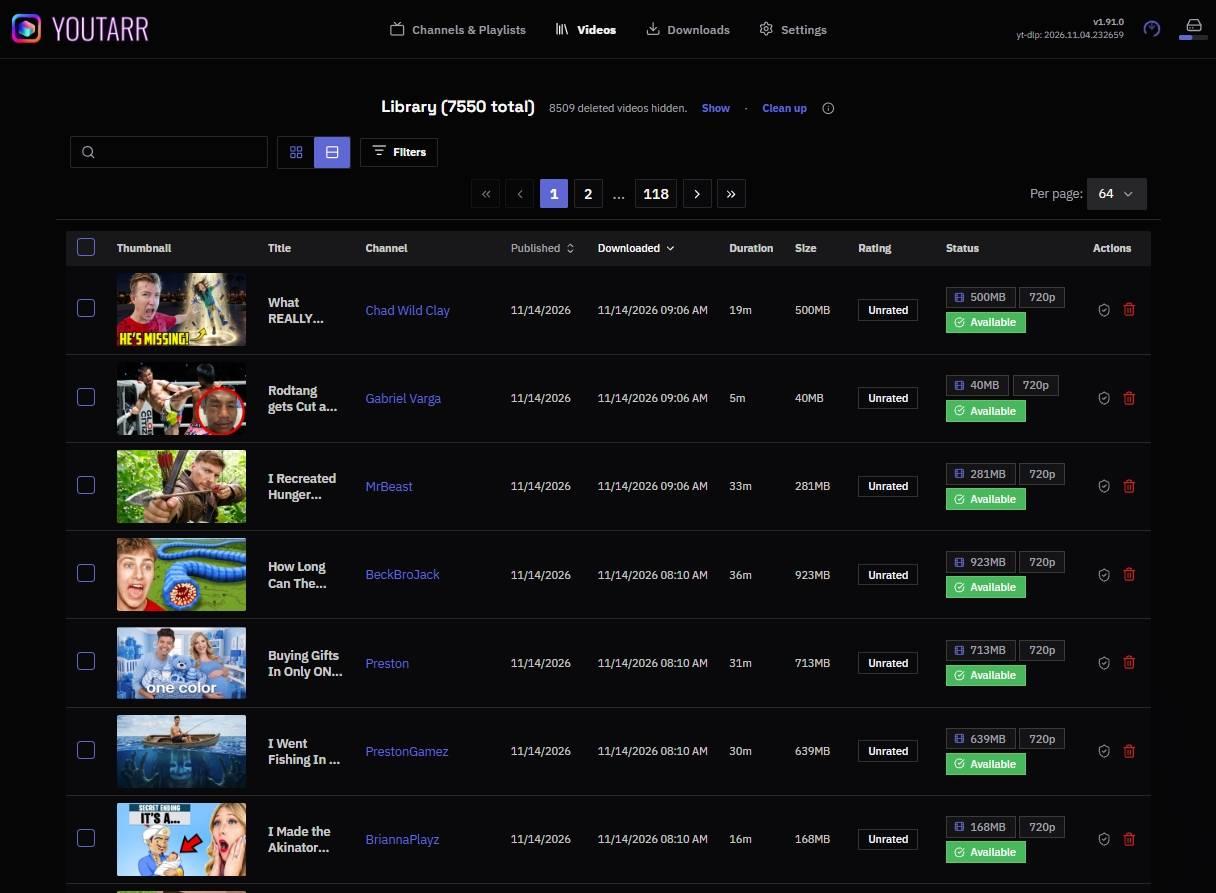
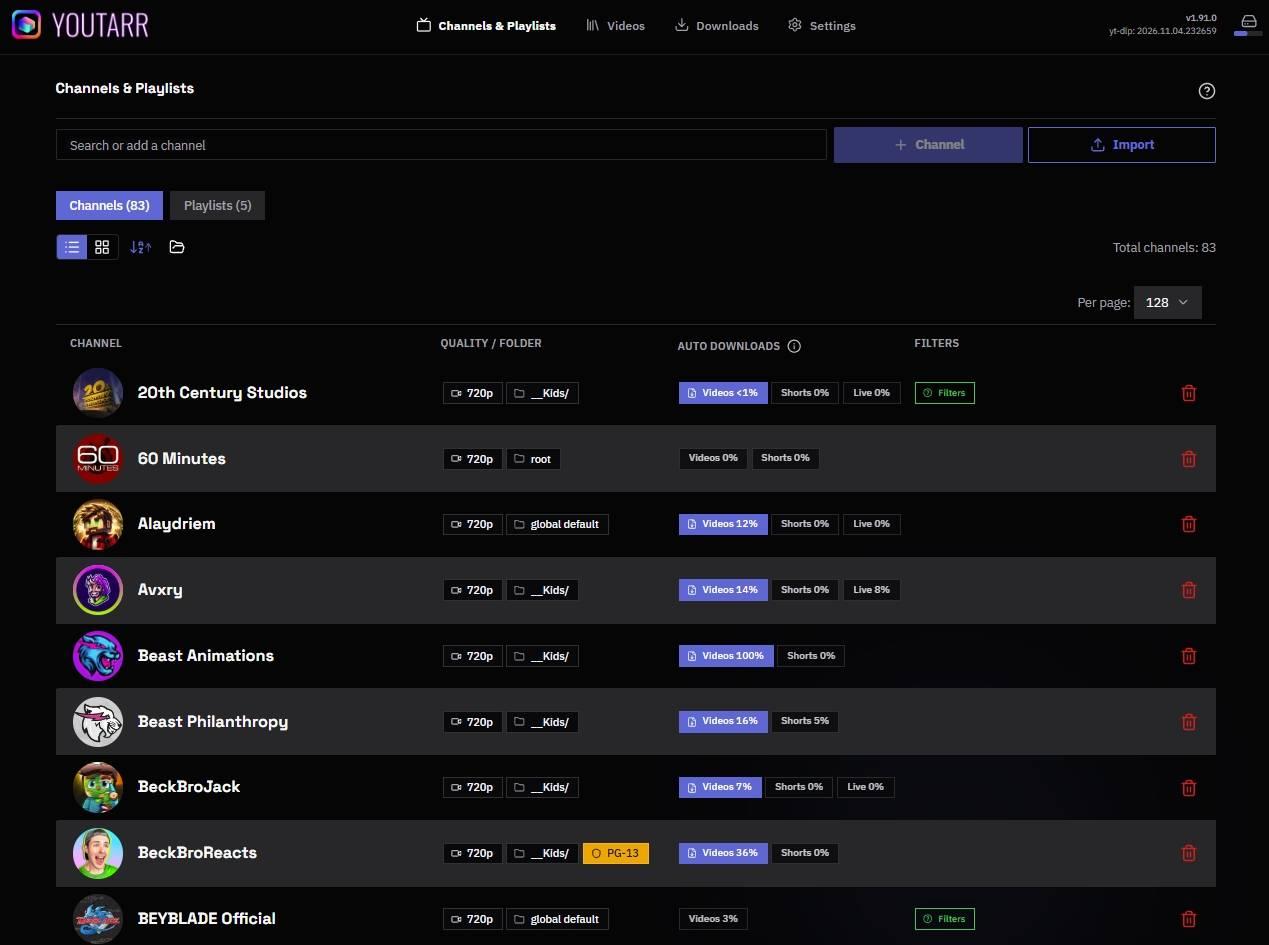
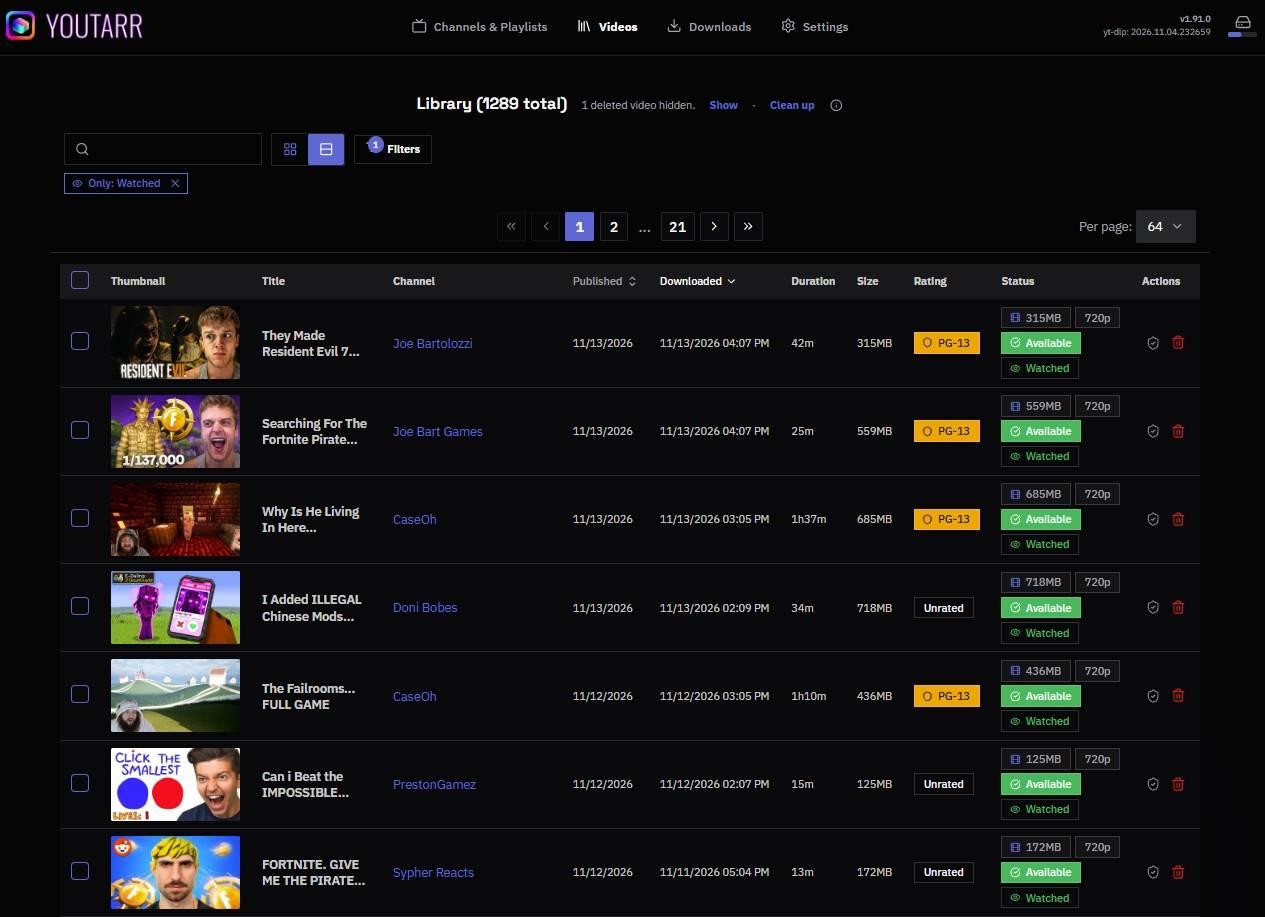
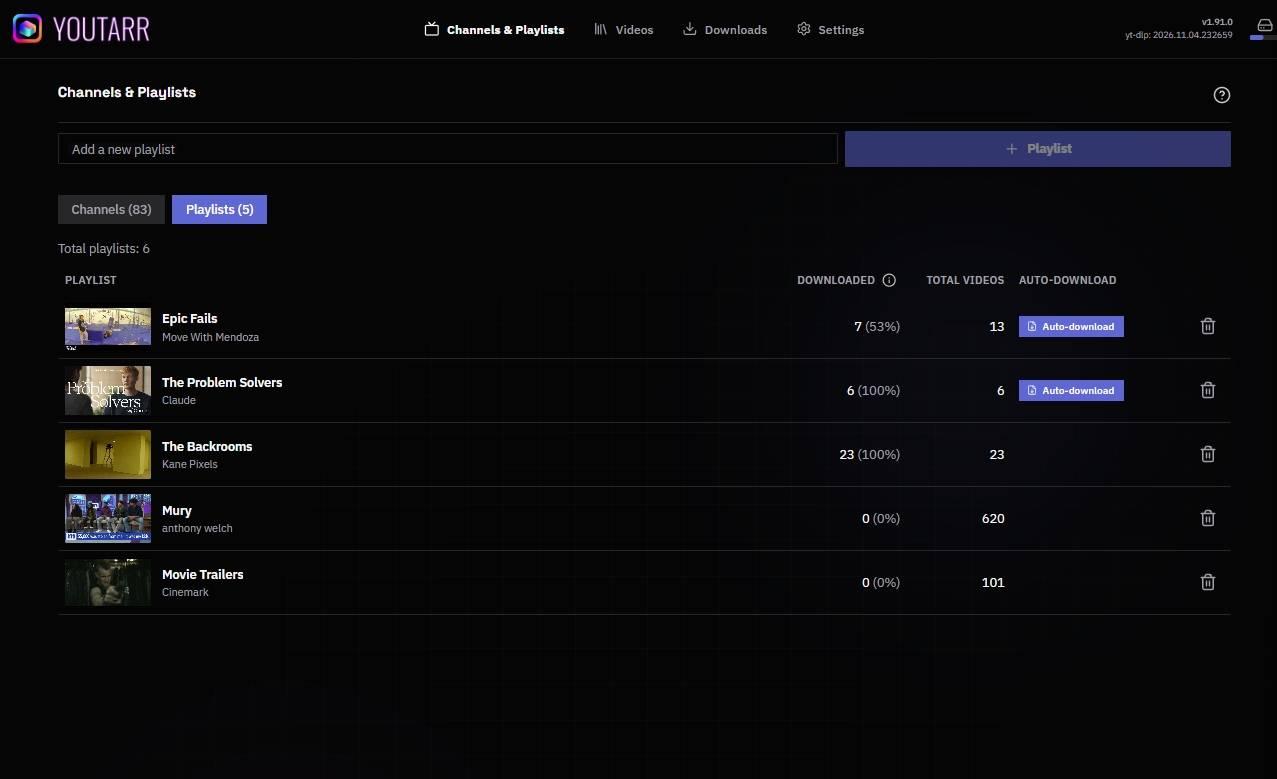
Open the app
About Youtarr
Youtarr downloads videos from the YouTube channels you pick, on a schedule, and files them so Plex, Jellyfin, Emby or Kodi show them like TV shows. MariaDB is built in, so it is one container.
Features
- Subscribe to channels and get new videos on a schedule
- Download single videos or playlists by pasting a link
- Pick the quality, and skip Shorts or live streams
- Saves thumbnails and info files your media server reads
- Refreshes your Plex library when new videos land
- Clean-up rules and notifications
How to use
- Open Youtarr from your dashboard.
- Sign in as
adminwith the password from the app's logs (the box marked CREDENTIALS). - Go to Channels and add a channel link.
- Videos land in
/DATA/Media/YouTube. Add that folder to your media server as a TV or Other Videos library.
Before you install
Videos go to /DATA/Media/YouTube; change the folder if you want them elsewhere. The admin password is made on first start and shown in the app's logs in the box marked CREDENTIALS; to use your own, set AUTH_PRESET_PASSWORD in the app settings. Open it from other devices at http://[ZIMAOS-IP-ADDRESS]:6755. More settings are in the Variables tab; add them in the app settings. The first start takes about 2 minutes.
The settings in the first table are already in the app settings. To use any other one, open the app settings, add the variable with your value, save, and the app restarts with it. A setting you leave out uses its default.
In the app settings
| Variable | Default value | Description |
|---|---|---|
TZ | $TZ | Your time zone. Scheduled downloads and nightly clean-up run by it. It is filled in from your ZimaOS time zone. |
Sign-in
| Variable | Default value | Description |
|---|---|---|
AUTH_ | admin | The admin's user name, 1 to 32 characters. |
AUTH_ | — | Your own admin password, 8 to 64 characters. Leave it out to keep the one made on first start (shown in the CREDENTIALS box). |
AUTH_ | true | Set to false only when Youtarr sits behind another sign-in, like a VPN or a reverse proxy with its own login. |
Features
| Variable | Default value | Description |
|---|---|---|
EXTERNAL_ | false | Set to true to turn on the external API (it always needs an API key). |
YOUTARR_ | — | A YouTube cookies file Youtarr reads, like /app/config/cookies.external.txt. Put the file in /DATA/AppData/youtarr/data/youtarr/config and turn on Cookies in Settings. |
Server
| Variable | Default value | Description |
|---|---|---|
TRUST_ | — | Set to 1 or your proxy's network when a reverse proxy sends the real client address; false when there is none. |
OUTPUT_ | — | How long the health check waits for the videos folder, in milliseconds. Raise it for a slow network share. |
Logs
| Variable | Default value | Description |
|---|---|---|
LOG_ | info | warn, info or debug. |
LOG_ | — | The largest a log file gets before a new one starts. |
LOG_ | — | How many old log files to keep. |
name: youtarr

services:
  youtarr:
    image: ghcr.io/hsinghhira/youtarr:latest
    container_name: youtarr
    restart: unless-stopped
    stop_grace_period: 60s
    privileged: true
    environment:
      - TZ=$TZ
    ports:
      - target: 8080
        published: "6755"
        protocol: tcp
    volumes:
      - type: bind
        source: /DATA/AppData/$AppID/data
        target: /data
        bind:
          create_host_path: true
      - type: bind
        source: /DATA/Media/YouTube
        target: /videos
        bind:
          create_host_path: true
    healthcheck:
      test: ["CMD", "curl", "-fsS", "-o", "/dev/null", "http://127.0.0.1:8080/api/health"]
      interval: 30s
      timeout: 10s
      retries: 5
      start_period: 180s
    deploy:
      resources:
        limits:
          cpus: "2.00"
          memory: 2048M
        reservations:
          cpus: "0.10"
          memory: 256M
    labels:
      icon: https://cdn.jsdelivr.net/gh/HSinghHira/IceStore@main/Apps/youtarr/icon.png
    x-casaos:
      id: com.icestore.youtarr
      envs:
        - container: TZ
          description:
            en_US: >-
              Your time zone. Scheduled downloads and nightly clean-up run
              by it. It is filled in from your ZimaOS time zone.
      ports:
        - container: "8080"
          description:
            en_US: Youtarr web UI and API, published on host as 6755
      volumes:
        - container: /data
          description:
            en_US: >-
              The MariaDB database (channels, videos, jobs), Youtarr's
              config, job files and thumbnails, and state/secrets.env. Back
              it up.
        - container: /videos
          description:
            en_US: >-
              Where downloaded videos go, one folder per channel. Add
              /DATA/Media/YouTube to Plex, Jellyfin, Emby or Kodi.

x-casaos:
  id: com.icestore.youtarr
  architectures:
    - amd64
    - arm64
  main: youtarr
  author: HSinghHira
  category: Media
  developer: DialmasterOrg
  icon: https://cdn.jsdelivr.net/gh/HSinghHira/IceStore@main/Apps/youtarr/icon.png
  thumbnail: https://cdn.jsdelivr.net/gh/HSinghHira/IceStore@main/Apps/youtarr/screenshot-1.jpg
  screenshot_link:
    - https://cdn.jsdelivr.net/gh/HSinghHira/IceStore@main/Apps/youtarr/screenshot-1.jpg
    - https://cdn.jsdelivr.net/gh/HSinghHira/IceStore@main/Apps/youtarr/screenshot-2.jpg
    - https://cdn.jsdelivr.net/gh/HSinghHira/IceStore@main/Apps/youtarr/screenshot-3.jpg
    - https://cdn.jsdelivr.net/gh/HSinghHira/IceStore@main/Apps/youtarr/screenshot-4.jpg
  title:
    en_US: Youtarr
  tagline:
    en_US: Downloads and organizes YouTube channels on a schedule for your media server
  description:
    en_US: >-
      Youtarr downloads videos from the YouTube channels you pick, on a
      schedule, and files them so Plex, Jellyfin, Emby or Kodi show them like
      TV shows. MariaDB is built in, so it is one container.


      **Features**


      - Subscribe to channels and get new videos on a schedule

      - Download single videos or playlists by pasting a link

      - Pick the quality, and skip Shorts or live streams

      - Saves thumbnails and info files your media server reads

      - Refreshes your Plex library when new videos land

      - Clean-up rules and notifications


      **How to use?**


      1. Open Youtarr from the ZimaOS dashboard.

      2. Sign in as admin with the password from the app's logs (the box
         marked CREDENTIALS).

      3. Go to Channels and add a channel link.

      4. Videos land in /DATA/Media/YouTube. Add that folder to your media
         server as a TV or Other Videos library.
  tips:
    before_install:
      en_US: >-
        1. Videos go to /DATA/Media/YouTube. Change it if you want them
           somewhere else.


        2. More settings, like your own admin password and the YouTube
           cookies file, are listed on the Youtarr page at
           https://icestore.hsinghhira.me/app/youtarr/ (Variables tab). You
           can add them now or later in the app settings.


        3. Start the installation. The first start takes about 2 minutes.


        4. Open the app's logs. Find the box marked CREDENTIALS. It has the
           admin name and password.


        5. Open http://[ZIMAOS-IP-ADDRESS]:6755 and sign in.
  index: /
  port_map: "6755"
  scheme: http
  is_uncontrolled: false
  version: "v1.93.0"
  update_at: "2026-11-20"
  release_notes:
    en_US: |-
      - First IceStore release, on port 6755
      - All in one container: dialmaster/youtarr v1.93.0, MariaDB and an nginx gateway
      - Each install makes its own database and admin passwords on first start
      - Videos are saved to /DATA/Media/YouTube
  repo: "https://github.com/DialmasterOrg/Youtarr"
  support: "https://github.com/DialmasterOrg/Youtarr/issues"
  docs: "https://github.com/DialmasterOrg/Youtarr/tree/main/docs"
Install Youtarr
Something not working with Youtarr?
Report it so it gets fixed, or ask for an app that is not here yet.
 ZimaOS
Add the store link, then find Youtarr in the App Store and install it.
 CasaOS
Add the store link, then find Youtarr in the App Store and install it.
 ReCasaOS
Add the store link, then find Youtarr in the App Store and install it.
 Homeio
Add the store link, then find Youtarr in the App Store and install it.
 MOS
Add the repository in MOS Hub Settings, then find Youtarr in Docker → MOS Hub and install it.


