
yt-dlp-z
Web dashboard for yt-dlp with presets, channel watching and live-stream recording.
- ghcr.io/zxy101/yt-dlp-z:0.1.5
- v0.1.5
- Updated 9 Nov 2026
- port 6705
- amd64 · arm64
- Media
- 3 stars
Screenshots
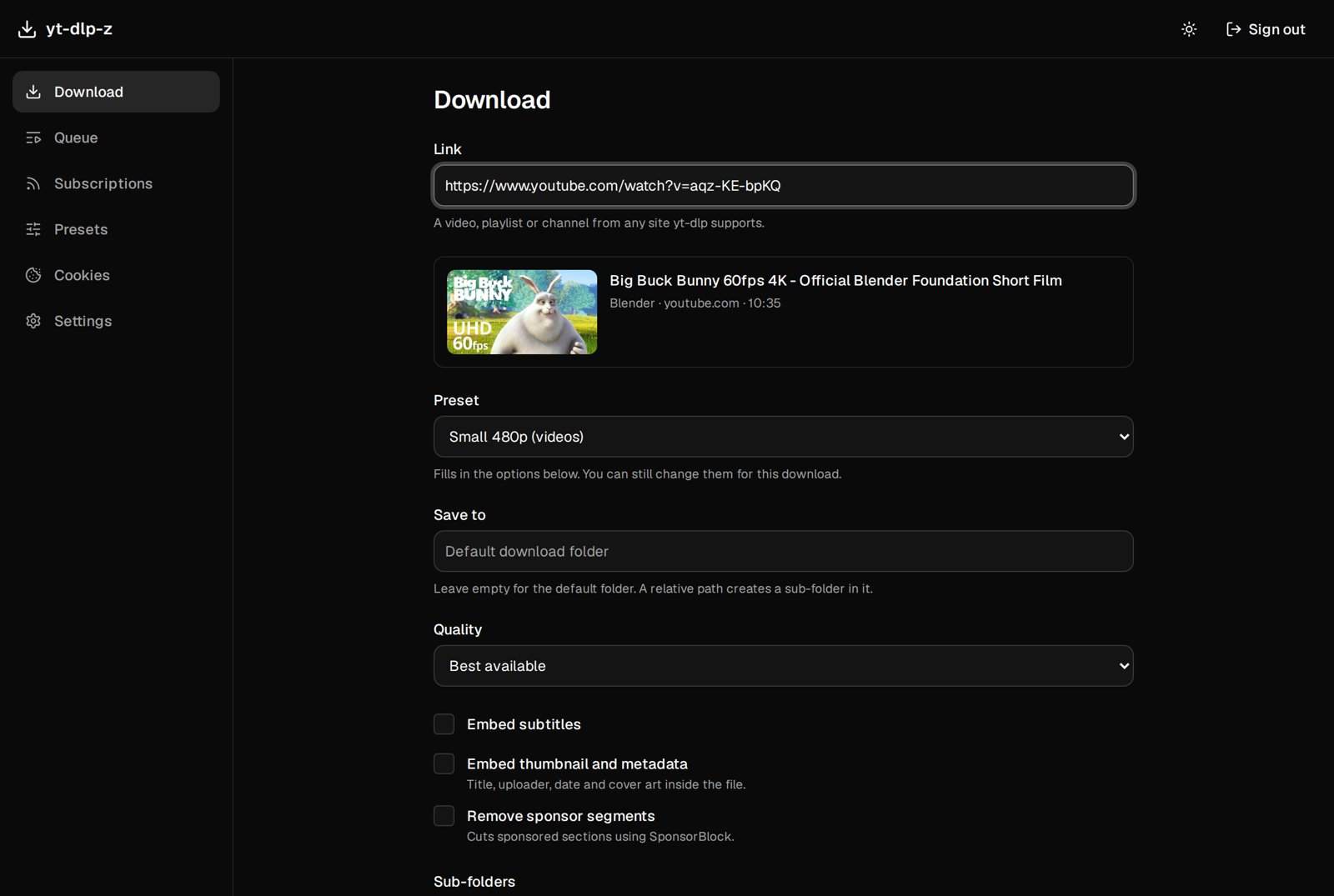
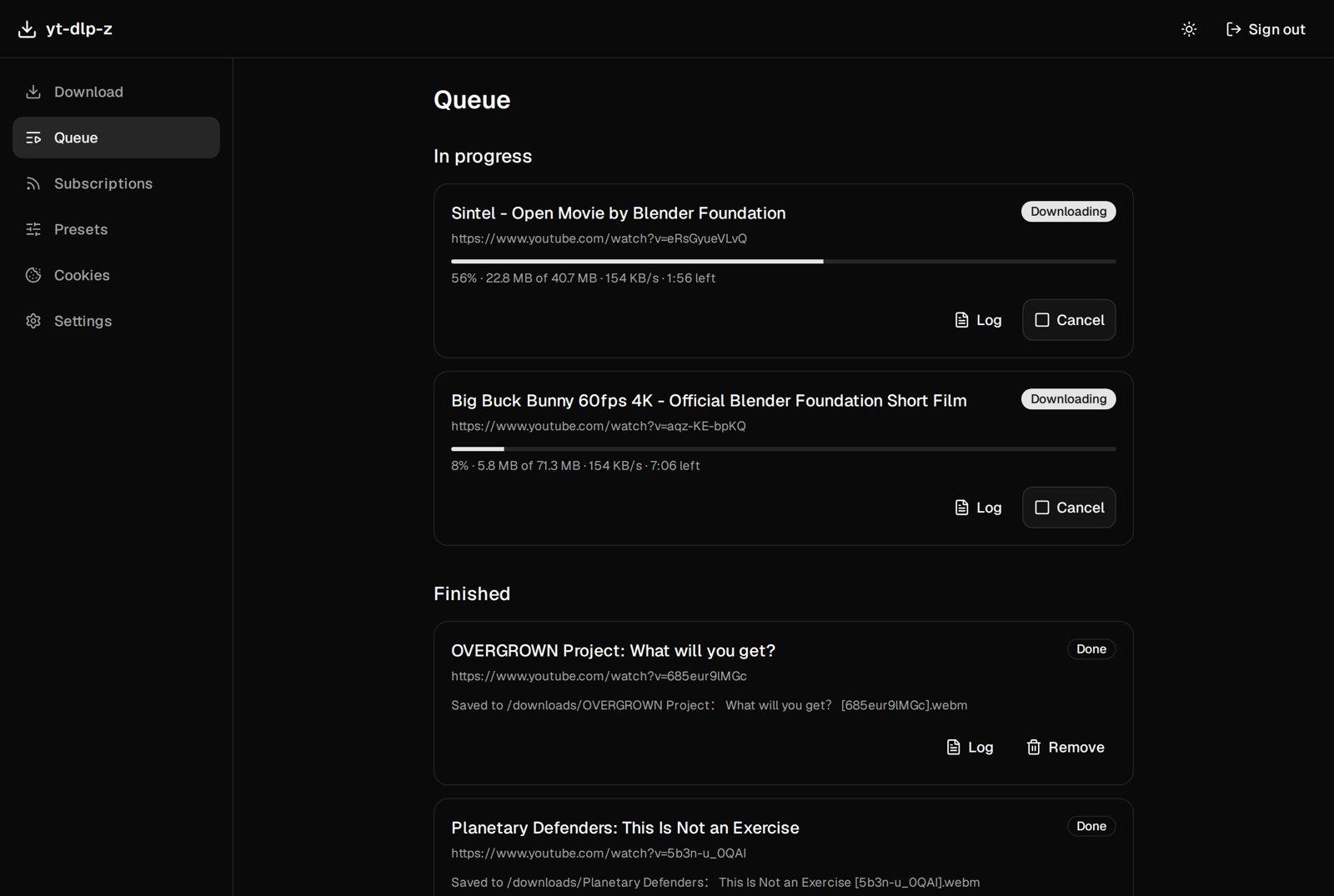
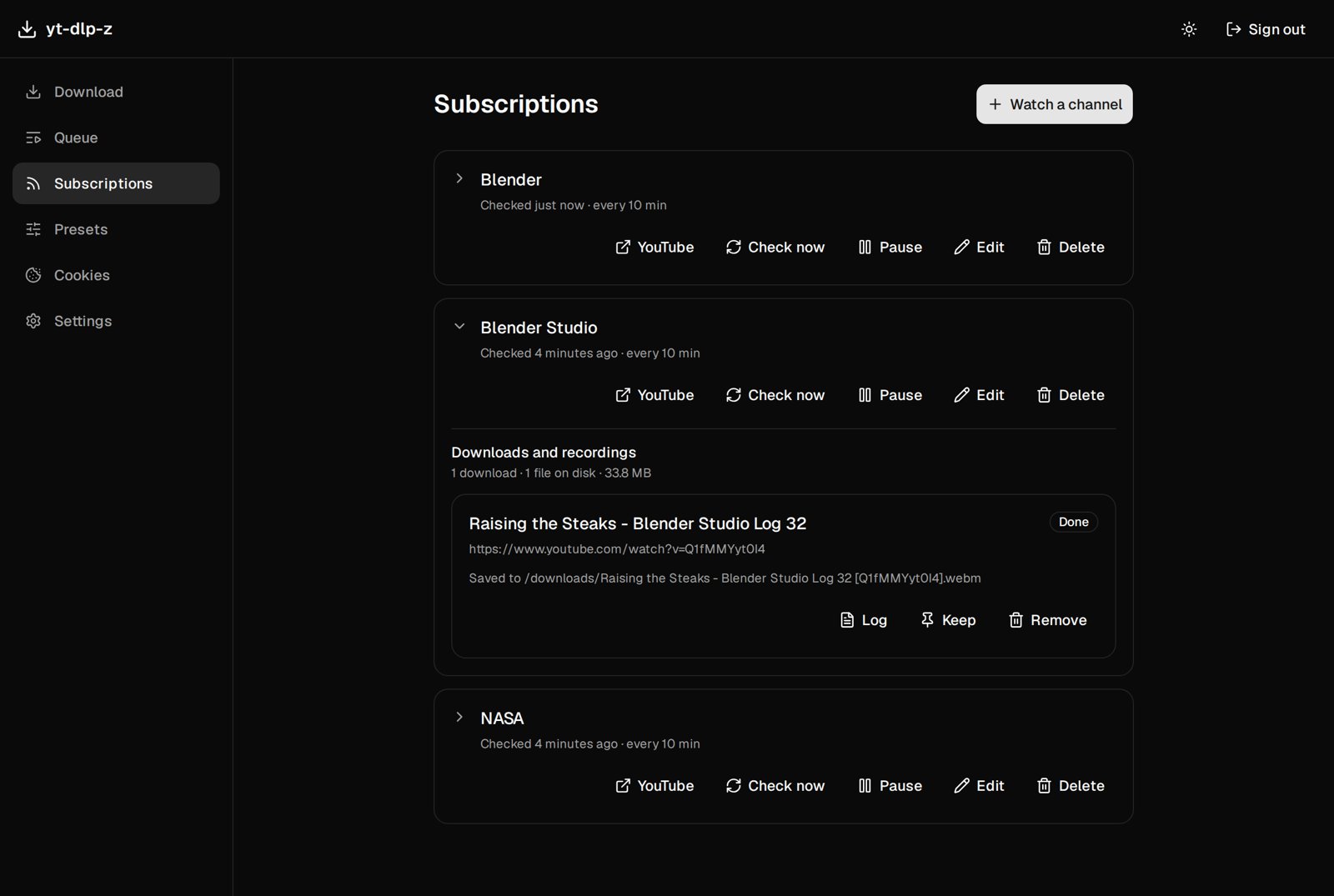
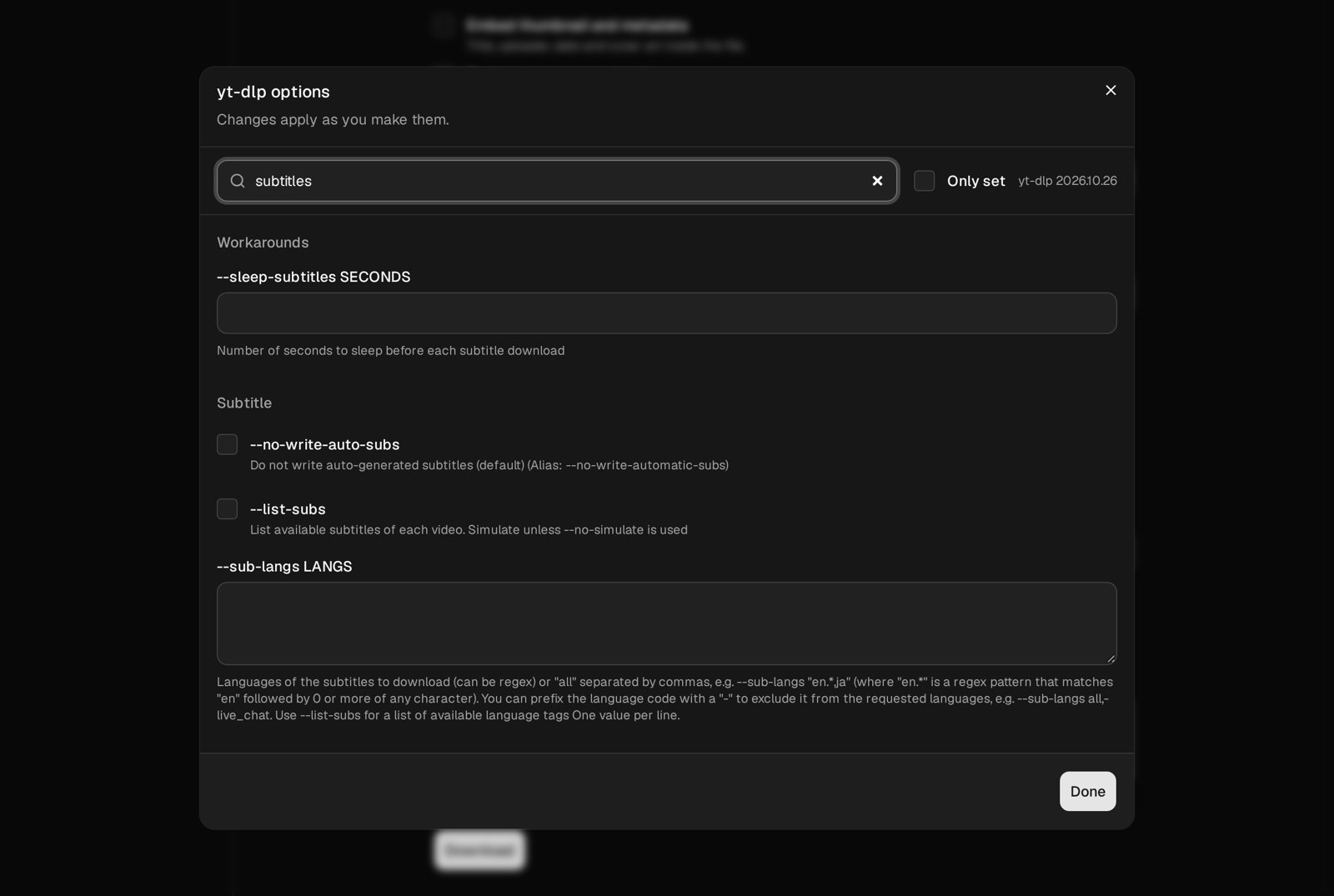
Open the app
About yt-dlp-z
yt-dlp-z puts a web app in front of yt-dlp. Paste a link from your phone, pick a preset, and it downloads on your server. Point it at a YouTube channel and new uploads show up on their own; when the channel goes live, the stream is recorded from the start.
Features
- Any site yt-dlp supports, with every yt-dlp option, grouped and searchable
- Presets, a link check before you download, and a live queue
- Channel and playlist watching, with live-stream recording from the start
- Jellyfin, Plex and Kodi friendly output, cookies, proxies and ntfy alerts
- An MCP server so AI agents can start downloads
How to use
- Open yt-dlp-z from your dashboard right after installing.
- Choose the admin password and the download folder (
/downloads). - Paste a link, pick a preset and download.
- Find your files in the Files app under Downloads, yt-dlp-z.
Before you install
The first person to open a fresh install chooses the admin password, so open http://[ZIMAOS-IP-ADDRESS]:6705 right after installing, or set YTDLPZ_ADMIN_PASSWORD in the app settings first. Downloads go to /DATA/Downloads/yt-dlp-z; keep /downloads as the download folder in the setup. Most settings (presets, subscriptions, cookies, notifications) are made on the Settings page; the rest are in the Variables tab.
The settings in the first table are already in the app settings. To use any other one, open the app settings, add the variable with your value, save, and the app restarts with it. A setting you leave out uses its default.
In the app settings
| Variable | Default value | Description |
|---|---|---|
TZ | $TZ | Your time zone, for logs and schedules. It is filled in from your ZimaOS time zone. |
PUID | $PUID | The user that owns the downloads and settings. Filled in by ZimaOS. |
PGID | $PGID | The group that owns the downloads and settings. Filled in by ZimaOS. |
Sign-in
| Variable | Default value | Description |
|---|---|---|
YTDLPZ_ | — | Sets the admin password up front, so nobody else can claim the install. Applied at every start; changing it signs everyone out. |
YTDLPZ_ | 30 | How many days a sign-in lasts. |
YTDLPZ_ | password | Set to none to turn off the login. Only behind a proxy that handles login. |
Downloads
| Variable | Default value | Description |
|---|---|---|
YTDLPZ_ | 3 | How many downloads run at once. The Settings page can change it too. |
YTDLPZ_ | 2 | How many live recordings run at once. |
YTDLPZ_ | [] | Extra folders downloads may use, as a JSON list, like ["/media/music"]. Each also needs a volume in the app settings. |
YTDLPZ_ | false | Set to true to allow the yt-dlp options yt-dlp-z blocks (like --exec). Only for trusted setups. |
YTDLPZ_ | — | A font file for live chat overlays. |
name: yt-dlp-z

services:
  yt-dlp-z:
    image: ghcr.io/zxy101/yt-dlp-z:0.1.5
    container_name: yt-dlp-z
    restart: unless-stopped
    stop_grace_period: 10m
    network_mode: bridge
    environment:
      - TZ=$TZ
      - PUID=$PUID
      - PGID=$PGID
    ports:
      - target: 9742
        published: "6705"
        protocol: tcp
    volumes:
      - type: bind
        source: /DATA/AppData/$AppID/config
        target: /config
        bind:
          create_host_path: true
      - type: bind
        source: /DATA/Downloads/yt-dlp-z
        target: /downloads
        bind:
          create_host_path: true
    deploy:
      resources:
        limits:
          cpus: "2.00"
          memory: 1024M
        reservations:
          cpus: "0.00"
          memory: 64M
    labels:
      icon: https://cdn.jsdelivr.net/gh/HSinghHira/IceStore@main/Apps/yt-dlp-z/icon.png
    x-casaos:
      id: com.icestore.yt-dlp-z
      envs:
        - container: TZ
          description:
            en_US: >-
              Your time zone, for logs and schedules. It is filled in from your
              ZimaOS time zone.
        - container: PUID
          description:
            en_US: >-
              The user that owns the downloads and settings. Filled in by
              ZimaOS.
        - container: PGID
          description:
            en_US: >-
              The group that owns the downloads and settings. Filled in by
              ZimaOS.
      ports:
        - container: "9742"
          description:
            en_US: yt-dlp-z web app, published on host as 6705
      volumes:
        - container: /config
          description:
            en_US: >-
              The database, the secret key, job logs and uploaded cookies.
        - container: /downloads
          description:
            en_US: >-
              Your downloads, in /DATA/Downloads/yt-dlp-z, where the Files app
              and media servers can see them.

x-casaos:
  id: com.icestore.yt-dlp-z
  architectures:
    - amd64
    - arm64
  main: yt-dlp-z
  author: HSinghHira
  category: Media
  developer: ZXY101
  icon: https://cdn.jsdelivr.net/gh/HSinghHira/IceStore@main/Apps/yt-dlp-z/icon.png
  thumbnail: https://cdn.jsdelivr.net/gh/HSinghHira/IceStore@main/Apps/yt-dlp-z/screenshot-1.jpg
  screenshot_link:
    - https://cdn.jsdelivr.net/gh/HSinghHira/IceStore@main/Apps/yt-dlp-z/screenshot-1.jpg
    - https://cdn.jsdelivr.net/gh/HSinghHira/IceStore@main/Apps/yt-dlp-z/screenshot-2.jpg
    - https://cdn.jsdelivr.net/gh/HSinghHira/IceStore@main/Apps/yt-dlp-z/screenshot-3.jpg
    - https://cdn.jsdelivr.net/gh/HSinghHira/IceStore@main/Apps/yt-dlp-z/screenshot-4.jpg
  title:
    en_US: yt-dlp-z
  tagline:
    en_US: Web dashboard for yt-dlp with presets, channel watching and live-stream recording.
  description:
    en_US: >-
      Visit: [https://icestore.hsinghhira.me/app/yt-dlp-z/](https://icestore.hsinghhira.me/app/yt-dlp-z/) for full details


      yt-dlp-z puts a web app in front of yt-dlp. Paste a link from your
      phone, pick a preset, and it downloads on your server. Point it at a
      YouTube channel and new uploads show up on their own; when the channel
      goes live, the stream is recorded from the start.


      **Features**


      - Any site yt-dlp supports, with every yt-dlp option, grouped and
        searchable

      - Presets, a link check before you download, and a live queue

      - Channel and playlist watching, with live-stream recording from the
        start

      - Jellyfin, Plex and Kodi friendly output, cookies, proxies and ntfy
        alerts

      - An MCP server so AI agents can start downloads


      **How to use?**


      1. Open yt-dlp-z from the Zima OS dashboard right after installing.


      2. Choose the admin password and the download folder (/downloads).


      3. Paste a link, pick a preset and download.


      4. Find your files in the Files app under Downloads, yt-dlp-z.
  tips:
    before_install:
      en_US: >-
        1. Start the installation. It is ready in a few seconds.


        2. Open http://[ZIMAOS-IP-ADDRESS]:6705 right away. The first person
           to open it chooses the admin password, so do it before anyone
           else. To set it in advance, add YTDLPZ_ADMIN_PASSWORD in the app
           settings (Variables tab on
           https://icestore.hsinghhira.me/app/yt-dlp-z/).


        3. Keep /downloads as the download folder. Files land in the Files
           app under Downloads, yt-dlp-z.
  index: /
  port_map: "6705"
  scheme: http
  is_uncontrolled: false
  version: "0.1.5"
  update_at: "2026-11-09"
  release_notes:
    en_US: |-
      - First IceStore version: ghcr.io/zxy101/yt-dlp-z 0.1.5
      - Port 6705; settings in /DATA/AppData/yt-dlp-z/config and downloads in /DATA/Downloads/yt-dlp-z.
  repo: "https://github.com/ZXY101/yt-dlp-z"
  support: "https://github.com/ZXY101/yt-dlp-z/issues"
  docs: "https://github.com/ZXY101/yt-dlp-z/tree/main/docs"
Install yt-dlp-z
Something not working with yt-dlp-z?
Report it so it gets fixed, or ask for an app that is not here yet.
 ZimaOS
Add the store link, then find yt-dlp-z in the App Store and install it.
 CasaOS
Add the store link, then find yt-dlp-z in the App Store and install it.
 ReCasaOS
Add the store link, then find yt-dlp-z in the App Store and install it.
 Homeio
Add the store link, then find yt-dlp-z in the App Store and install it.
 MOS
Add the repository in MOS Hub Settings, then find yt-dlp-z in Docker → MOS Hub and install it.


