
Vikunja
To-do app with lists, kanban, Gantt and shared projects
- ghcr.io/hsinghhira/vikunja:1.0.1
- v2.8.0
- Updated 21 Nov 2026
- port 6761
- amd64 · arm64
- Productivity
- 6.1k stars
Screenshots
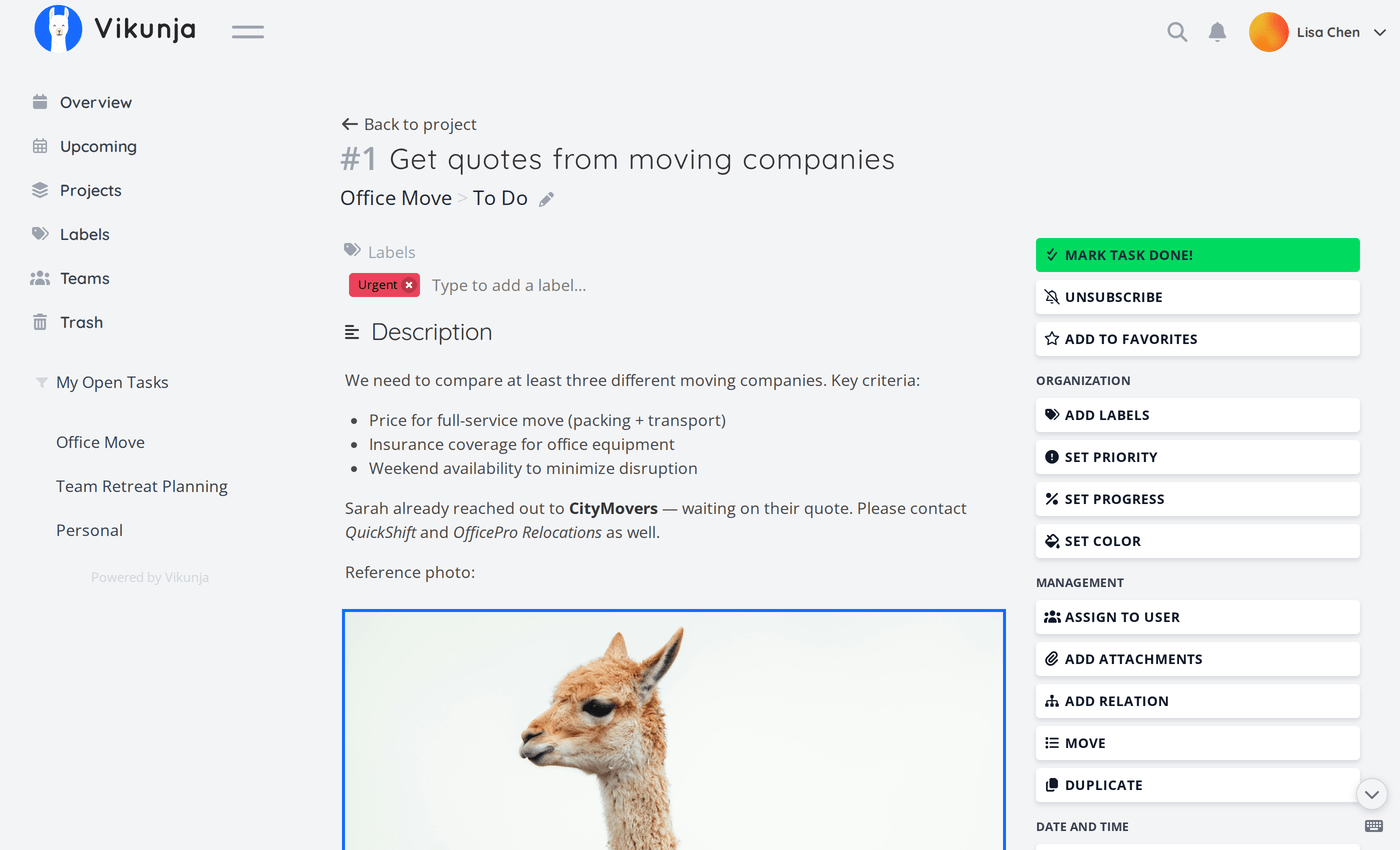
Open the app
About Vikunja
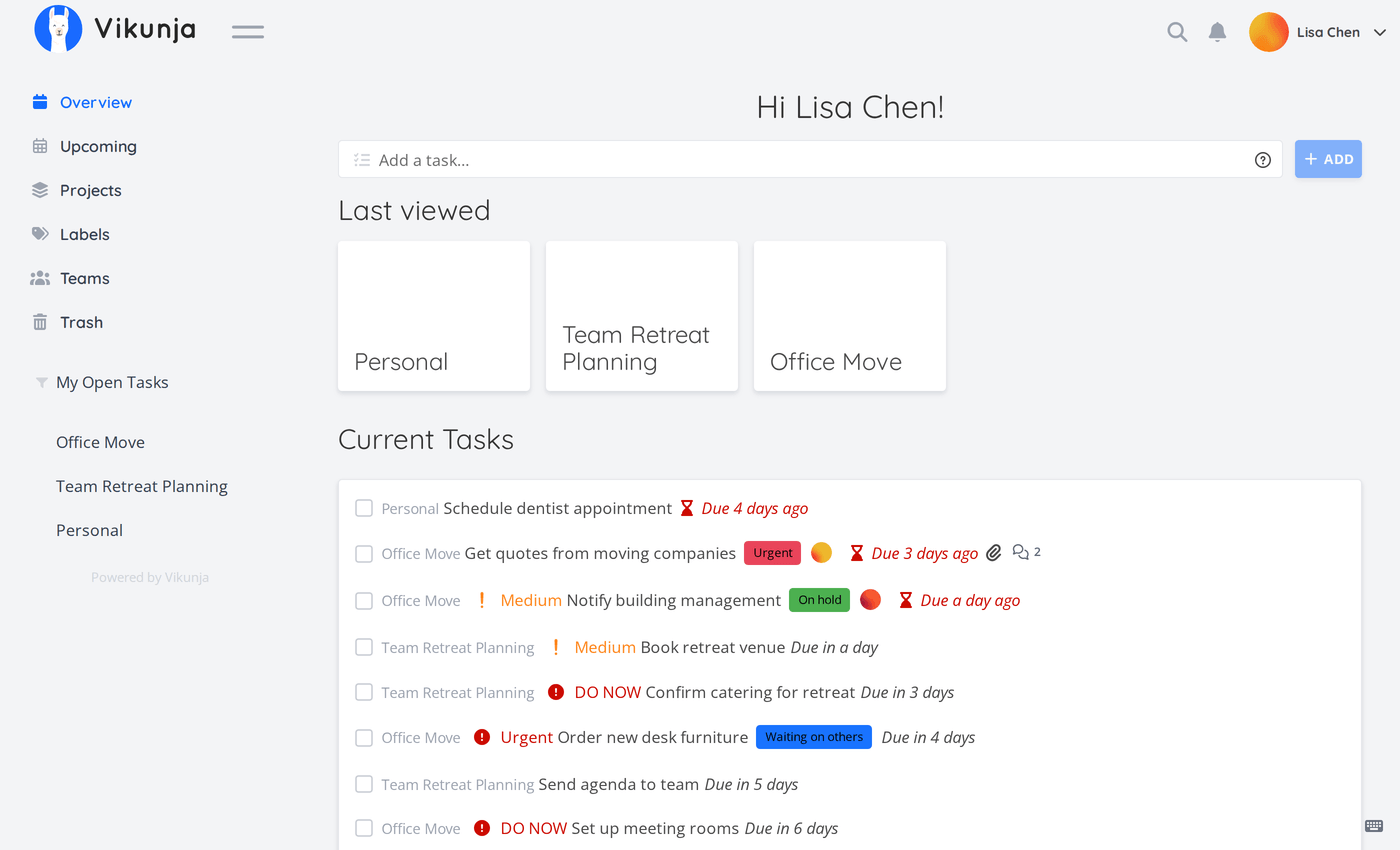
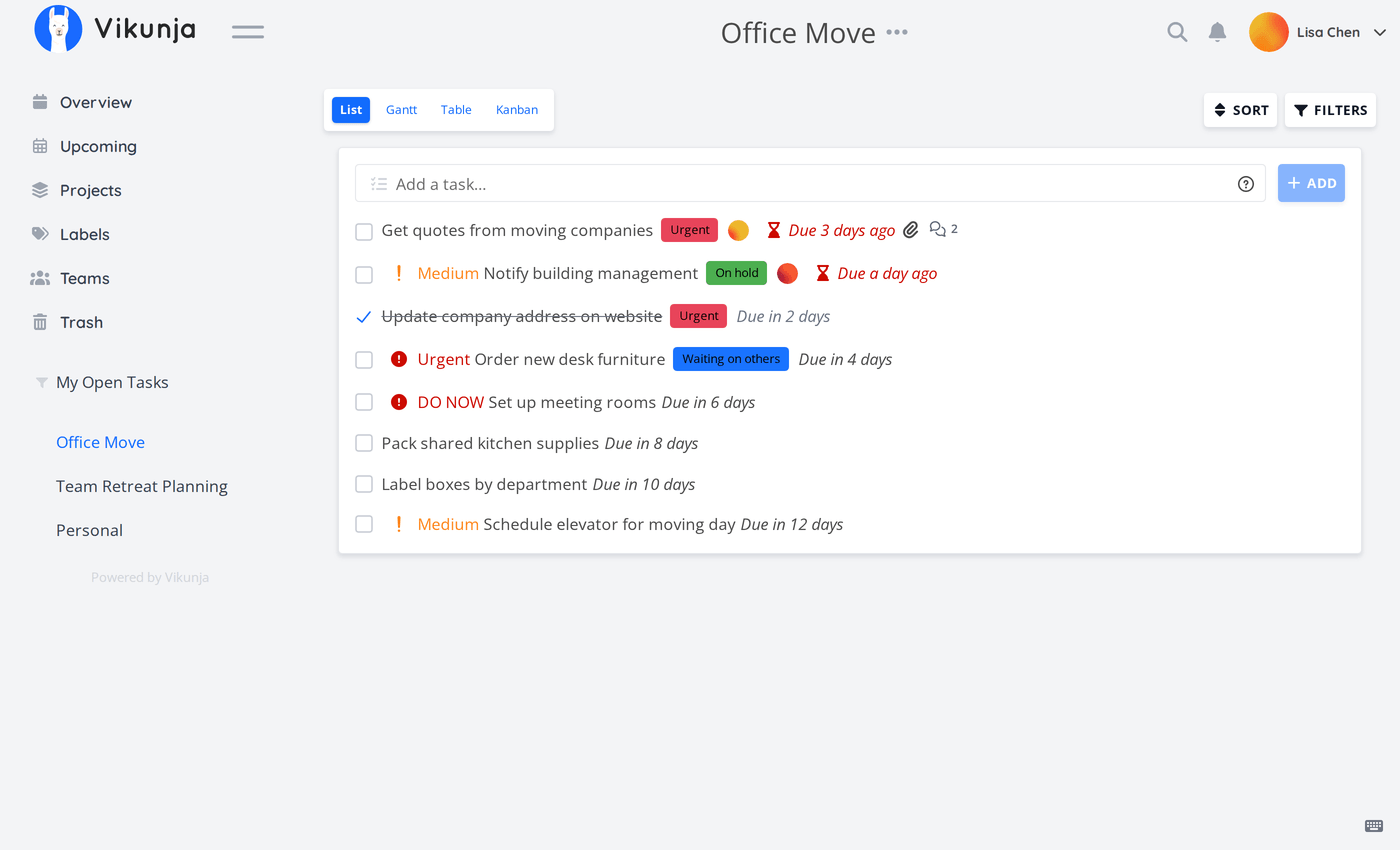
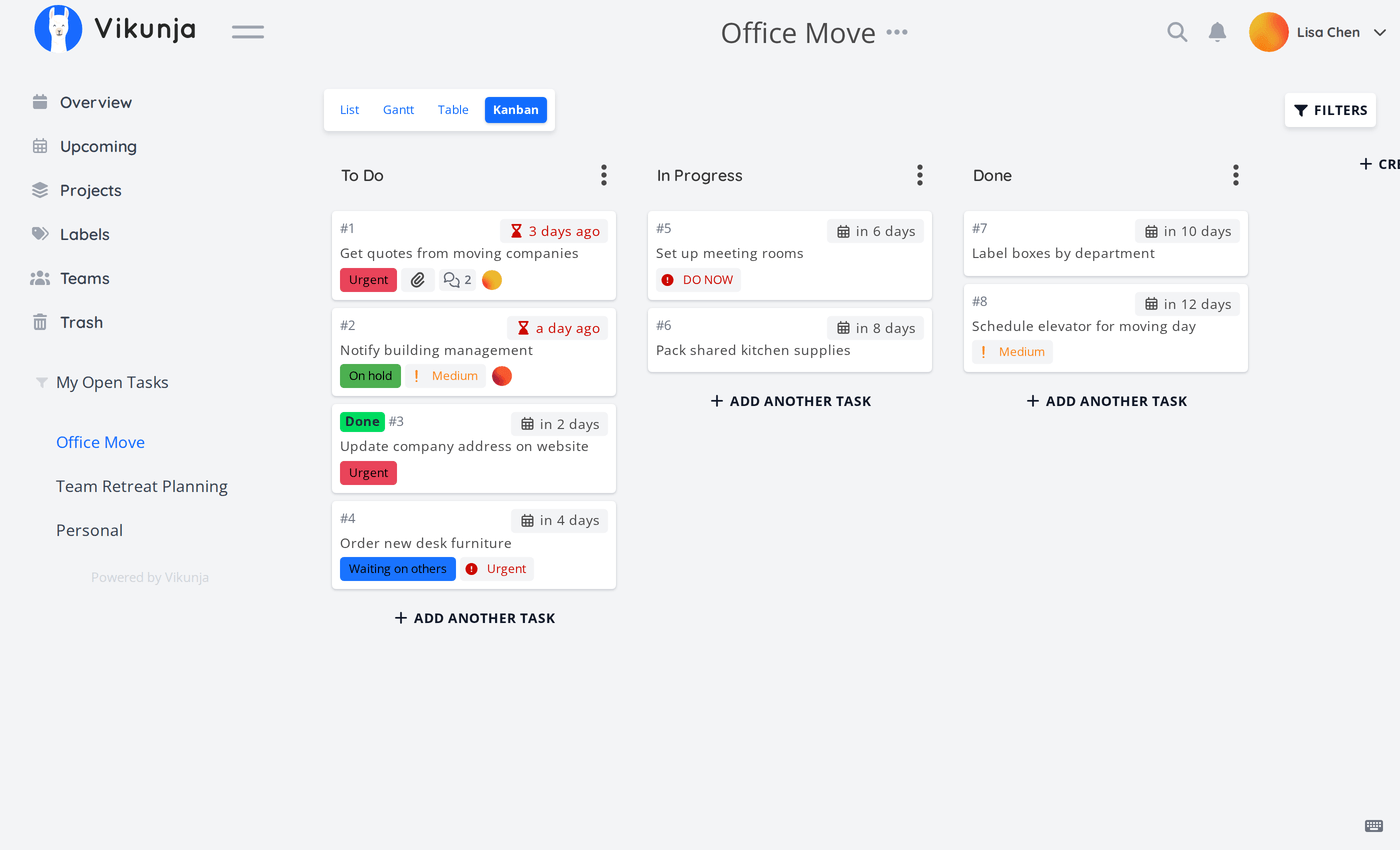
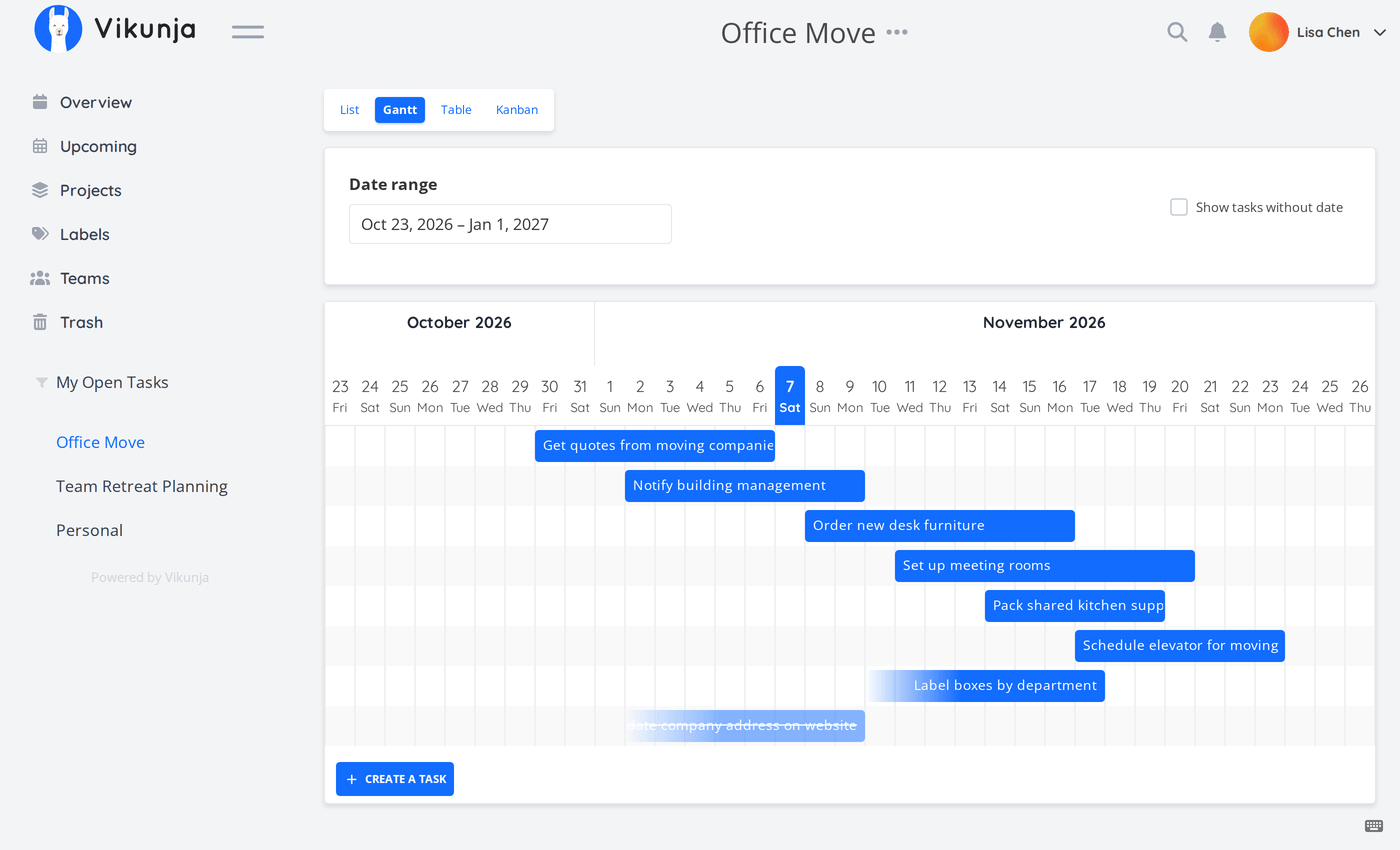
Vikunja is a to-do app for you, your family or your team. Put tasks in projects and look at them as a list, a kanban board, a table or a Gantt chart. The database is built in, so it is one container with nothing else to set up.
Features
- List, kanban, table and Gantt views of every project
- Due dates, reminders, repeating tasks, labels and priorities
- Quick add with words like "tomorrow" or "*shopping"
- Share projects with people, teams or a public link
- Attachments, comments and task relations
- CalDAV sync with your phone's calendar and reminders, and a REST API
How to use
- Open Vikunja from your dashboard.
- Click Create account and make your account.
- Make a project and add your first tasks.
- Switch between List, Kanban, Table and Gantt at the top.
- When everyone has an account, set
VIKUNJA_SERVICE_ENABLEREGISTRATIONtofalsein the app settings.
Before you install
You can install it as it is and open it at http://[ZIMAOS-IP-ADDRESS]:6761. There is no admin account: make yours with Create account, then set VIKUNJA_SERVICE_ENABLEREGISTRATION=false. Set VIKUNJA_SERVICE_PUBLICURL to the address you use (like http://[ZIMAOS-IP-ADDRESS]:6761) when you want working links in emails or CalDAV on your phone. A secret is made on first start, so people stay signed in across restarts. Email and the other settings are in the Variables tab and are added in the app settings. Sign-in with OpenID is set up with a config file; see the Vikunja docs. It is ready in under a minute.
The settings in the first table are already in the app settings. To use any other one, open the app settings, add the variable with your value, save, and the app restarts with it. A setting you leave out uses its default.
In the app settings
| Variable | Default value | Description |
|---|---|---|
TZ | $TZ | Your time zone. It is filled in from your ZimaOS time zone and used for due dates and reminders. |
VIKUNJA_ | true | true lets anyone make an account on the sign-in page. Set it to false after you and your people have made accounts. |
VIKUNJA_ | — | The address people open Vikunja at, like http://[ZIMAOS-IP-ADDRESS]:6761 or https://tasks.example.com. Leave it empty to use Vikunja in the browser; set it for links in emails, CalDAV and sign-in with OpenID. |
Server
| Variable | Default value | Description |
|---|---|---|
VIKUNJA_ | — | The key that signs sign-ins. It is made on first start and kept in the data folder as .service_secret. Only set it to use your own. |
VIKUNJA_ | — | The time zone for reminders, like Europe/Berlin. Leave it out to use TZ. |
Features
| Variable | Default value | Description |
|---|---|---|
VIKUNJA_ | true | Set to false to turn off CalDAV sync. |
VIKUNJA_ | true | Set to false so nobody can share a project with a public link. |
VIKUNJA_ | true | Set to false to turn off file attachments on tasks. |
VIKUNJA_ | true | Set to false to turn off comments on tasks. |
Sign-up and accounts
| Variable | Default value | Description |
|---|---|---|
VIKUNJA_ | true | Set to false to turn off two-factor sign-in. |
VIKUNJA_ | true | Set to false so people can't delete their own account. |
VIKUNJA_ | false | Set to true to let teams be found and joined by anyone on this Vikunja. |
Email (SMTP)
| Variable | Default value | Description |
|---|---|---|
VIKUNJA_ | true | Set to false to stop reminder emails. Needs the mailer below. |
VIKUNJA_ | false | Set to true to send emails: reminders, password resets and invites. |
VIKUNJA_ | — | Your email server, like smtp.gmail.com. |
VIKUNJA_ | 587 | Your email server port, usually 587 or 465. |
VIKUNJA_ | user | The user name for your email server. |
VIKUNJA_ | — | The password for your email server. |
VIKUNJA_ | mail@vikunja | The address emails are sent from. |
VIKUNJA_ | false | Set to true for port 465. |
Files
| Variable | Default value | Description |
|---|---|---|
VIKUNJA_ | 20MB | The biggest file people can attach, like 100MB. |
New users
| Variable | Default value | Description |
|---|---|---|
VIKUNJA_ | false | Set to true so new users get reminder emails without turning them on. |
VIKUNJA_ | 0 | The first day of the week for new users: 0 is Sunday, 1 is Monday. |
VIKUNJA_ | — | The language for new users, like de-DE or fr-FR. Leave it out to follow the browser. |
Logs
| Variable | Default value | Description |
|---|---|---|
VIKUNJA_ | INFO | How much Vikunja writes to the log: CRITICAL, ERROR, WARNING, INFO or DEBUG. |
name: vikunja

services:
  vikunja:
    image: ghcr.io/hsinghhira/vikunja:1.0.1
    container_name: vikunja
    restart: unless-stopped
    stop_grace_period: 30s
    network_mode: bridge
    environment:
      - TZ=$TZ
      - VIKUNJA_SERVICE_ENABLEREGISTRATION=true
      - VIKUNJA_SERVICE_PUBLICURL=
    ports:
      - target: 3456
        published: "6761"
        protocol: tcp
    volumes:
      - type: bind
        source: /DATA/AppData/$AppID/data
        target: /data
        bind:
          create_host_path: true
    healthcheck:
      test: ["CMD", "wget", "-q", "-O", "/dev/null", "http://127.0.0.1:3456/api/v1/info"]
      interval: 30s
      timeout: 10s
      retries: 5
      start_period: 60s
    deploy:
      resources:
        limits:
          cpus: "1.00"
          memory: 512M
        reservations:
          cpus: "0.05"
          memory: 64M
    labels:
      icon: https://cdn.jsdelivr.net/gh/HSinghHira/IceStore@main/Apps/vikunja/icon.png
    x-casaos:
      id: com.icestore.vikunja
      envs:
        - container: TZ
          description:
            en_US: >-
              Your time zone. It is filled in from your ZimaOS time zone and
              used for due dates and reminders.
        - container: VIKUNJA_SERVICE_ENABLEREGISTRATION
          description:
            en_US: >-
              true lets anyone make an account on the sign-in page. Set it to
              false after you and your people have made accounts.
        - container: VIKUNJA_SERVICE_PUBLICURL
          description:
            en_US: >-
              The address people open Vikunja at, like
              http://[ZIMAOS-IP-ADDRESS]:6761 or https://tasks.example.com.
              Leave it empty to use Vikunja in the browser; set it for links
              in emails, CalDAV and sign-in with OpenID.
      ports:
        - container: "3456"
          description:
            en_US: Vikunja web UI, API and CalDAV, published on host as 6761
      volumes:
        - container: /data
          description:
            en_US: >-
              The SQLite database (vikunja.db), task attachments (files) and
              .service_secret, this install's own key made on first start.
              Back it up.

x-casaos:
  id: com.icestore.vikunja
  architectures:
    - amd64
    - arm64
  main: vikunja
  author: HSinghHira
  category: Productivity
  developer: Vikunja
  icon: https://cdn.jsdelivr.net/gh/HSinghHira/IceStore@main/Apps/vikunja/icon.png
  thumbnail: https://cdn.jsdelivr.net/gh/HSinghHira/IceStore@main/Apps/vikunja/screenshot-1.png
  screenshot_link:
    - https://cdn.jsdelivr.net/gh/HSinghHira/IceStore@main/Apps/vikunja/screenshot-1.png
    - https://cdn.jsdelivr.net/gh/HSinghHira/IceStore@main/Apps/vikunja/screenshot-2.png
    - https://cdn.jsdelivr.net/gh/HSinghHira/IceStore@main/Apps/vikunja/screenshot-3.png
    - https://cdn.jsdelivr.net/gh/HSinghHira/IceStore@main/Apps/vikunja/screenshot-4.png
    - https://cdn.jsdelivr.net/gh/HSinghHira/IceStore@main/Apps/vikunja/screenshot-5.png
  title:
    en_US: Vikunja
  tagline:
    en_US: To-do app with lists, kanban, Gantt and shared projects
  description:
    en_US: >-
      Vikunja is a to-do app for you, your family or your team. Put tasks in
      projects and look at them as a list, a kanban board, a table or a Gantt
      chart. The database is built in, so it is one container with nothing
      else to set up.


      **Features**


      - List, kanban, table and Gantt views of every project

      - Due dates, reminders, repeating tasks, labels and priorities

      - Quick add with words like "tomorrow" or "*shopping"

      - Share projects with people, teams or a public link

      - Attachments, comments and task relations

      - CalDAV sync with your phone's calendar and reminders, and a REST API


      **How to use?**


      1. Open Vikunja from the ZimaOS dashboard.

      2. Click Create account and make your account.

      3. Make a project and add your first tasks.

      4. Switch between List, Kanban, Table and Gantt at the top.

      5. When everyone has an account, set
         VIKUNJA_SERVICE_ENABLEREGISTRATION to false in the app settings.
  tips:
    before_install:
      en_US: >-
        1. You can leave everything as it is.


        2. More settings, like email reminders and the upload size, are
           listed on the Vikunja page at
           https://icestore.hsinghhira.me/app/vikunja/ (Variables tab). You
           can add them now or later in the app settings.


        3. Start the installation. It is ready in under a minute.


        4. Open http://[ZIMAOS-IP-ADDRESS]:6761 and click Create account.


        5. After everyone has an account, set
           VIKUNJA_SERVICE_ENABLEREGISTRATION to false so strangers can't
           sign up.
  index: /
  port_map: "6761"
  scheme: http
  is_uncontrolled: false
  version: "2.8.0"
  update_at: "2026-11-21"
  release_notes:
    en_US: |-
      - Fixed "service.publicurl is required when cors.enable is true": CORS stays off until VIKUNJA_SERVICE_PUBLICURL is set (the web UI doesn't need it) (image 1.0.1)
      - First IceStore release, on port 6761
      - Built on vikunja/vikunja 2.8.0, with the SQLite database and attachments in one data folder
      - Each install makes its own VIKUNJA_SERVICE_SECRET on first start, so people stay signed in across restarts
  repo: "https://github.com/go-vikunja/vikunja"
  support: "https://github.com/go-vikunja/vikunja/issues"
  docs: "https://vikunja.io/docs/"
Install Vikunja
Something not working with Vikunja?
Report it so it gets fixed, or ask for an app that is not here yet.
 ZimaOS
Add the store link, then find Vikunja in the App Store and install it.
 CasaOS
Add the store link, then find Vikunja in the App Store and install it.
 ReCasaOS
Add the store link, then find Vikunja in the App Store and install it.
 Homeio
Add the store link, then find Vikunja in the App Store and install it.
 MOS
Add the repository in MOS Hub Settings, then find Vikunja in Docker → MOS Hub and install it.


