
xtools
Toolbox of everyday and developer tools in your browser, from image cropping to ID photos.
- ghcr.io/chenguangming/x-tools:1.0.0
- v1.0.0
- Updated 9 Nov 2026
- port 6706
- amd64 · arm64
- Developer
- 4 stars
Screenshots
Open the app
About xtools
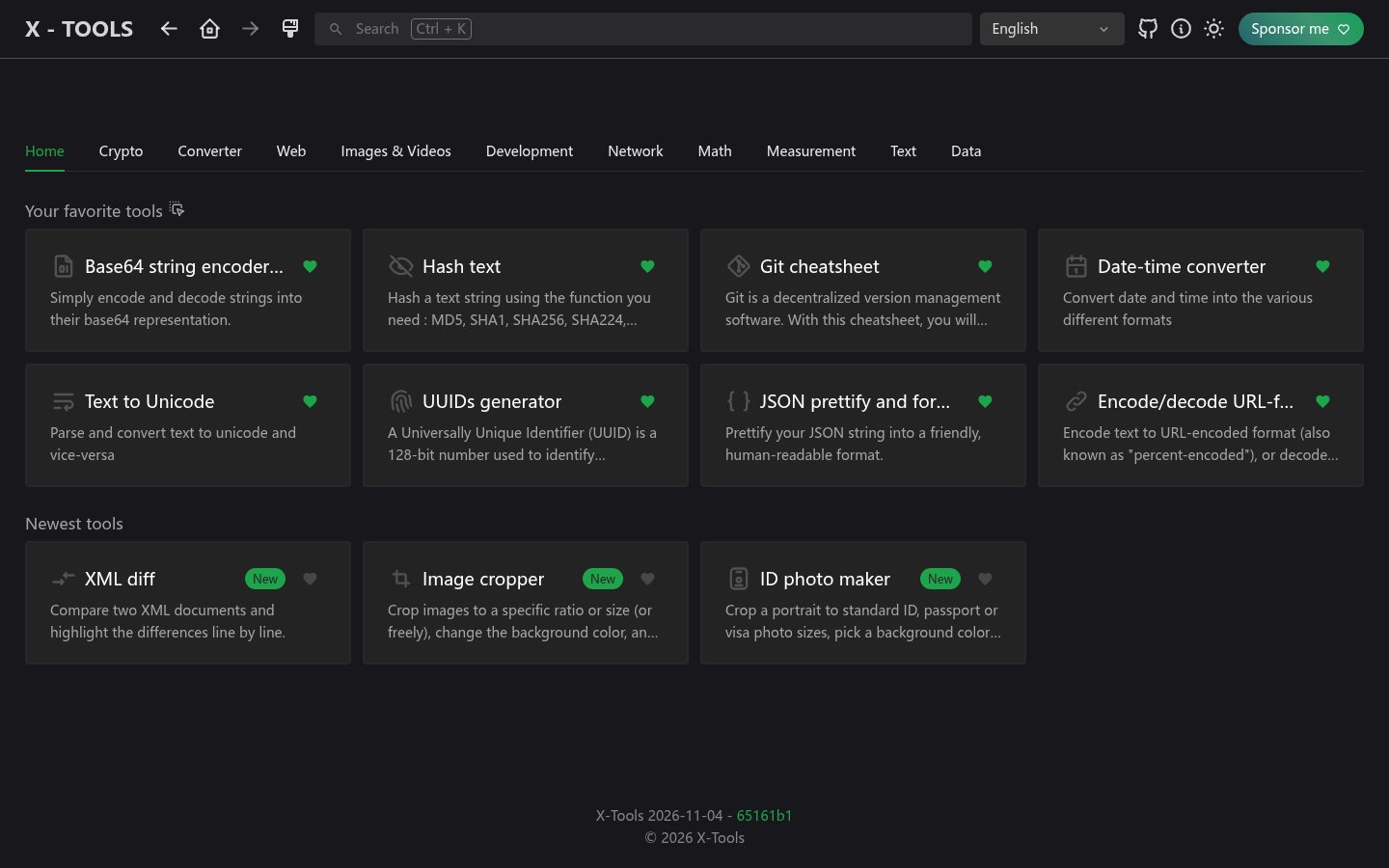
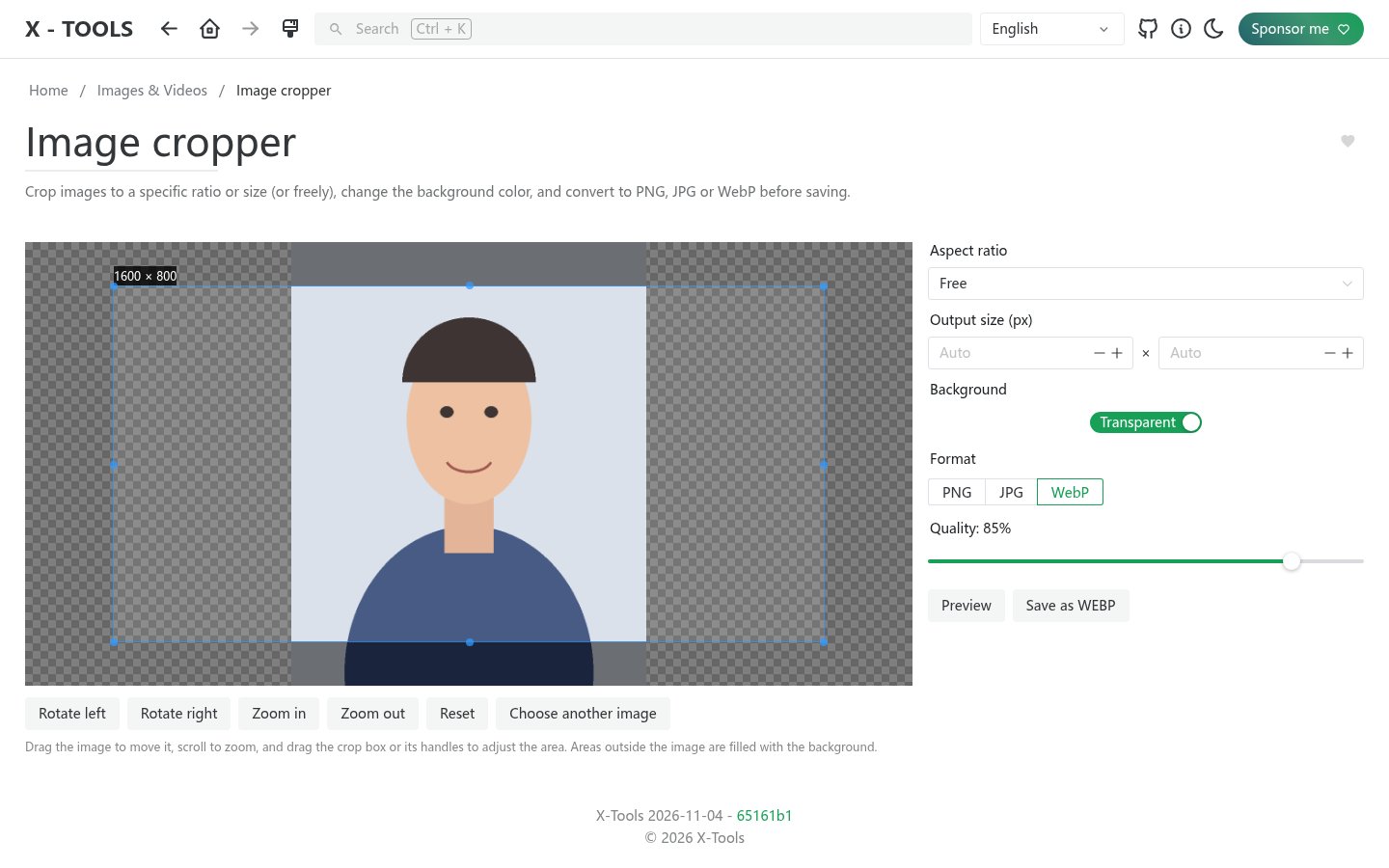
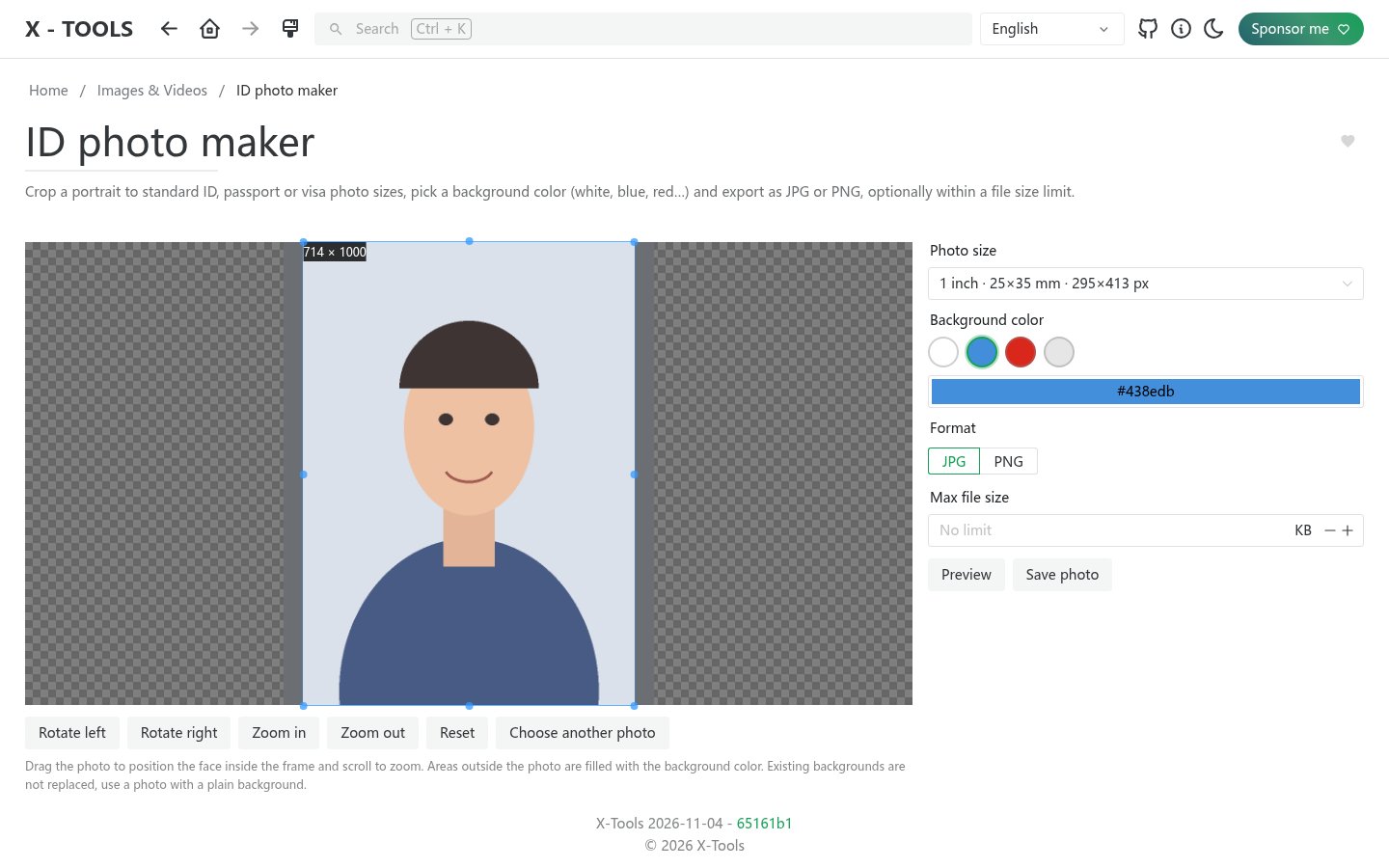
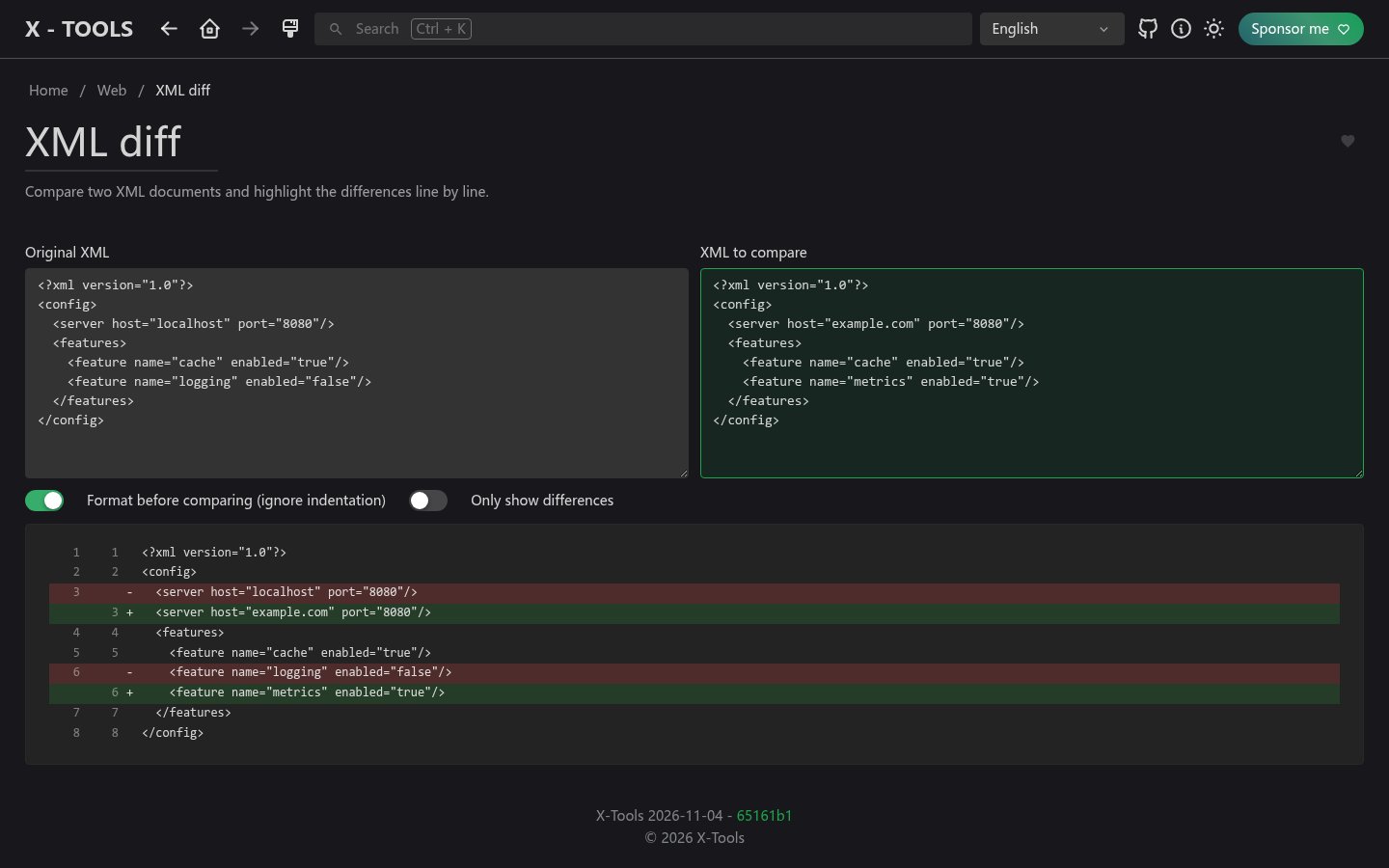
xtools is a handy toolbox of developer and everyday tools in your browser: converters, generators, encoders, an image cropper, an ID photo maker, an XML diff and more, in categorized tabs and 12 languages. It is a fork of IT-Tools. Everything runs in your browser; nothing is stored on the server.
Features
- Developer tools: JSON, YAML, Base64, JWT, hashes, UUIDs, regex, cron and more
- Image cropper and ID photo maker
- XML diff and text tools
- Categorized tabs, search and favorites
- 12 languages, light and dark themes
How to use
- Open xtools from your dashboard.
- Pick a tab or search for a tool.
Before you install
Nothing to set: no settings, no data folder. Your tools run in the browser, so nothing you paste is sent to the server.
| Variable | Default value | Description |
|---|---|---|
TZ | $TZ | Your time zone. It is filled in from your ZimaOS time zone. |
name: x-tools

services:
  x-tools:
    image: ghcr.io/chenguangming/x-tools:1.0.0
    container_name: x-tools
    restart: unless-stopped
    stop_grace_period: 10s
    network_mode: bridge
    environment:
      - TZ=$TZ
    ports:
      - target: 80
        published: "6706"
        protocol: tcp
    healthcheck:
      test: ["CMD", "wget", "-q", "-O", "/dev/null", "http://127.0.0.1/"]
      interval: 30s
      timeout: 5s
      retries: 3
      start_period: 10s
    deploy:
      resources:
        limits:
          cpus: "0.50"
          memory: 128M
        reservations:
          cpus: "0.00"
          memory: 16M
    labels:
      icon: https://cdn.jsdelivr.net/gh/HSinghHira/IceStore@main/Apps/x-tools/icon.png
    x-casaos:
      id: com.icestore.x-tools
      envs:
        - container: TZ
          description:
            en_US: >-
              Your time zone. It is filled in from your ZimaOS time zone.
      ports:
        - container: "80"
          description:
            en_US: xtools web app, published on host as 6706

x-casaos:
  id: com.icestore.x-tools
  architectures:
    - amd64
    - arm64
  main: x-tools
  author: HSinghHira
  category: Developer
  developer: chenguangming
  icon: https://cdn.jsdelivr.net/gh/HSinghHira/IceStore@main/Apps/x-tools/icon.png
  thumbnail: https://cdn.jsdelivr.net/gh/HSinghHira/IceStore@main/Apps/x-tools/screenshot-1.jpg
  screenshot_link:
    - https://cdn.jsdelivr.net/gh/HSinghHira/IceStore@main/Apps/x-tools/screenshot-1.jpg
    - https://cdn.jsdelivr.net/gh/HSinghHira/IceStore@main/Apps/x-tools/screenshot-2.jpg
    - https://cdn.jsdelivr.net/gh/HSinghHira/IceStore@main/Apps/x-tools/screenshot-3.jpg
    - https://cdn.jsdelivr.net/gh/HSinghHira/IceStore@main/Apps/x-tools/screenshot-4.jpg
  title:
    en_US: xtools
  tagline:
    en_US: Toolbox of everyday and developer tools in your browser, from image cropping to ID photos.
  description:
    en_US: >-
      Visit: [https://icestore.hsinghhira.me/app/x-tools/](https://icestore.hsinghhira.me/app/x-tools/) for full details


      xtools is a handy toolbox of developer and everyday tools in your
      browser: converters, generators, encoders, an image cropper, an ID photo
      maker, an XML diff and more, in categorized tabs and 12 languages. It is
      a fork of IT-Tools. Everything runs in your browser; nothing is stored
      on the server.


      **Features**


      - Developer tools: JSON, YAML, Base64, JWT, hashes, UUIDs, regex, cron
        and more

      - Image cropper and ID photo maker

      - XML diff and text tools

      - Categorized tabs, search and favorites

      - 12 languages, light and dark themes


      **How to use?**


      1. Open xtools from the Zima OS dashboard.


      2. Pick a tab or search for a tool.
  tips:
    before_install:
      en_US: >-
        1. Nothing to set. Start the installation.


        2. Open xtools from your dashboard. Your tools run in the browser,
           so nothing you paste is sent to the server.
  index: /
  port_map: "6706"
  scheme: http
  is_uncontrolled: false
  version: "1.0.0"
  update_at: "2026-11-09"
  release_notes:
    en_US: |-
      - First IceStore version: ghcr.io/chenguangming/x-tools 1.0.0
      - Port 6706; no data folder (everything runs in your browser).
  repo: "https://github.com/chenguangming/x-tools"
  support: "https://github.com/chenguangming/x-tools/issues"
  docs: "https://github.com/chenguangming/x-tools"
Install xtools
Something not working with xtools?
Report it so it gets fixed, or ask for an app that is not here yet.
 ZimaOS
Add the store link, then find xtools in the App Store and install it.
 CasaOS
Add the store link, then find xtools in the App Store and install it.
 ReCasaOS
Add the store link, then find xtools in the App Store and install it.
 Homeio
Add the store link, then find xtools in the App Store and install it.
 MOS
Add the repository in MOS Hub Settings, then find xtools in Docker → MOS Hub and install it.


