
Dokploy
Your own Vercel, Heroku or Netlify. Deploy apps and databases on ZimaOS with a few clicks
- ghcr.io/hsinghhira/dokploy:latest
- v0.30.10
- Updated 30 Oct 2026
- port 6183
- amd64 · arm64
- Developer
- 38.1k stars
Screenshots
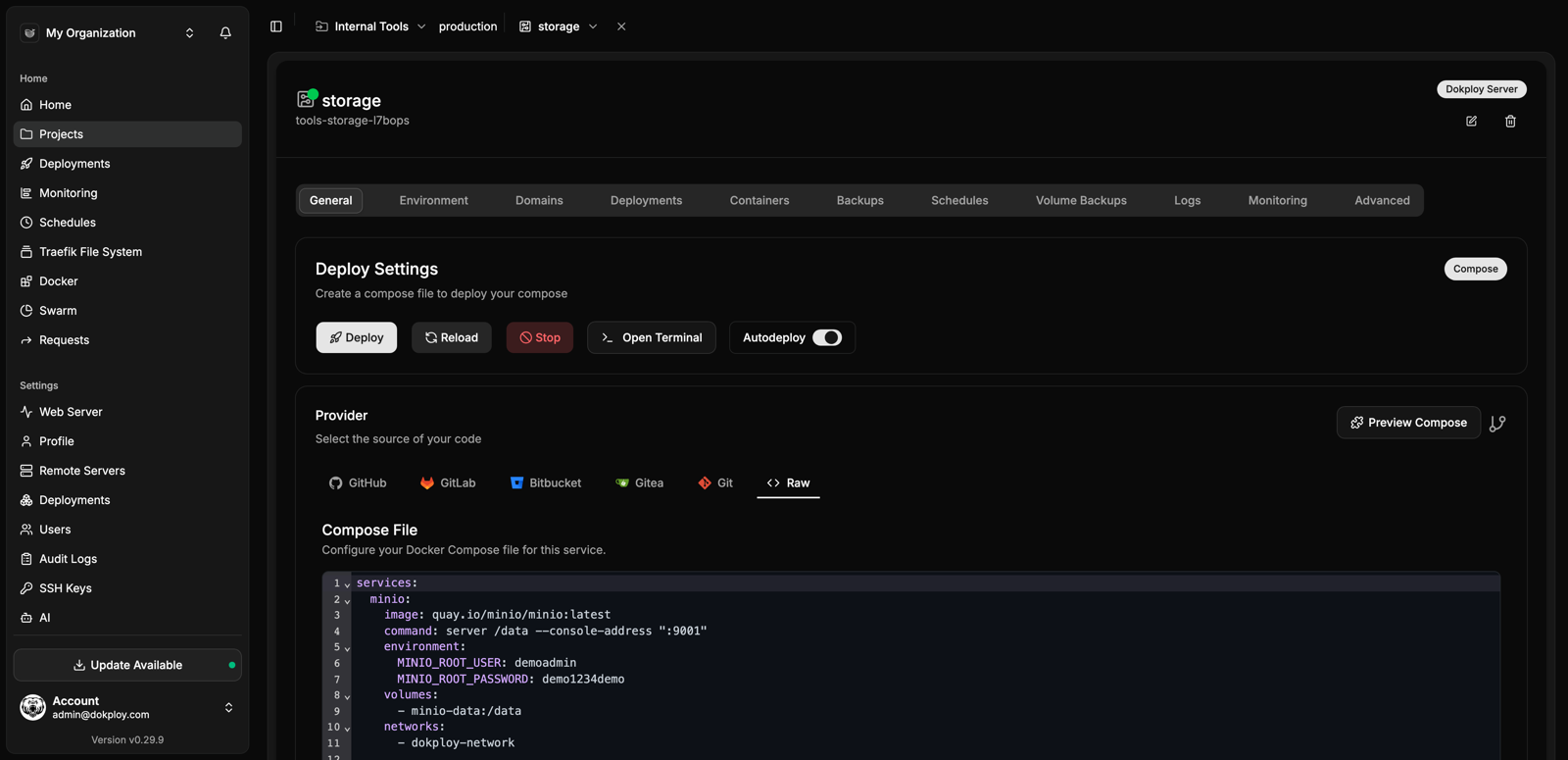
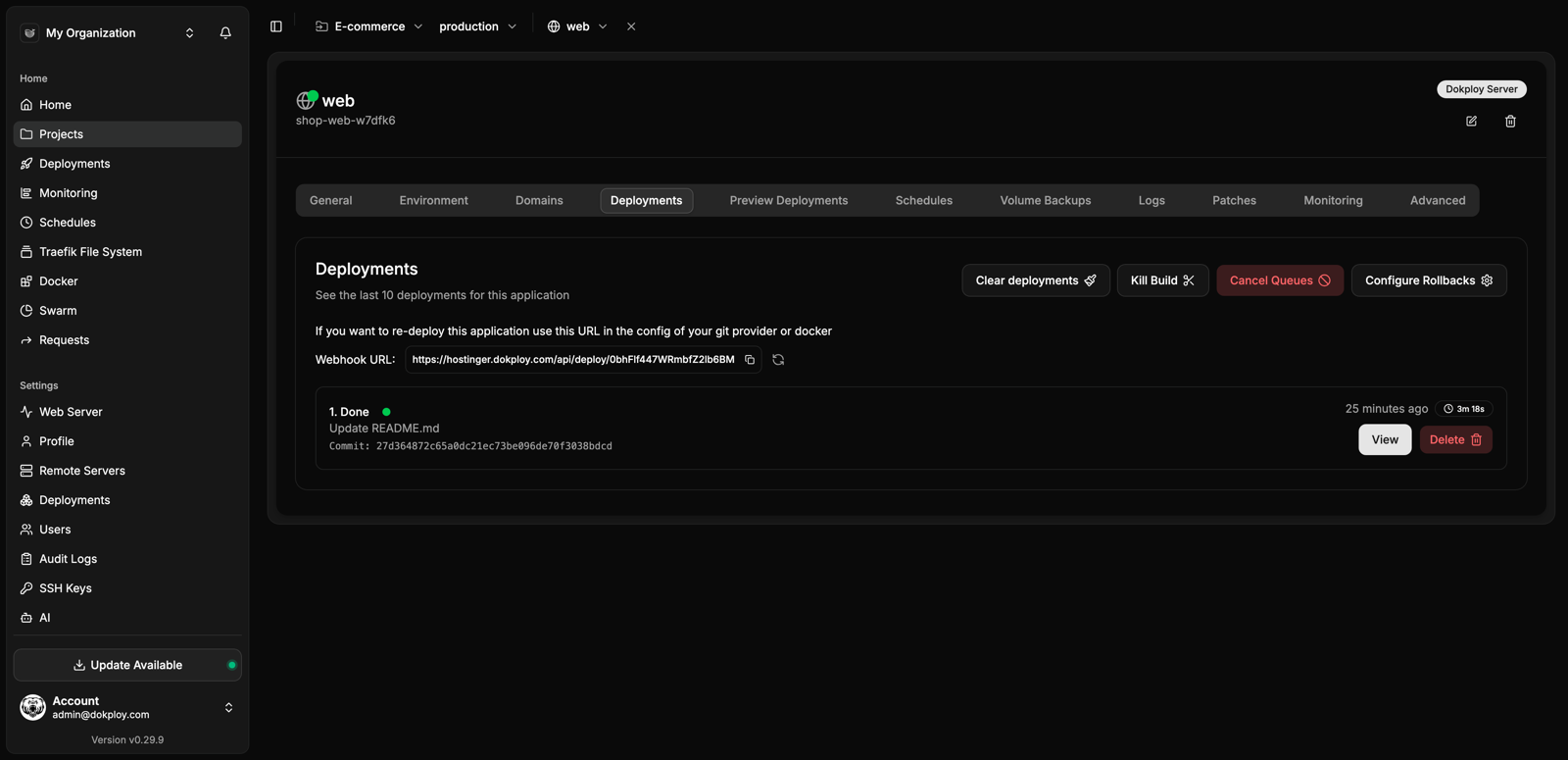
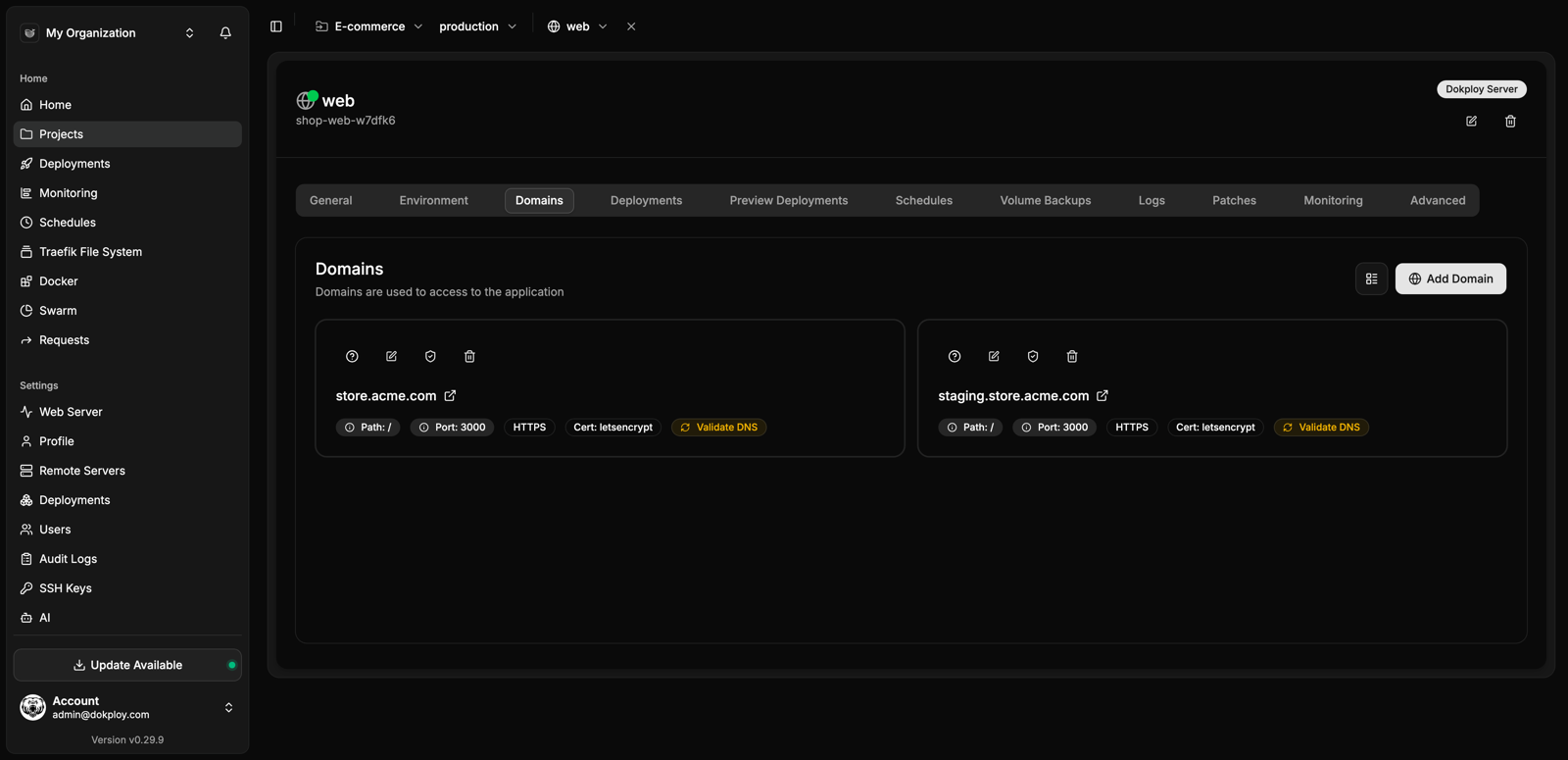
Open the app
About Dokploy
Dokploy deploys your apps and databases on your own server, like your own Vercel, Heroku or Netlify. Point it at a Git repository or a Docker image, and it builds, runs and updates the app for you, with domains and free HTTPS certificates through Traefik. This IceStore version runs as one ZimaOS app: on first start it sets up Docker Swarm, its Postgres database and Traefik by itself, and every install gets its own secret keys.
Features
- Deploy from GitHub, GitLab, Bitbucket, Gitea, any Git URL or a Docker image
- Builds with Nixpacks, Railpack, Heroku buildpacks or your Dockerfile
- Docker Compose stacks and one-click templates
- Postgres, MySQL, MariaDB, MongoDB, Redis and libSQL databases, with backups to S3
- Domains and Let's Encrypt certificates through Traefik
- Logs, a terminal, resource graphs and deploy notifications
- Teams, roles, an API and a CLI
How to use
- Open
http://[ZIMAOS-IP-ADDRESS]:6183and make the admin account. - Make a project, then add an application, a compose stack or a database to it.
- Pick where the code comes from and press Deploy.
- Add a domain in the app's Domains tab. On your home network, open the app at
http://<domain>:6184.
Before you install
Dokploy takes control of Docker on your ZimaOS: on first start it turns on Docker Swarm and adds a dokploy-postgres service and a dokploy-traefik container next to the app. Deployed apps are served on port 6184 (http) and 6185 (https), because ZimaOS uses 80 and 443 itself. For domains from the internet, forward ports 80 and 443 on your router to 6184 and 6185. The first start takes two or three minutes. Then open http://[ZIMAOS-IP-ADDRESS]:6183 and make the admin account.
If a deployed app won't start, open its Advanced tab, go to Cluster Settings and set the Endpoint Spec mode to dnsrr; ZimaOS's kernel lacks a feature (IPVS) that Swarm uses by default. Update Dokploy from the IceStore, not with the Update button inside Dokploy. Don't install this next to a Dokploy set up with its own install script.
Uninstalling the app leaves Swarm, dokploy-postgres, dokploy-traefik and your deployed apps running. To remove them too, run docker service rm dokploy-postgres, docker rm -f dokploy-traefik and docker swarm leave --force on ZimaOS.
The settings in the first table are already in the app settings. To use any other one, open the app settings, add the variable with your value, save, and the app restarts with it. A setting you leave out uses its default.
In the app settings
| Variable | Default value | Description |
|---|---|---|
TZ | $TZ | Your time zone, used for logs and scheduled jobs. It is filled in from your ZimaOS time zone. Leave it unless you need another. |
TRAEFIK_ | 6184 | The port your deployed apps are served on over http. Not 80, which ZimaOS uses itself. To reach apps by domain from the internet, forward port 80 on your router to this port. Change it before the first start; afterwards change it in Dokploy under Web Server > Traefik too. |
TRAEFIK_ | 6185 | The port your deployed apps are served on over https. Not 443. To reach apps by domain from the internet, forward port 443 on your router to this port. Change it before the first start, like TRAEFIK_PORT. |
Traefik
| Variable | Default value | Description |
|---|---|---|
TRAEFIK_ | 6185 | The UDP port for HTTP/3. Leave it out to use TRAEFIK_SSL_PORT. |
TRAEFIK_ | — | The Traefik version to run, like 3.6.25. Leave it out to use the one this Dokploy version comes with. |
Docker Swarm
| Variable | Default value | Description |
|---|---|---|
ADVERTISE_ | — | The address Docker Swarm is set up with, only used when the swarm is first made. Leave it out for 127.0.0.1. Set it to your ZimaOS IP to add other servers to the swarm later. |
DOCKER_ | — | More options for docker swarm init, only used when the swarm is first made. Use --default-addr-pool 172.20.0.0/16 --default-addr-pool-mask-length 24 if your home network uses 10.x.x.x addresses. |
DOKPLOY_ | — | The Docker API version to talk to, like 1.44. Only needed if your Docker is older than Dokploy expects. |
Secrets
| Variable | Default value | Description |
|---|---|---|
BETTER_ | — | Your own sign-in key. Leave it out: each install makes its own on first start and keeps it in the data folder as .better_auth_secret. Changing it signs everyone out. |
API
| Variable | Default value | Description |
|---|---|---|
OPENAPI_ | 10485760 | The largest JSON request the API accepts, in bytes. |
OPENAPI_ | 1073741824 | The largest file upload the API accepts, in bytes. |
name: dokploy

services:
  dokploy:
    image: ghcr.io/hsinghhira/dokploy:latest
    container_name: dokploy
    restart: unless-stopped
    stop_grace_period: 30s
    network_mode: bridge
    environment:
      - TZ=$TZ
      - TRAEFIK_PORT=6184
      - TRAEFIK_SSL_PORT=6185
    ports:
      - target: 3000
        published: "6183"
        protocol: tcp
    volumes:
      - type: bind
        source: /DATA/AppData/$AppID/data
        target: /data
        bind:
          create_host_path: true
      - type: bind
        source: /DATA/AppData/$AppID/docker-config
        target: /root/.docker
        bind:
          create_host_path: true
      - type: bind
        source: /etc/dokploy
        target: /etc/dokploy
        bind:
          create_host_path: true
      - type: bind
        source: /var/run/docker.sock
        target: /var/run/docker.sock
    healthcheck:
      test: ["CMD", "curl", "-fs", "-o", "/dev/null", "http://127.0.0.1:3000/api/trpc/settings.health"]
      interval: 30s
      timeout: 5s
      retries: 5
      start_period: 180s
    deploy:
      resources:
        limits:
          cpus: "2.00"
          memory: 2048M
        reservations:
          cpus: "0.00"
          memory: 256M
    labels:
      icon: https://cdn.jsdelivr.net/gh/HSinghHira/IceStore@main/Apps/dokploy/icon.png
    x-casaos:
      id: com.icestore.dokploy
      envs:
        - container: TZ
          description:
            en_US: >-
              Your time zone, used for logs and scheduled jobs. It is filled
              in from your ZimaOS time zone. Leave it unless you need another.
        - container: TRAEFIK_PORT
          description:
            en_US: >-
              The port your deployed apps are served on over http. Not 80,
              which ZimaOS uses itself. To reach apps by domain from the
              internet, forward port 80 on your router to this port. Change
              it before the first start; afterwards change it in Dokploy
              under Web Server > Traefik too.
        - container: TRAEFIK_SSL_PORT
          description:
            en_US: >-
              The port your deployed apps are served on over https. Not 443.
              To reach apps by domain from the internet, forward port 443 on
              your router to this port. Change it before the first start,
              like TRAEFIK_PORT.
      ports:
        - container: "3000"
          description:
            en_US: Dokploy dashboard, published on host as 6183
      volumes:
        - container: /data
          description:
            en_US: >-
              Dokploy's database (postgres/), plus .better_auth_secret and
              .postgres_password, this install's own keys made on first
              start. Back this folder up.
        - container: /root/.docker
          description:
            en_US: >-
              Docker registry logins Dokploy uses to pull and push your
              images.
        - container: /etc/dokploy
          description:
            en_US: >-
              Dokploy's working folder on ZimaOS: Traefik settings and
              certificates, app source code, compose files, logs and backups.
              It must be /etc/dokploy on the host too, because Dokploy hands
              these paths to Docker.
        - container: /var/run/docker.sock
          description:
            en_US: >-
              The Docker socket. Dokploy uses it to set up Docker Swarm,
              Postgres and Traefik and to build and run your apps. This gives
              Dokploy full control of Docker on ZimaOS.

x-casaos:
  id: com.icestore.dokploy
  architectures:
    - amd64
    - arm64
  main: dokploy
  author: HSinghHira
  category: Developer
  developer: Dokploy
  icon: https://cdn.jsdelivr.net/gh/HSinghHira/IceStore@main/Apps/dokploy/icon.png
  thumbnail: https://cdn.jsdelivr.net/gh/HSinghHira/IceStore@main/Apps/dokploy/screenshot-1.png
  screenshot_link:
    - https://cdn.jsdelivr.net/gh/HSinghHira/IceStore@main/Apps/dokploy/screenshot-1.png
    - https://cdn.jsdelivr.net/gh/HSinghHira/IceStore@main/Apps/dokploy/screenshot-2.png
    - https://cdn.jsdelivr.net/gh/HSinghHira/IceStore@main/Apps/dokploy/screenshot-3.png
  title:
    en_US: Dokploy
  tagline:
    en_US: Your own Vercel, Heroku or Netlify. Deploy apps and databases on ZimaOS with a few clicks
  description:
    en_US: >-
      Visit: [https://icestore.hsinghhira.me/app/dokploy/](https://icestore.hsinghhira.me/app/dokploy/) for full details


      Dokploy deploys your apps and databases on your own server. Point it at
      a Git repository or a Docker image, and it builds, runs and updates the
      app for you, with domains and free HTTPS certificates through Traefik.
      This IceStore version runs as one ZimaOS app: on first start it sets up
      Docker Swarm, its Postgres database and Traefik by itself, and every
      install gets its own secret keys.


      **Features**


      - Deploy from GitHub, GitLab, Bitbucket, Gitea, any Git URL or a Docker
        image

      - Builds with Nixpacks, Railpack, Heroku buildpacks or your Dockerfile

      - Docker Compose stacks and one-click templates

      - Postgres, MySQL, MariaDB, MongoDB, Redis and libSQL databases, with
        backups to S3

      - Domains and Let's Encrypt certificates through Traefik

      - Logs, a terminal, resource graphs and deploy notifications

      - Teams, roles, an API and a CLI


      **How to use?**


      1. Open http://[ZIMAOS-IP-ADDRESS]:6183 and make the admin account.

      2. Make a project, then add an application, a compose stack or a
         database to it.

      3. Pick where the code comes from and press Deploy.

      4. Add a domain in the app's Domains tab. On your home network, open
         the app at http://<domain>:6184.
  tips:
    before_install:
      en_US: >-
        1. Dokploy takes control of Docker on your ZimaOS. On first start it
           turns on Docker Swarm, and it adds a dokploy-postgres service and a
           dokploy-traefik container next to the app.


        2. Your deployed apps are served on port 6184 (http) and 6185
           (https), because ZimaOS uses ports 80 and 443 itself. For domains
           from the internet, forward ports 80 and 443 on your router to 6184
           and 6185.


        3. Start the installation. The first start takes two or three
           minutes while Postgres and Traefik are downloaded.


        4. Open http://[ZIMAOS-IP-ADDRESS]:6183 and make the admin account.


        5. If a deployed app won't start, open its Advanced tab, go to
           Cluster Settings and set the Endpoint Spec mode to dnsrr.


        6. Update Dokploy from the IceStore, not with the Update button
           inside Dokploy.
  index: /
  port_map: "6183"
  scheme: http
  is_uncontrolled: false
  version: "v0.30.10"
  update_at: "2026-10-30"
  release_notes:
    en_US: |-
      - First IceStore release: dashboard on port 6183, deployed apps on 6184 (http) and 6185 (https)
      - Built on dokploy/dokploy v0.30.10, plus a start script that does the host installer's work: Docker Swarm, dokploy-network, the dokploy-postgres service and the dokploy-traefik container
      - Each install makes its own BETTER_AUTH_SECRET and Postgres password on first start and keeps them in the data folder
      - Postgres data is kept in the app's data folder, not in a Docker volume
  repo: "https://github.com/Dokploy/dokploy"
  support: "https://github.com/Dokploy/dokploy/issues"
  docs: "https://docs.dokploy.com"
Install Dokploy
Something not working with Dokploy?
Report it so it gets fixed, or ask for an app that is not here yet.
 ZimaOS
 CasaOS
 Homeio

