
Domain Locker
Keep track of every domain name you own, with expiry alerts and monitoring
- lissy93/domain-locker:0.3.5
- v0.3.5
- Updated 30 Oct 2026
- port 6180
- amd64 · arm64
- Networking
- 1.6k stars
Screenshots
Open the app
About Domain Locker
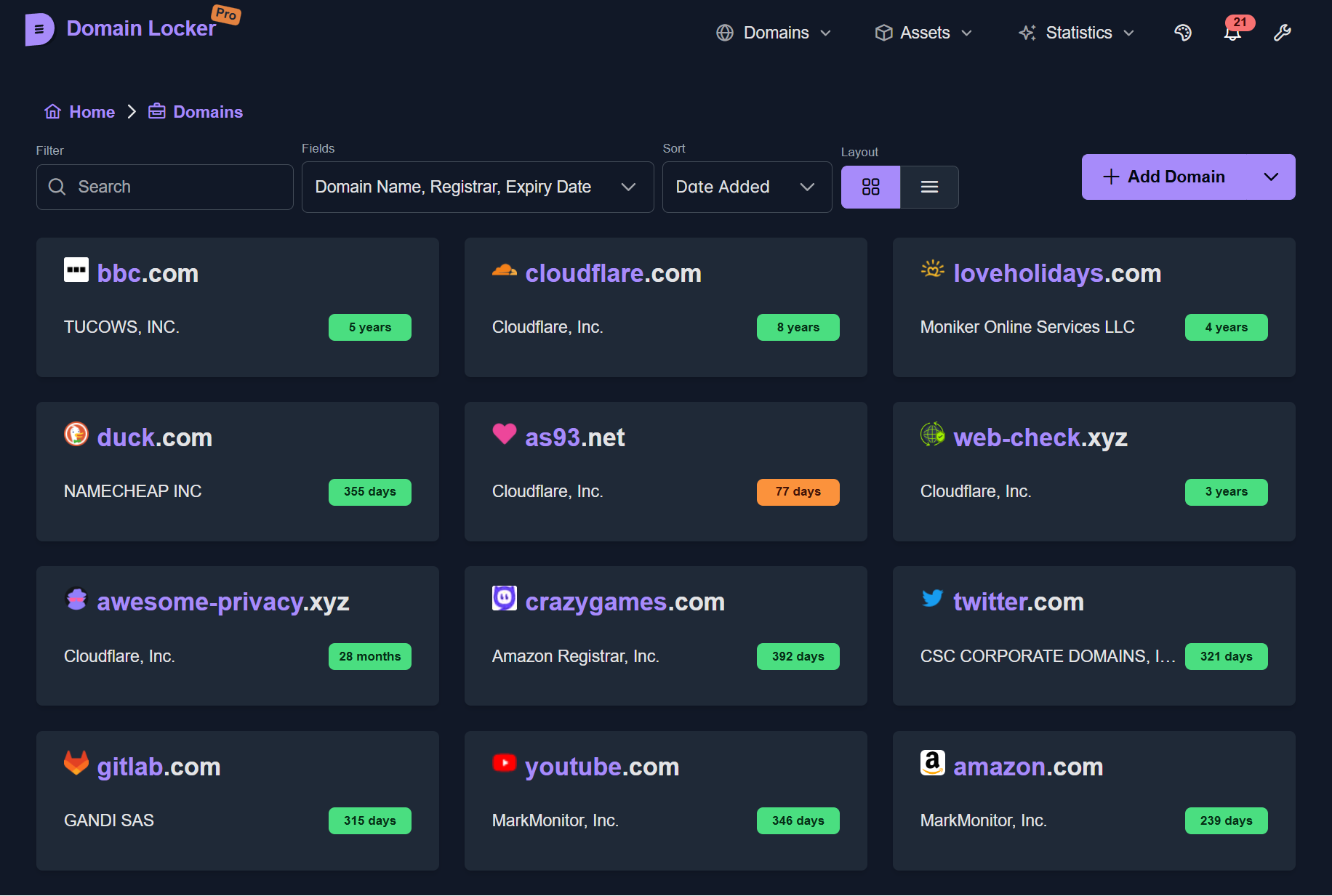
Domain Locker is one place for your whole domain name portfolio. Add a domain and it fills in the registrar, expiry date, DNS records, SSL certificate, hosting and IP details by itself, then keeps checking them and tells you before anything expires or changes. This build keeps everything in a SQLite file and runs its own scheduled jobs.
Features
- Automatic lookup of registrar, WHOIS, DNS, SSL, host and IP data
- Expiry reminders and alerts when a record or certificate changes
- Uptime and response-time monitoring for each domain
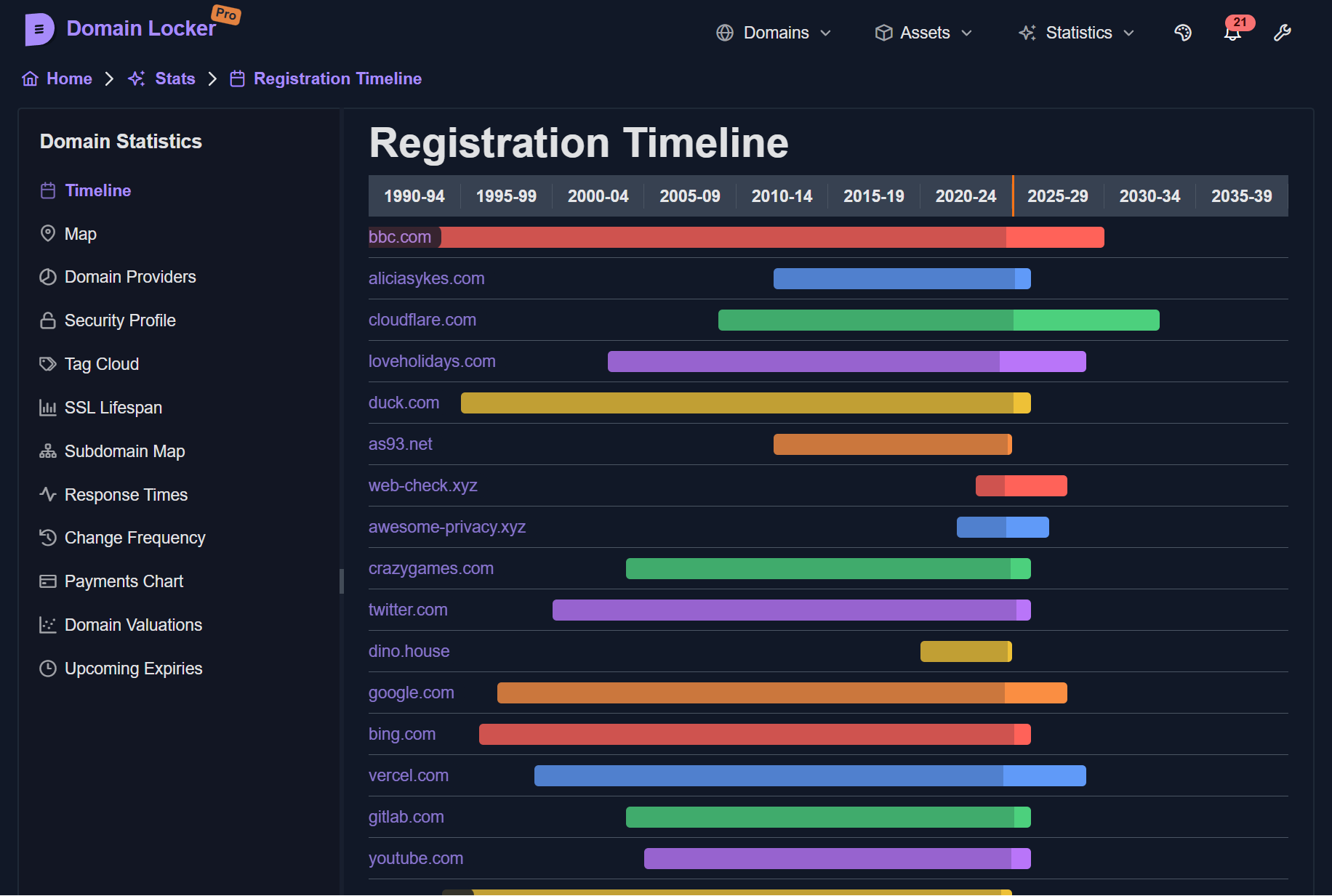
- Charts, a timeline, a map and a value tracker for your portfolio
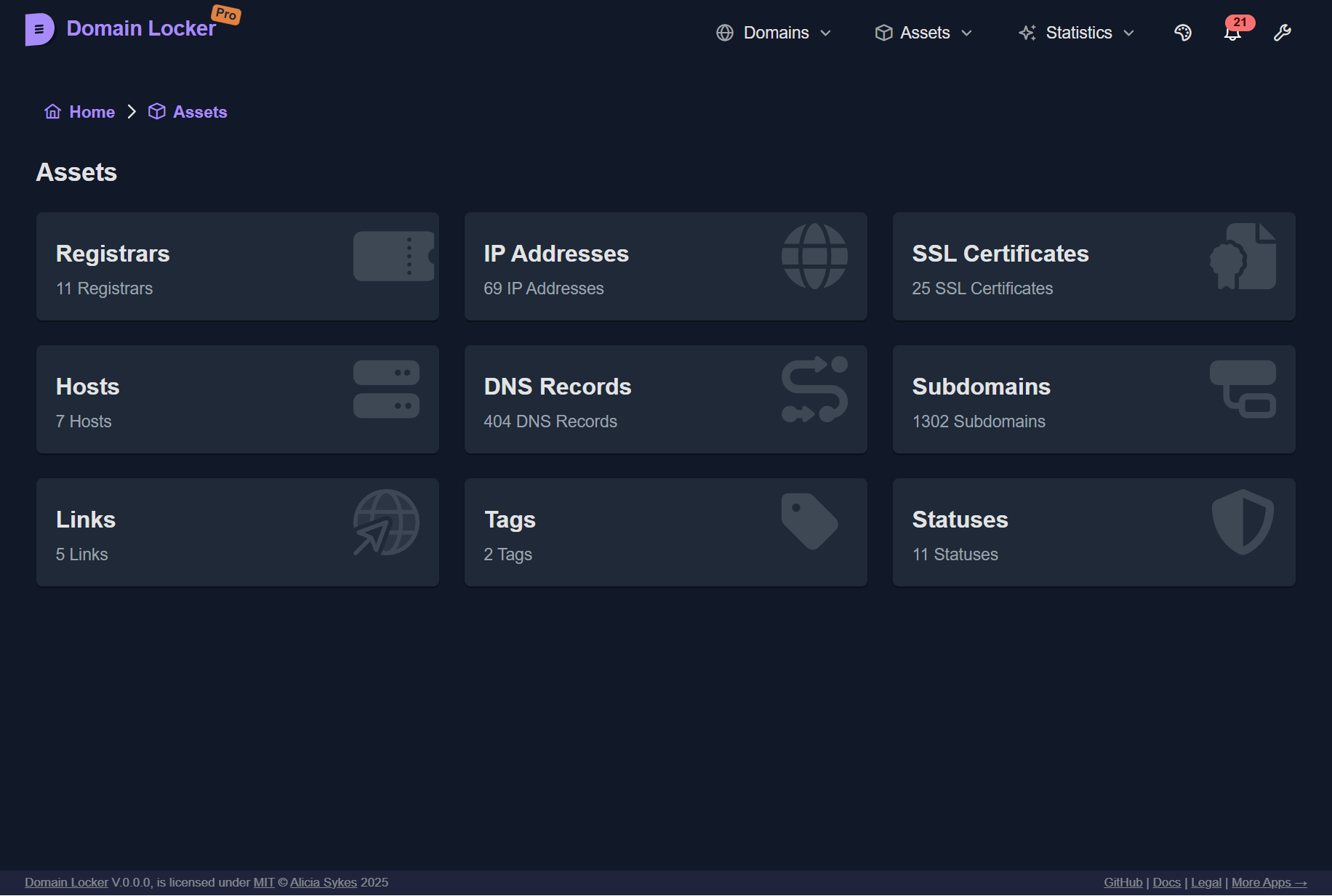
- Tags, notes, subdomains and links per domain
- Import and export, plus an API
- Notifications by ntfy, Discord or Apprise
How to use
- Open Domain Locker at
http://[ZIMAOS-IP-ADDRESS]:6180. - Type your
DL_AUTH_PASSWORDif you set one. - Click Add Domain and type a domain name. The details fill in by themselves.
- Open Settings to choose which changes you want to hear about.
Before you install
Set DL_AUTH_PASSWORD so only people who know it can open the app; left empty, anyone who can reach it can see and change your domains. Keep DL_ENV_TYPE as selfHosted. The first start takes about a minute while the database is made. Notifications, check intervals and an optional PostgreSQL database are in the Variables tab; add them in the app settings. Your data is one SQLite file in the data folder.
The settings in the first table are already in the app settings. To use any other one, open the app settings, add the variable with your value, save, and the app restarts with it. A setting you leave out uses its default.
In the app settings
| Variable | Default value | Description |
|---|---|---|
TZ | $TZ | Your time zone. It is filled in from your ZimaOS time zone. Leave it unless you need another. |
DL_ | selfHosted | Keep it as selfHosted. It turns on the built-in SQLite database and the built-in scheduler. |
DL_ | — | Optional but recommended. A password people must type to open Domain Locker. Leave it empty and anyone who can reach the app can see and change your domains. |
Security
| Variable | Default value | Description |
|---|---|---|
DL_ | — | A key for calling the API from scripts or cron jobs when DL_AUTH_PASSWORD is set. |
DL_ | false | Set to true to make the app read-only, so nothing can be added or changed from the web page. |
Server
| Variable | Default value | Description |
|---|---|---|
DL_ | — | The address people open Domain Locker at, like https://domains.example.com. Only needed when it is served on another hostname than people visit. |
DL_ | — | Extra web addresses allowed to call the API, comma-separated. |
DL_ | false | Set to true to allow checks of domains that point at your home network. |
Schedule
| Variable | Default value | Description |
|---|---|---|
DL_ | false | Set to true to stop the built-in jobs, if you run them yourself. |
DL_ | 15 | How often uptime is checked, in minutes. |
DL_ | 1440 | How often domain details are refreshed, in minutes. |
DL_ | 1440 | How often expiry reminders are sent, in minutes. |
DL_ | 10080 | How often old data is cleaned up, in minutes. |
DL_ | 10 | How many domains are checked at the same time. |
DL_ | 100 | How many domains are refreshed in each run. |
Lookups
| Variable | Default value | Description |
|---|---|---|
DL_ | rdap,whois-json,who-dat,native,whoisxml | The order of WHOIS sources to try. |
DL_ | https://who-dat.as93.net | Your own who-dat lookup server, if you run one. |
DL_ | 5 | How many WHOIS lookups run at once. |
DL_ | 0 | A pause between WHOIS lookups in milliseconds, for registries that limit lookups (like .it and .eu). |
History
| Variable | Default value | Description |
|---|---|---|
DL_ | 7 | Days of detailed uptime checks kept before they are averaged. |
DL_ | — | Days of uptime history to keep. Leave it out to keep it forever. |
DL_ | — | Days of domain change history to keep. Leave it out to keep it forever. |
DL_ | — | Days of notifications to keep. Leave it out to keep them forever. |
Notifications
| Variable | Default value | Description |
|---|---|---|
NOTIFY_ | — | An ntfy server for push notifications, like https://ntfy.sh. |
NOTIFY_ | — | The ntfy topic to send to. |
NOTIFY_ | — | An ntfy access token, for a private server. |
NOTIFY_ | — | An ntfy user name, instead of a token. |
NOTIFY_ | — | The ntfy password for that user name. |
DISCORD_ | — | A Discord channel webhook URL for notifications. |
APPRISE_ | — | An Apprise API server, like http://192.168.1.20:8000. |
APPRISE_ | — | The config key stored on that Apprise server. |
APPRISE_ | — | A comma-separated list of Apprise URLs, instead of a key. |
APPRISE_ | — | Only notify the Apprise services with this tag. |
Database
| Variable | Default value | Description |
|---|---|---|
DL_ | — | A PostgreSQL server instead of the built-in SQLite file. DL_PG_HOST, DL_PG_USER, DL_PG_PASSWORD and DL_PG_NAME must all be set, or SQLite is used. |
DL_ | 5432 | The PostgreSQL port. |
DL_ | — | The PostgreSQL user. |
DL_ | — | The PostgreSQL password. |
DL_ | — | The PostgreSQL database name. |
name: domain-locker

services:
  domain-locker:
    image: lissy93/domain-locker:0.3.5
    container_name: domain-locker
    restart: unless-stopped
    stop_grace_period: 30s
    network_mode: bridge
    user: "0:0"
    environment:
      - TZ=$TZ
      - DL_ENV_TYPE=selfHosted
      - DL_AUTH_PASSWORD=
    ports:
      - target: 3000
        published: "6180"
        protocol: tcp
    volumes:
      - type: bind
        source: /DATA/AppData/$AppID/data
        target: /data
        bind:
          create_host_path: true
    healthcheck:
      test: ["CMD", "wget", "--spider", "-q", "http://127.0.0.1:3000/api/health"]
      interval: 30s
      timeout: 5s
      retries: 3
      start_period: 60s
    deploy:
      resources:
        limits:
          cpus: "1.00"
          memory: 1G
        reservations:
          cpus: "0.00"
          memory: 128M
    labels:
      icon: https://cdn.jsdelivr.net/gh/HSinghHira/IceStore@main/Apps/domain-locker/icon.png
    x-casaos:
      id: com.icestore.domain-locker
      envs:
        - container: TZ
          description:
            en_US: >-
              Your time zone. It is filled in from your ZimaOS time zone.
              Leave it unless you need another.
        - container: DL_ENV_TYPE
          description:
            en_US: >-
              Keep it as selfHosted. It turns on the built-in SQLite database
              and the built-in scheduler.
        - container: DL_AUTH_PASSWORD
          description:
            en_US: >-
              Optional but recommended. A password people must type to open
              Domain Locker. Leave it empty and anyone who can reach the app
              can see and change your domains.
      ports:
        - container: "3000"
          description:
            en_US: Domain Locker web app and API, published on host as 6180
      volumes:
        - container: /data
          description:
            en_US: >-
              The SQLite database (domain-locker.db) with your domains, their
              history, uptime checks and notifications. Back this folder up.

x-casaos:
  id: com.icestore.domain-locker
  architectures:
    - amd64
    - arm64
  main: domain-locker
  author: HSinghHira
  category: Networking
  developer: Lissy93
  icon: https://cdn.jsdelivr.net/gh/HSinghHira/IceStore@main/Apps/domain-locker/icon.png
  thumbnail: https://cdn.jsdelivr.net/gh/HSinghHira/IceStore@main/Apps/domain-locker/screenshot-1.png
  screenshot_link:
    - https://cdn.jsdelivr.net/gh/HSinghHira/IceStore@main/Apps/domain-locker/screenshot-1.png
    - https://cdn.jsdelivr.net/gh/HSinghHira/IceStore@main/Apps/domain-locker/screenshot-2.png
    - https://cdn.jsdelivr.net/gh/HSinghHira/IceStore@main/Apps/domain-locker/screenshot-3.png
  title:
    en_US: Domain Locker
  tagline:
    en_US: Keep track of every domain name you own, with expiry alerts and monitoring
  description:
    en_US: >-
      Visit: [https://icestore.hsinghhira.me/app/domain-locker/](https://icestore.hsinghhira.me/app/domain-locker/) for full details


      Domain Locker is one place for your whole domain name portfolio. Add a
      domain and it fills in the registrar, expiry date, DNS records, SSL
      certificate, hosting and IP details by itself, then keeps checking them
      and tells you before anything expires or changes. This build keeps
      everything in a SQLite file and runs its own scheduled jobs.


      **Features**


      - Automatic lookup of registrar, WHOIS, DNS, SSL, host and IP data

      - Expiry reminders and alerts when a record or certificate changes

      - Uptime and response-time monitoring for each domain

      - Charts, a timeline, a map and a value tracker for your portfolio

      - Tags, notes, subdomains and links per domain

      - Import and export, plus an API

      - Notifications by ntfy, Discord or Apprise


      **How to use?**


      1. Open Domain Locker at http://[ZIMAOS-IP-ADDRESS]:6180.

      2. Type your DL_AUTH_PASSWORD if you set one.

      3. Click Add Domain and type a domain name. The details fill in by
         themselves.

      4. Open Settings to choose which changes you want to hear about.
  tips:
    before_install:
      en_US: >-
        1. Set DL_AUTH_PASSWORD to a password. Then only people who know it
           can open the app.


        2. Keep DL_ENV_TYPE as selfHosted.


        3. More settings, like notifications and how often domains are
           checked, are listed on the Domain Locker page at
           https://icestore.hsinghhira.me/app/domain-locker/ (Variables tab).
           You can add them now or later in the app settings.


        4. Start the installation. Wait about a minute the first time.


        5. Open http://[ZIMAOS-IP-ADDRESS]:6180 and add your first domain.
  index: /
  port_map: "6180"
  scheme: http
  is_uncontrolled: false
  version: "0.3.5"
  update_at: "2026-10-30"
  release_notes:
    en_US: |-
      - First IceStore release, on port 6180
      - Uses lissy93/domain-locker 0.3.5 as upstream ships it, with the built-in SQLite database
      - Runs as root so it can write the data folder ZimaOS makes
  repo: "https://github.com/Lissy93/domain-locker"
  support: "https://github.com/Lissy93/domain-locker/issues"
  docs: "https://domain-locker.com/about"
Install Domain Locker
Something not working with Domain Locker?
Report it so it gets fixed, or ask for an app that is not here yet.
 ZimaOS
 CasaOS
 Homeio

