
HedgeDoc
Write Markdown notes, slides and diagrams together in real time
- ghcr.io/hsinghhira/hedgedoc:latest
- v1.12.0
- Updated 21 Nov 2026
- port 6759
- amd64 · arm64
- Productivity
- 7.5k stars
Screenshots
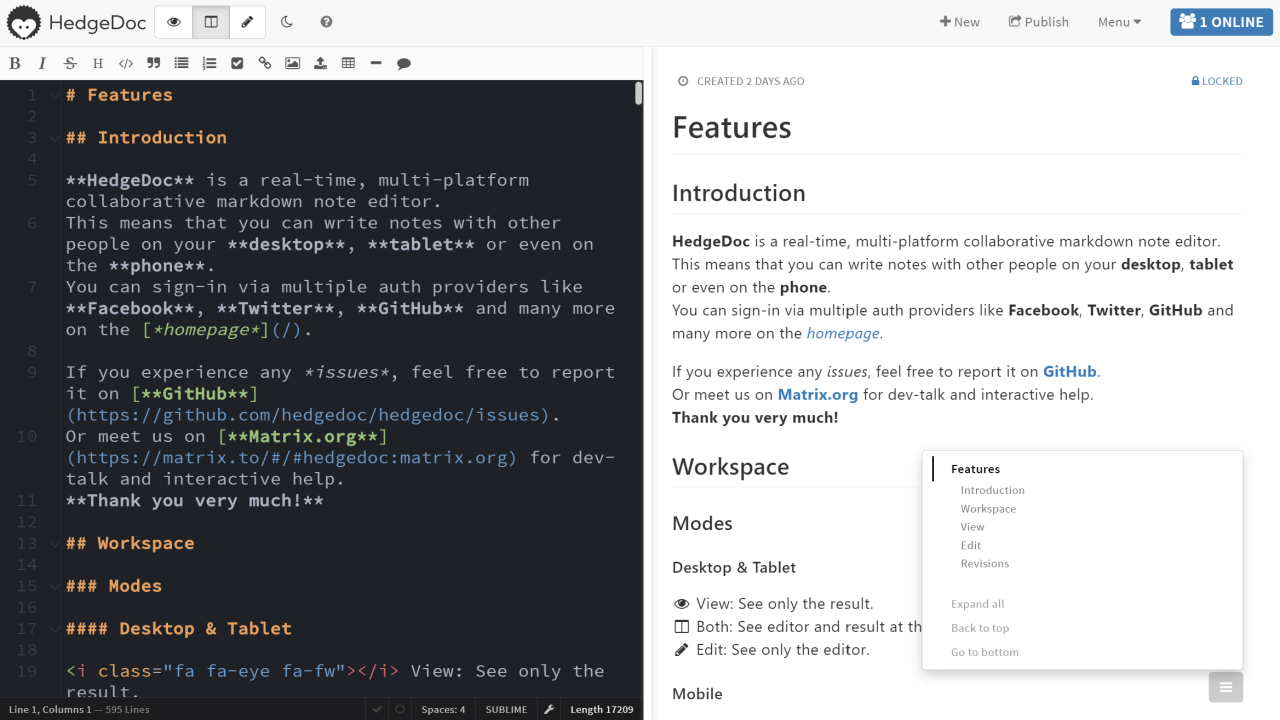
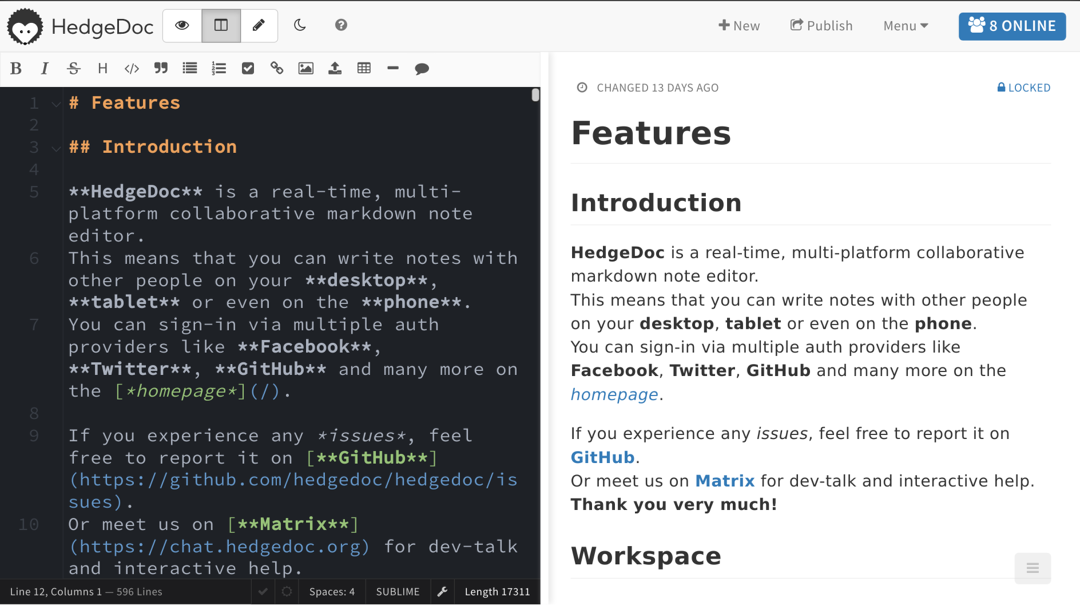
Open the app
About HedgeDoc
HedgeDoc is a Markdown editor in your browser that several people can type in at the same time. Use it for meeting notes, plans, slides and diagrams. The SQLite database is built in, so it is one container with nothing else to set up.
Features
- Everyone sees each other's typing live, with the preview next to it
- Markdown with tables, checklists, math, code and emoji
- Diagrams with Mermaid, PlantUML, Graphviz and more
- Turn a note into slides with one click
- Share a note to read, to edit, or keep it private
- Note history, so you can go back to an older version
How to use
- Open HedgeDoc from your dashboard.
- Click Sign In, then Register, and make your account with an email and password.
- Click New note and start typing Markdown on the left.
- Click Share to copy a link for others, and set who may edit under the note's permission menu.
- When everyone has an account, set
CMD_ALLOW_EMAIL_REGISTERtofalsein the app settings.
Before you install
You can install it as it is and open it at http://[ZIMAOS-IP-ADDRESS]:6759. There is no admin account: the first person makes an account with Sign In, then Register. After everyone has one, set CMD_ALLOW_EMAIL_REGISTER=false; set CMD_ALLOW_ANONYMOUS=false if only signed-in people should make notes. A session secret is made on first start, so people stay signed in across restarts. Sign-in with GitHub or OAuth2, a domain and the other settings are in the Variables tab and are added in the app settings. It is ready in about a minute.
The settings in the first table are already in the app settings. To use any other one, open the app settings, add the variable with your value, save, and the app restarts with it. A setting you leave out uses its default.
In the app settings
| Variable | Default value | Description |
|---|---|---|
TZ | $TZ | Your time zone. It is filled in from your ZimaOS time zone. |
CMD_ | true | true lets anyone make an account with an email and password on the sign-in page. Set it to false after you and your people have made accounts. |
CMD_ | true | true lets people who aren't signed in make and edit notes. Set it to false so only signed-in people can. |
Server
| Variable | Default value | Description |
|---|---|---|
CMD_ | — | Your domain, like notes.example.com. Leave it out and HedgeDoc works on any address. Needed for sign-in with GitHub or OAuth2. |
CMD_ | false | Set to true when people open HedgeDoc over https through a reverse proxy. Only used when CMD_DOMAIN is set. |
CMD_ | false | Set to true to add the port to links, like http://192.168.1.20:6759. Only used when CMD_DOMAIN is set. |
CMD_ | — | The key that signs sign-in cookies. It is made on first start and kept in the data folder as .session_secret. Only set it to use your own. |
CMD_ | 1209600000 | How long people stay signed in, in milliseconds. The default is 14 days. |
CMD_ | — | Use your own PostgreSQL or MariaDB, like postgres://user:[email protected]:5432/hedgedoc. Leave it out to keep the built-in SQLite file. |
Logs
| Variable | Default value | Description |
|---|---|---|
CMD_ | info | How much HedgeDoc writes to the log: error, warn, info or debug. |
Sign-up and accounts
| Variable | Default value | Description |
|---|---|---|
CMD_ | true | Set to false to turn off sign-in with email and password, for example when everyone signs in with OAuth2. |
CMD_ | false | With CMD_ALLOW_ANONYMOUS set to false: set this to true so people who aren't signed in can still edit notes marked "freely". |
Notes
| Variable | Default value | Description |
|---|---|---|
CMD_ | false | Set to true to make a new note by opening any address, like /meeting-2026-11-21. |
CMD_ | editable | Who may change new notes: freely, editable, limited, locked, protected or private. |
CMD_ | all | Who may upload images: all, registered or none. |
CMD_ | 100000 | The longest a note can be, in characters. |
CMD_ | true | Set to false so profile pictures aren't loaded from Libravatar. |
CMD_ | filesystem | Where uploaded images go: filesystem (the uploads folder), s3, minio, imgur, azure or lutim. The others need their own settings from the HedgeDoc docs. |
Sign in with GitHub
| Variable | Default value | Description |
|---|---|---|
CMD_ | — | The client ID of your GitHub OAuth app. Also set CMD_DOMAIN. |
CMD_ | — | The client secret of your GitHub OAuth app. |
Sign in with OAuth2 (Pocket ID, Authentik, Keycloak)
| Variable | Default value | Description |
|---|---|---|
CMD_ | — | The name on the sign-in button, like Pocket ID. |
CMD_ | — | The client ID from your provider. The callback address to enter there is your HedgeDoc address plus /auth/oauth2/callback. |
CMD_ | — | The client secret from your provider. |
CMD_ | — | The provider's authorize address. |
CMD_ | — | The provider's token address. |
CMD_ | — | The provider's userinfo address. |
CMD_ | — | The scopes to ask for, like openid email profile. |
CMD_ | — | Which field is the user name, like preferred_username. |
CMD_ | — | Which field is the display name, like name. |
CMD_ | — | Which field is the email, like email. |
name: hedgedoc

services:
  hedgedoc:
    image: ghcr.io/hsinghhira/hedgedoc:latest
    container_name: hedgedoc
    restart: unless-stopped
    stop_grace_period: 40s
    network_mode: bridge
    environment:
      - TZ=$TZ
      - CMD_ALLOW_EMAIL_REGISTER=true
      - CMD_ALLOW_ANONYMOUS=true
    ports:
      - target: 3000
        published: "6759"
        protocol: tcp
    volumes:
      - type: bind
        source: /DATA/AppData/$AppID/data
        target: /data
        bind:
          create_host_path: true
      - type: bind
        source: /DATA/AppData/$AppID/uploads
        target: /hedgedoc/public/uploads
        bind:
          create_host_path: true
    healthcheck:
      test: ["CMD", "node", "/hedgedoc/healthcheck.mjs"]
      interval: 30s
      timeout: 10s
      retries: 5
      start_period: 90s
    deploy:
      resources:
        limits:
          cpus: "1.00"
          memory: 1024M
        reservations:
          cpus: "0.10"
          memory: 128M
    labels:
      icon: https://cdn.jsdelivr.net/gh/HSinghHira/IceStore@main/Apps/hedgedoc/icon.png
    x-casaos:
      id: com.icestore.hedgedoc
      envs:
        - container: TZ
          description:
            en_US: >-
              Your time zone. It is filled in from your ZimaOS time zone.
        - container: CMD_ALLOW_EMAIL_REGISTER
          description:
            en_US: >-
              true lets anyone make an account with an email and password on
              the sign-in page. Set it to false after you and your people
              have made accounts.
        - container: CMD_ALLOW_ANONYMOUS
          description:
            en_US: >-
              true lets people who aren't signed in make and edit notes. Set
              it to false so only signed-in people can.
      ports:
        - container: "3000"
          description:
            en_US: HedgeDoc web UI, published on host as 6759
      volumes:
        - container: /data
          description:
            en_US: >-
              The SQLite database with every note and account, and
              .session_secret, this install's own key made on first start.
              Back it up.
        - container: /hedgedoc/public/uploads
          description:
            en_US: >-
              Images people paste or upload into notes. Back it up.

x-casaos:
  id: com.icestore.hedgedoc
  architectures:
    - amd64
    - arm64
  main: hedgedoc
  author: HSinghHira
  category: Productivity
  developer: HedgeDoc
  icon: https://cdn.jsdelivr.net/gh/HSinghHira/IceStore@main/Apps/hedgedoc/icon.png
  thumbnail: https://cdn.jsdelivr.net/gh/HSinghHira/IceStore@main/Apps/hedgedoc/screenshot-1.png
  screenshot_link:
    - https://cdn.jsdelivr.net/gh/HSinghHira/IceStore@main/Apps/hedgedoc/screenshot-1.png
    - https://cdn.jsdelivr.net/gh/HSinghHira/IceStore@main/Apps/hedgedoc/screenshot-2.png
  title:
    en_US: HedgeDoc
  tagline:
    en_US: Write Markdown notes, slides and diagrams together in real time
  description:
    en_US: >-
      HedgeDoc is a Markdown editor in your browser that several people can
      type in at the same time. Use it for meeting notes, plans, slides and
      diagrams. The SQLite database is built in, so it is one container with
      nothing else to set up.


      **Features**


      - Everyone sees each other's typing live, with the preview next to it

      - Markdown with tables, checklists, math, code and emoji

      - Diagrams with Mermaid, PlantUML, Graphviz and more

      - Turn a note into slides with one click

      - Share a note to read, to edit, or keep it private

      - Note history, so you can go back to an older version


      **How to use?**


      1. Open HedgeDoc from the ZimaOS dashboard.

      2. Click Sign In, then Register, and make your account with an email
         and password.

      3. Click New note and start typing Markdown on the left.

      4. Click Share to copy a link for others, and set who may edit under
         the note's permission menu.

      5. When everyone has an account, set CMD_ALLOW_EMAIL_REGISTER to false
         in the app settings.
  tips:
    before_install:
      en_US: >-
        1. You can leave everything as it is.


        2. Set CMD_ALLOW_ANONYMOUS to false if only signed-in people should
           make notes.


        3. More settings, like sign-in with GitHub or OAuth2 and a domain,
           are listed on the HedgeDoc page at
           https://icestore.hsinghhira.me/app/hedgedoc/ (Variables tab).
           You can add them now or later in the app settings.


        4. Start the installation. It is ready in about a minute.


        5. Open http://[ZIMAOS-IP-ADDRESS]:6759 and click Sign In, then
           Register, to make your account.


        6. After that, set CMD_ALLOW_EMAIL_REGISTER to false so strangers
           can't sign up.
  index: /
  port_map: "6759"
  scheme: http
  is_uncontrolled: false
  version: "1.12.0"
  update_at: "2026-11-21"
  release_notes:
    en_US: |-
      - First IceStore release, on port 6759
      - Built on quay.io/hedgedoc/hedgedoc 1.12.0, with SQLite as the database
      - Each install makes its own CMD_SESSION_SECRET on first start, so people stay signed in across restarts
  repo: "https://github.com/hedgedoc/hedgedoc"
  support: "https://github.com/hedgedoc/hedgedoc/issues"
  docs: "https://docs.hedgedoc.org/"
Install HedgeDoc
Something not working with HedgeDoc?
Report it so it gets fixed, or ask for an app that is not here yet.
 ZimaOS
Add the store link, then find HedgeDoc in the App Store and install it.
 CasaOS
Add the store link, then find HedgeDoc in the App Store and install it.
 ReCasaOS
Add the store link, then find HedgeDoc in the App Store and install it.
 Homeio
Add the store link, then find HedgeDoc in the App Store and install it.
 MOS
Add the repository in MOS Hub Settings, then find HedgeDoc in Docker → MOS Hub and install it.
More Productivity apps
See all
Indelible
A self-hosted, permanent home for everything you save to read later

Inkling
Notes with Notion-style databases, linked pages, a graph, canvases and live collaboration.

Job Application Tracker
Track your job search on your own server, with a Kanban board, recruiter CRM and insights