
Homepage
A fast start page for your homelab, with service widgets and bookmarks.
- ghcr.io/gethomepage/homepage:v2.8.0
- v2.8.0
- Updated 16 Nov 2026
- port 6733
- amd64 · arm64
- Others
- 33.8k stars
Screenshots
Open the app
About Homepage
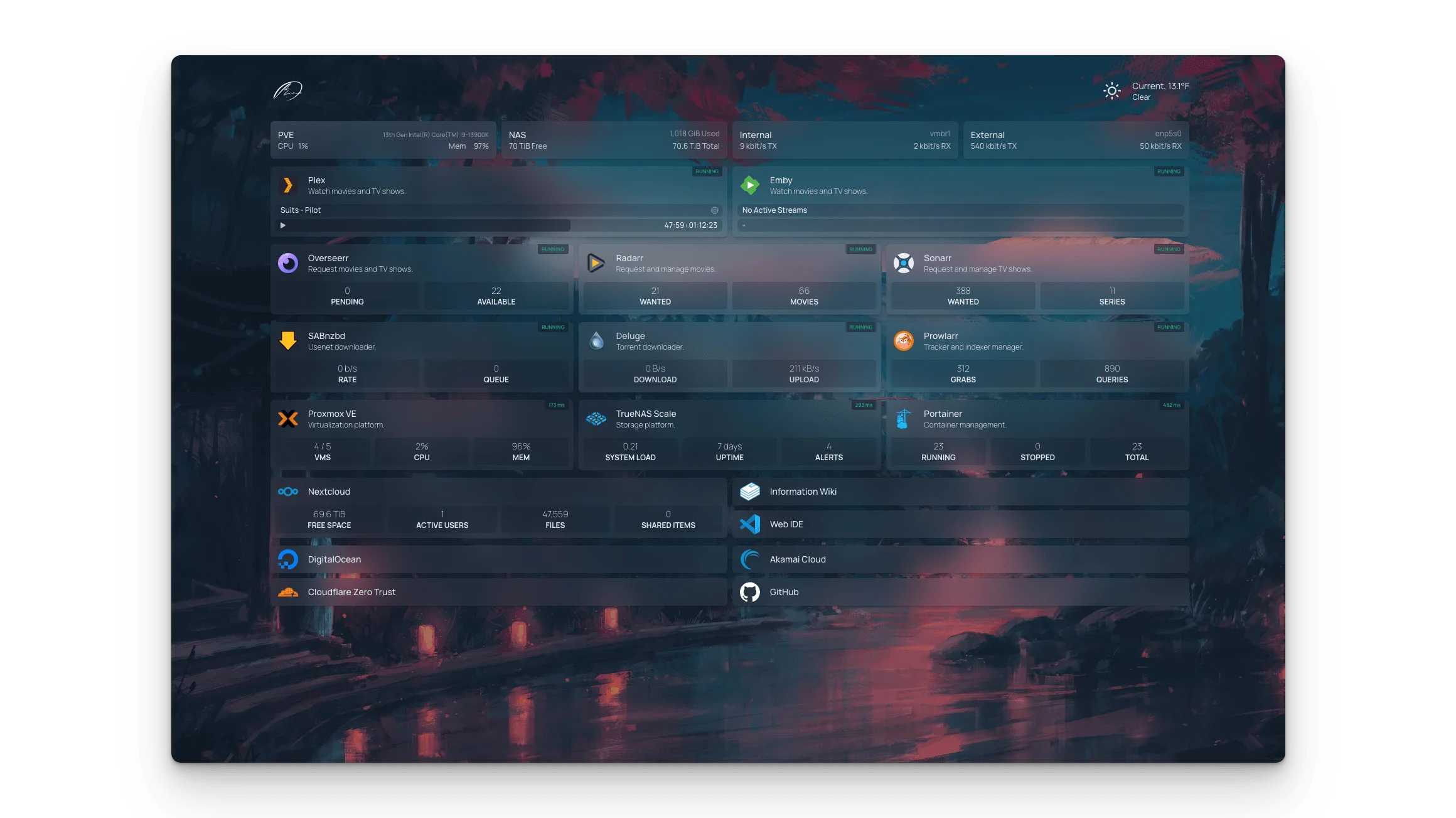
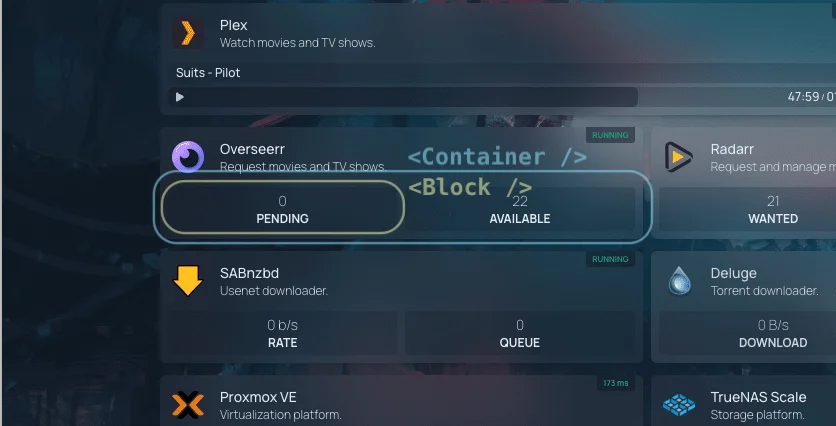
Homepage is a fast, good-looking start page for your server. List your apps and bookmarks, and add widgets that show live numbers from over 100 apps: downloads in qBittorrent, what is playing in Jellyfin, blocked ads in Pi-hole and much more. You set it up in a few YAML files.
Features
- Widgets for over 100 apps, with their live stats
- Info widgets: weather, search, date and time, disk and CPU use
- Bookmarks and service groups, with thousands of icons
- Themes, backgrounds, colours and layouts
- Optional password or OIDC login
- Very fast: pages are built on the server
How to use
- Open
http://[ZIMAOS-IP-ADDRESS]:6733in your browser. - In the Files app, open AppData, homepage, config.
- Add your apps to
services.yamland your links tobookmarks.yaml. - Reload the page to see your changes.
Before you install
You must set HOMEPAGE_ALLOWED_HOSTS first. It starts as [ZIMAOS-IP-ADDRESS]:6733: replace [ZIMAOS-IP-ADDRESS] with your ZimaOS IP, like 192.168.1.20:6733, or Homepage only shows a host validation error. Add more addresses, comma separated, if you also open it by a domain. Starter config files are made in /DATA/AppData/homepage/config on first start. This version has no access to Docker, so Docker container widgets are off; widgets that talk to your apps over the network all work. A password or OIDC login is in the Variables tab; add it in the app settings.
The settings in the first table are already in the app settings. To use any other one, open the app settings, add the variable with your value, save, and the app restarts with it. A setting you leave out uses its default.
In the app settings
| Variable | Default value | Description |
|---|---|---|
TZ | $TZ | Your time zone. It is filled in from your ZimaOS time zone. Leave it unless you need another. |
PUID | $PUID | The user Homepage runs as. ZimaOS fills this in. |
PGID | $PGID | The group Homepage runs as. ZimaOS fills this in. |
HOMEPAGE_ | [ZIMAOS-IP-ADDRESS]:6733 | Required. Replace [ZIMAOS-IP-ADDRESS] with your ZimaOS IP, like 192.168.1.20:6733. This is the address you type in the browser, without http://. Add more, comma separated, like a domain you use. |
Login
| Variable | Default value | Description |
|---|---|---|
HOMEPAGE_ | false | Set to true to put a login in front of Homepage. Also set HOMEPAGE_AUTH_SECRET, HOMEPAGE_EXTERNAL_URL and a password or OIDC. |
HOMEPAGE_ | — | A random string of 32 or more characters that signs the login cookie. Make your own; don't copy one from the web. |
HOMEPAGE_ | — | The address you open Homepage at, like http://192.168.1.20:6733. |
HOMEPAGE_ | — | The password for the login page. |
Sign in with OIDC
| Variable | Default value | Description |
|---|---|---|
HOMEPAGE_ | — | Your OIDC provider's issuer address. With this set, OIDC replaces the password login. |
HOMEPAGE_ | — | The client ID from your provider. The callback address is your Homepage address plus /api/auth/callback/homepage-oidc. |
HOMEPAGE_ | — | The client secret from your provider. |
HOMEPAGE_ | — | The provider name shown on the sign-in button. |
HOMEPAGE_ | false | Set to true to go straight to your provider instead of showing the login page. |
name: homepage

services:
  homepage:
    image: ghcr.io/gethomepage/homepage:v2.8.0
    container_name: homepage
    restart: unless-stopped
    stop_grace_period: 20s
    network_mode: bridge
    environment:
      - TZ=$TZ
      - PUID=$PUID
      - PGID=$PGID
      - HOMEPAGE_ALLOWED_HOSTS=[ZIMAOS-IP-ADDRESS]:6733
    ports:
      - target: 3000
        published: "6733"
        protocol: tcp
    volumes:
      - type: bind
        source: /DATA/AppData/$AppID/config
        target: /app/config
        bind:
          create_host_path: true
    healthcheck:
      test: ["CMD", "wget", "-q", "--spider", "-Y", "off", "http://127.0.0.1:3000/api/healthcheck"]
      interval: 30s
      timeout: 5s
      retries: 3
      start_period: 30s
    deploy:
      resources:
        limits:
          cpus: "1.00"
          memory: 512M
        reservations:
          cpus: "0.00"
          memory: 64M
    labels:
      icon: https://cdn.jsdelivr.net/gh/HSinghHira/IceStore@main/Apps/homepage/icon.png
    x-casaos:
      id: com.icestore.homepage
      envs:
        - container: TZ
          description:
            en_US: >-
              Your time zone. It is filled in from your ZimaOS time zone.
              Leave it unless you need another.
        - container: PUID
          description:
            en_US: The user Homepage runs as. ZimaOS fills this in.
        - container: PGID
          description:
            en_US: The group Homepage runs as. ZimaOS fills this in.
        - container: HOMEPAGE_ALLOWED_HOSTS
          description:
            en_US: >-
              Required. Replace [ZIMAOS-IP-ADDRESS] with your ZimaOS IP, like
              192.168.1.20:6733. This is the address you type in the browser,
              without http://. Add more, comma separated, like a domain you
              use.
      ports:
        - container: "3000"
          description:
            en_US: Homepage web page, published on host as 6733
      volumes:
        - container: /app/config
          description:
            en_US: >-
              Your dashboard settings: services.yaml, bookmarks.yaml,
              widgets.yaml, settings.yaml and the rest. Starter files are made
              on first start. Back this folder up.

x-casaos:
  id: com.icestore.homepage
  architectures:
    - amd64
    - arm64
  main: homepage
  author: HSinghHira
  category: Others
  developer: gethomepage
  icon: https://cdn.jsdelivr.net/gh/HSinghHira/IceStore@main/Apps/homepage/icon.png
  screenshot_link:
    - https://cdn.jsdelivr.net/gh/HSinghHira/IceStore@main/Apps/homepage/screenshot-1.webp
    - https://cdn.jsdelivr.net/gh/HSinghHira/IceStore@main/Apps/homepage/screenshot-2.webp
  thumbnail: https://cdn.jsdelivr.net/gh/HSinghHira/IceStore@main/Apps/homepage/screenshot-1.webp
  title:
    en_US: Homepage
  tagline:
    en_US: A fast start page for your homelab, with service widgets and bookmarks.
  description:
    en_US: >-
      Visit: [https://icestore.hsinghhira.me/app/homepage/](https://icestore.hsinghhira.me/app/homepage/) for full details


      Homepage is a fast, good-looking start page for your server. List your
      apps and bookmarks, and add widgets that show live numbers from over
      100 apps: downloads in qBittorrent, what is playing in Jellyfin, blocked
      ads in Pi-hole and much more. You set it up in a few YAML files.


      **Features**


      - Widgets for over 100 apps, with their live stats

      - Info widgets: weather, search, date and time, disk and CPU use

      - Bookmarks and service groups, with thousands of icons

      - Themes, backgrounds, colours and layouts

      - Optional password or OIDC login

      - Very fast: pages are built on the server


      **How to use?**


      1. Open http://[ZIMAOS-IP-ADDRESS]:6733 in your browser.


      2. In the Files app, open AppData, homepage, config.


      3. Add your apps to services.yaml and your links to bookmarks.yaml.


      4. Reload the page to see your changes.
  tips:
    before_install:
      en_US: >-
        1. You must do this first, or Homepage only shows an error: set
           HOMEPAGE_ALLOWED_HOSTS to your ZimaOS IP and the port. It starts as
           [ZIMAOS-IP-ADDRESS]:6733; change it to something like
           192.168.1.20:6733


        2. Start the installation. It is ready in about half a minute.


        3. Open http://[ZIMAOS-IP-ADDRESS]:6733 in your browser, like
           http://192.168.1.20:6733 on your laptop.


        4. Edit the files in AppData, homepage, config with the Files app to
           add your apps.


        5. More settings, like a password login, are listed on the Homepage
           page at https://icestore.hsinghhira.me/app/homepage/ (Variables
           tab). You can add them now or later in the app settings.
  index: /
  port_map: "6733"
  scheme: http
  is_uncontrolled: false
  version: "v2.8.0"
  update_at: "2026-11-16"
  release_notes:
    en_US: |-
      - First IceStore version: ghcr.io/gethomepage/homepage v2.8.0
      - Web page on port 6733, without access to Docker
  repo: "https://github.com/gethomepage/homepage"
  support: "https://github.com/gethomepage/homepage/issues"
  docs: "https://gethomepage.dev"
Install Homepage
Something not working with Homepage?
Report it so it gets fixed, or ask for an app that is not here yet.
 ZimaOS
Add the store link, then find Homepage in the App Store and install it.
 CasaOS
Add the store link, then find Homepage in the App Store and install it.
 ReCasaOS
Add the store link, then find Homepage in the App Store and install it.
 Homeio
Add the store link, then find Homepage in the App Store and install it.
 MOS
Add the repository in MOS Hub Settings, then find Homepage in Docker → MOS Hub and install it.


