
Memos
Quick notes on a timeline, like a private Twitter just for you
- ghcr.io/usememos/memos:26.11.1
- v26.11.1
- Updated 22 Nov 2026
- port 6791
- amd64 · arm64
- Productivity
- 64.6k stars
Screenshots
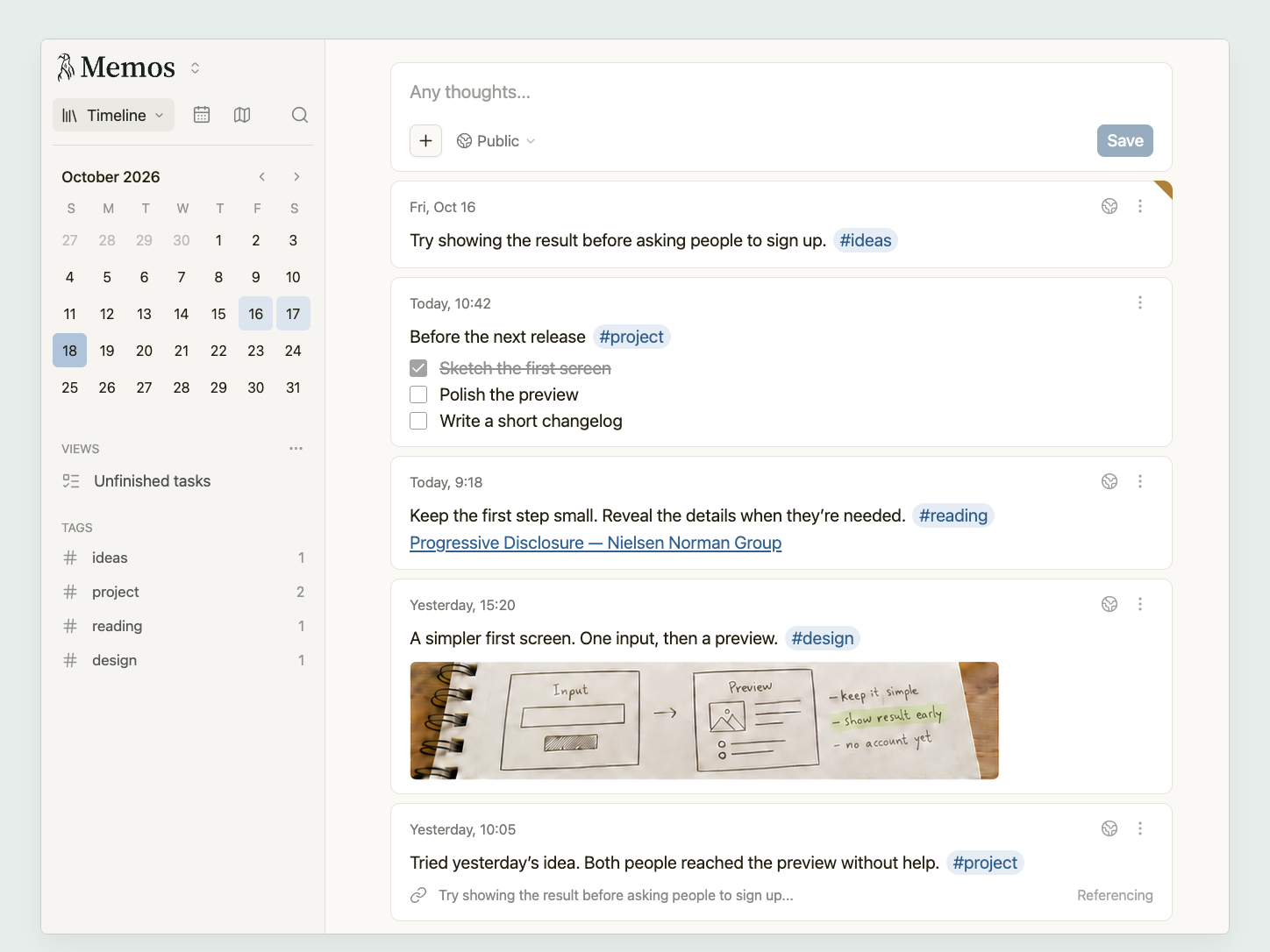
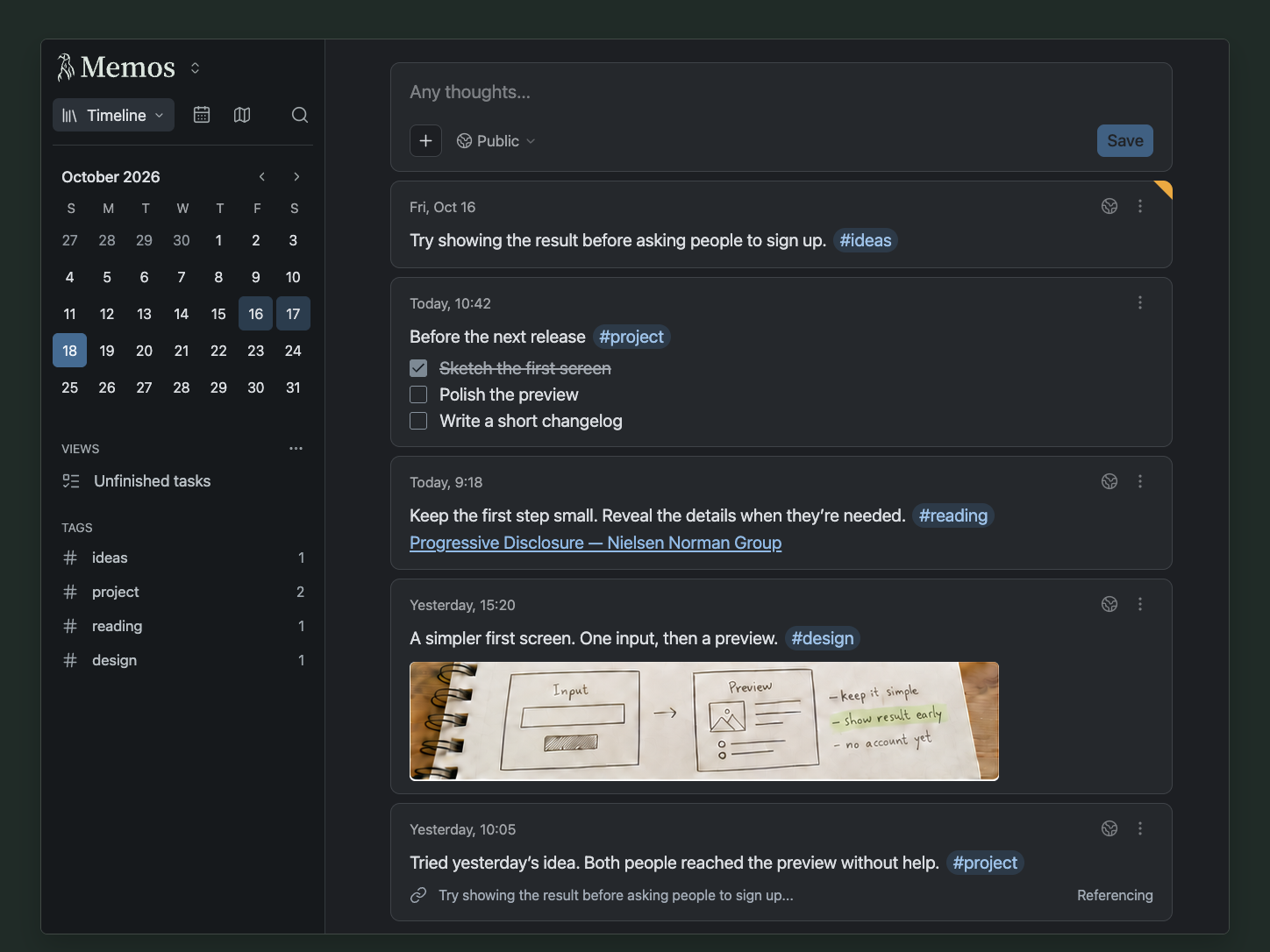
Open the app
About Memos
Memos is a light note-taking app. Jot down a thought, a link or a to-do in a few seconds, and it lands on your timeline. Everything is kept in one small file on your server.
Features
- Write in Markdown, with tags, task lists and code blocks
- A timeline of memos, with search, tags and a calendar
- Attach images and files
- Private, team-only or public memos, and share links
- Several users, an API and webhooks
- Light and dark themes, and many languages
How to use
- Open Memos from your dashboard.
- Sign up. The first account you make is the admin.
- Type a memo in the box at the top and press Save.
- Add #tags to sort memos, and find them again in the side bar.
Before you install
Right after installing, open http://[ZIMAOS-IP-ADDRESS]:6791 and sign up: the first account is the admin, so make it before anyone else on your network does. Sign-up for others can be turned off later in Settings. Memos keeps its database and uploads in /DATA/AppData/memos/data. The share-link address and log level are in the Variables tab and are added in the app settings. It is ready in a few seconds.
The settings in the first table are already in the app settings. To use any other one, open the app settings, add the variable with your value, save, and the app restarts with it. A setting you leave out uses its default.
In the app settings
| Variable | Default value | Description |
|---|---|---|
TZ | $TZ | Your time zone. It is filled in from your ZimaOS time zone. |
MEMOS_ | 5230 | The port Memos listens on inside the container. Leave it at 5230. |
Server
| Variable | Default value | Description |
|---|---|---|
MEMOS_ | — | The address people use to open Memos, like http://[ZIMAOS-IP-ADDRESS]:6791 or https://memos.example.com. Used in share links and RSS feeds. |
Logs
| Variable | Default value | Description |
|---|---|---|
MEMOS_ | info | How much Memos writes to the log: debug, info, warn or error. |
name: memos

services:
  memos:
    image: ghcr.io/usememos/memos:26.11.1
    container_name: memos
    restart: unless-stopped
    stop_grace_period: 20s
    network_mode: bridge
    environment:
      - TZ=$TZ
      - MEMOS_PORT=5230
    ports:
      - target: 5230
        published: "6791"
        protocol: tcp
    volumes:
      - type: bind
        source: /DATA/AppData/$AppID/data
        target: /var/opt/memos
        bind:
          create_host_path: true
    healthcheck:
      test: ["CMD", "wget", "-q", "-O", "/dev/null", "http://127.0.0.1:5230/healthz"]
      interval: 30s
      timeout: 10s
      retries: 3
      start_period: 30s
    deploy:
      resources:
        limits:
          cpus: "1.00"
          memory: 512M
        reservations:
          cpus: "0.00"
          memory: 32M
    labels:
      icon: https://cdn.jsdelivr.net/gh/HSinghHira/IceStore@main/Apps/memos/icon.png
    x-casaos:
      id: com.icestore.memos
      envs:
        - container: TZ
          description:
            en_US: >-
              Your time zone. It is filled in from your ZimaOS time zone.
        - container: MEMOS_PORT
          description:
            en_US: >-
              The port Memos listens on inside the container. Leave it at
              5230.
      ports:
        - container: "5230"
          description:
            en_US: Memos web app and API, published on host as 6791
      volumes:
        - container: /var/opt/memos
          description:
            en_US: >-
              The Memos database (memos_prod.db) and your uploaded files.
              Back it up.

x-casaos:
  id: com.icestore.memos
  architectures:
    - amd64
    - arm64
  main: memos
  author: HSinghHira
  category: Productivity
  developer: Memos
  icon: https://cdn.jsdelivr.net/gh/HSinghHira/IceStore@main/Apps/memos/icon.png
  thumbnail: https://cdn.jsdelivr.net/gh/HSinghHira/IceStore@main/Apps/memos/screenshot-1.png
  screenshot_link:
    - https://cdn.jsdelivr.net/gh/HSinghHira/IceStore@main/Apps/memos/screenshot-1.png
    - https://cdn.jsdelivr.net/gh/HSinghHira/IceStore@main/Apps/memos/screenshot-2.png
  title:
    en_US: Memos
  tagline:
    en_US: Quick notes on a timeline, like a private Twitter just for you
  description:
    en_US: >-
      Memos is a light note-taking app. Jot down a thought, a link or a
      to-do in a few seconds, and it lands on your timeline. Everything is
      kept in one small file on your server.


      **Features**


      - Write in Markdown, with tags, task lists and code blocks

      - A timeline of memos, with search, tags and a calendar

      - Attach images and files

      - Private, team-only or public memos, and share links

      - Several users, an API and webhooks

      - Light and dark themes, and many languages


      **How to use?**


      1. Open Memos from the ZimaOS dashboard.

      2. Sign up. The first account you make is the admin.

      3. Type a memo in the box at the top and press Save.

      4. Add #tags to sort memos, and find them again in the side bar.
  tips:
    before_install:
      en_US: >-
        1. Start the installation. It is ready in a few seconds.


        2. Right away, open http://[ZIMAOS-IP-ADDRESS]:6791 and sign up. The
           first account is the admin.


        3. More settings, like the address for share links, are listed on
           the Memos page at https://icestore.hsinghhira.me/app/memos/
           (Variables tab). You can add them now or later in the app
           settings.
  index: /
  port_map: "6791"
  scheme: http
  is_uncontrolled: false
  version: "26.11.1"
  update_at: "2026-11-22"
  release_notes:
    en_US: |-
      - First IceStore release, on port 6791
      - The official ghcr.io/usememos/memos 26.11.1 image, with SQLite in the data folder
  repo: "https://github.com/usememos/memos"
  support: "https://github.com/usememos/memos/issues"
  docs: "https://www.usememos.com/docs"
Install Memos
Something not working with Memos?
Report it so it gets fixed, or ask for an app that is not here yet.
 ZimaOS
Add the store link, then find Memos in the App Store and install it.
 CasaOS
Add the store link, then find Memos in the App Store and install it.
 ReCasaOS
Add the store link, then find Memos in the App Store and install it.
 Homeio
Add the store link, then find Memos in the App Store and install it.
 MOS
Add the repository in MOS Hub Settings, then find Memos in Docker → MOS Hub and install it.


