
Musike
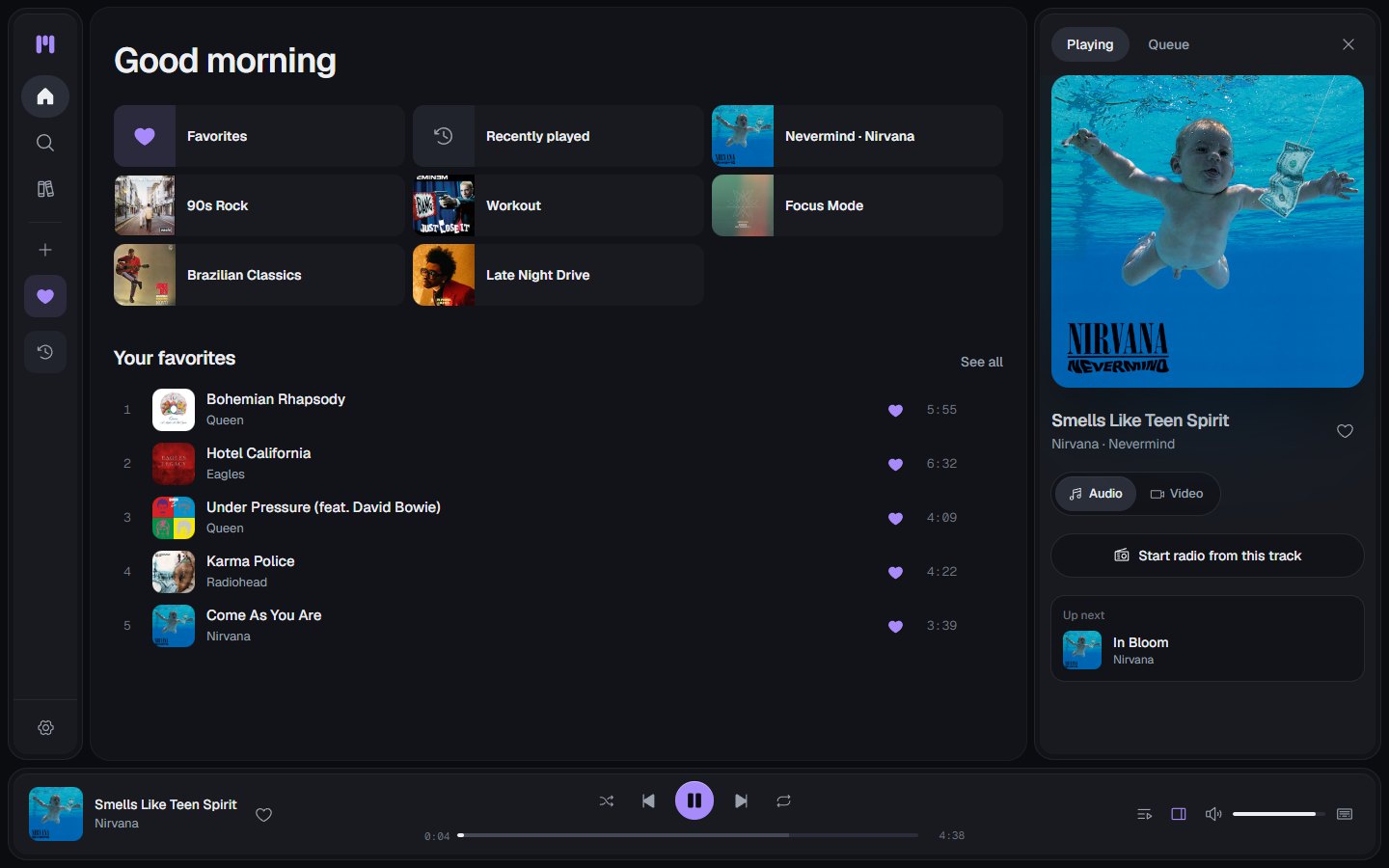
Music player for YouTube Music's catalog, with genres, full albums and playlists
- ghcr.io/ernani1234/musike:1.5.1
- v1.5.1
- Updated 8 Nov 2026
- port 6189
- amd64 · arm64
- Media
- 776 stars
Screenshots
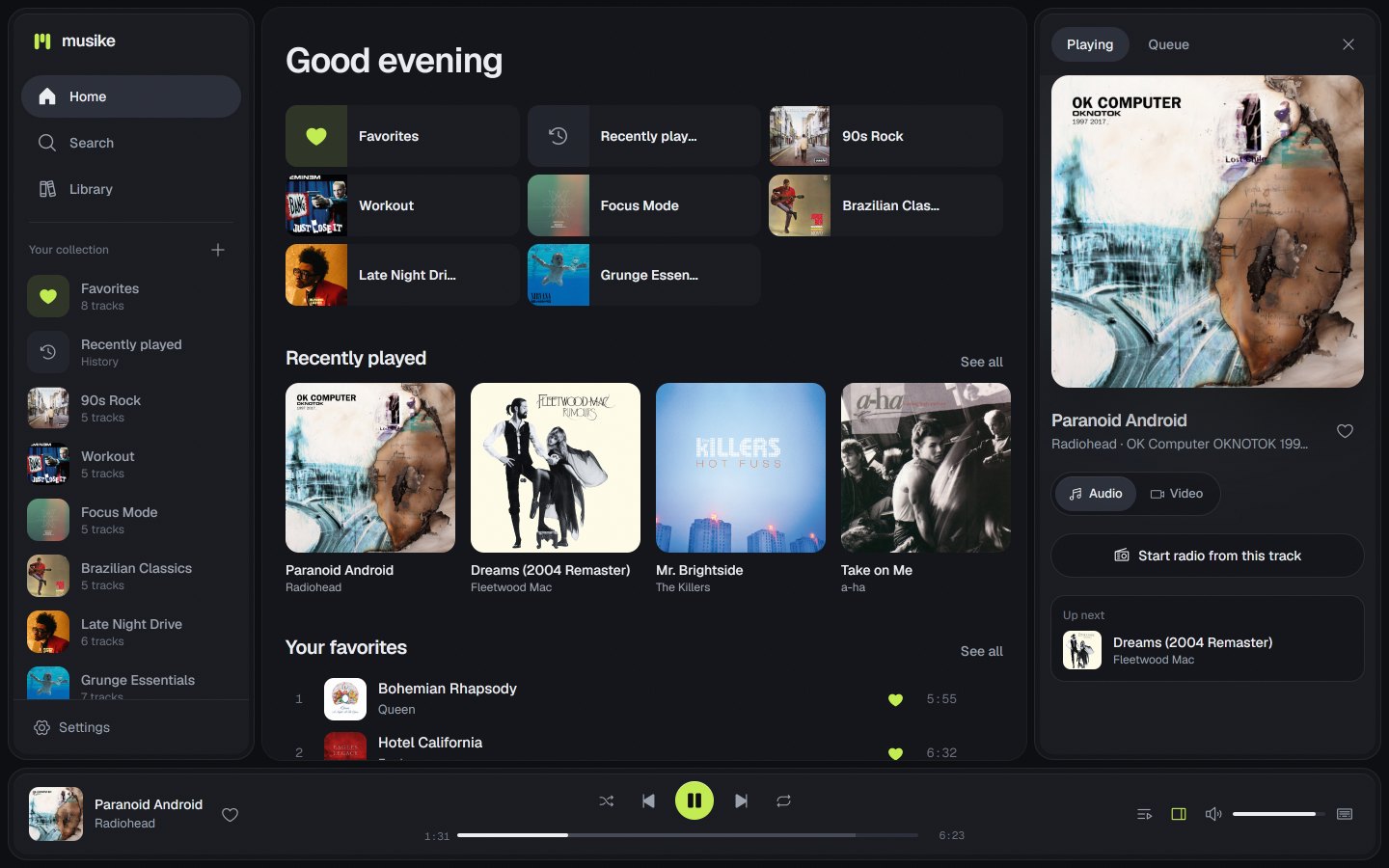
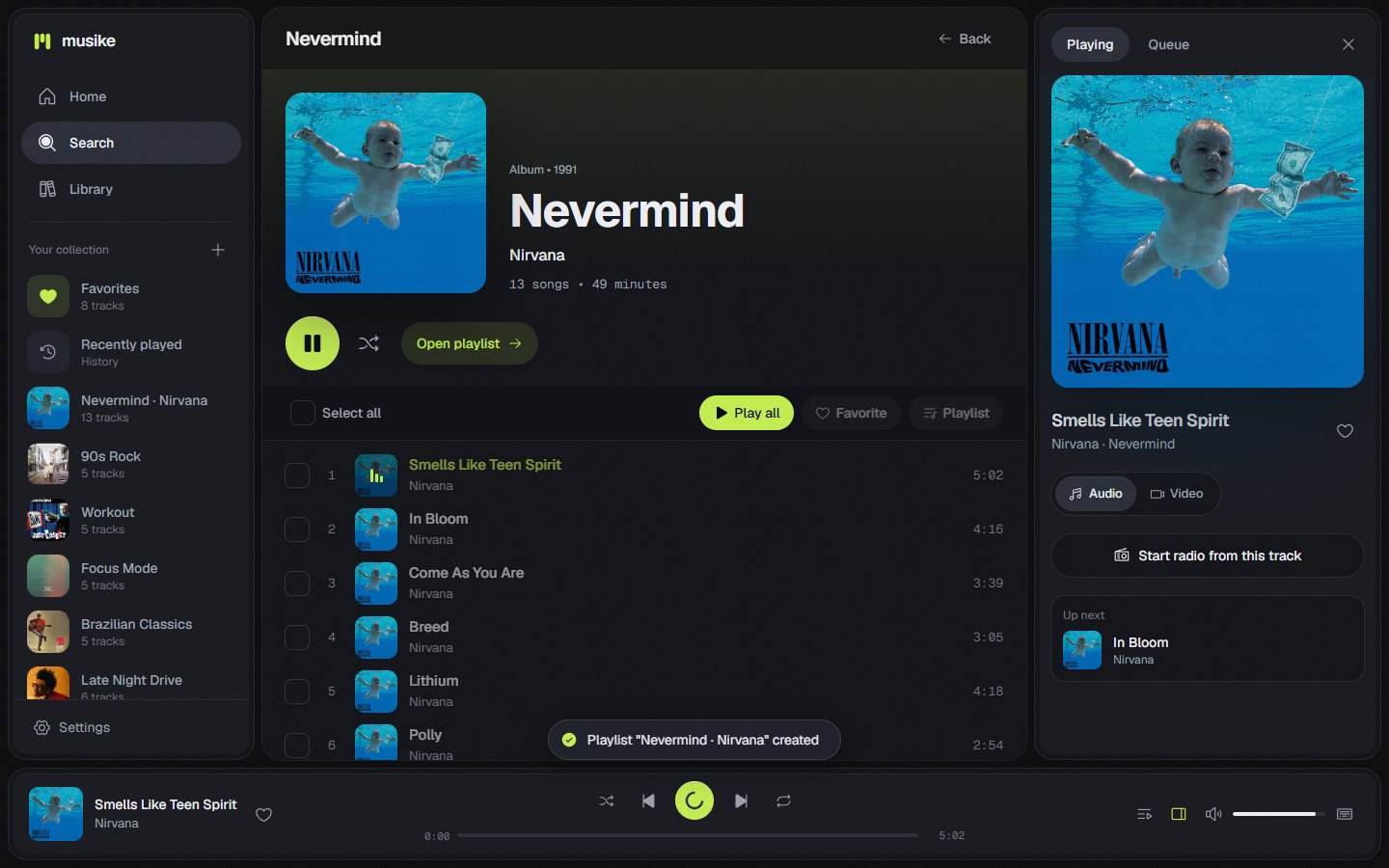
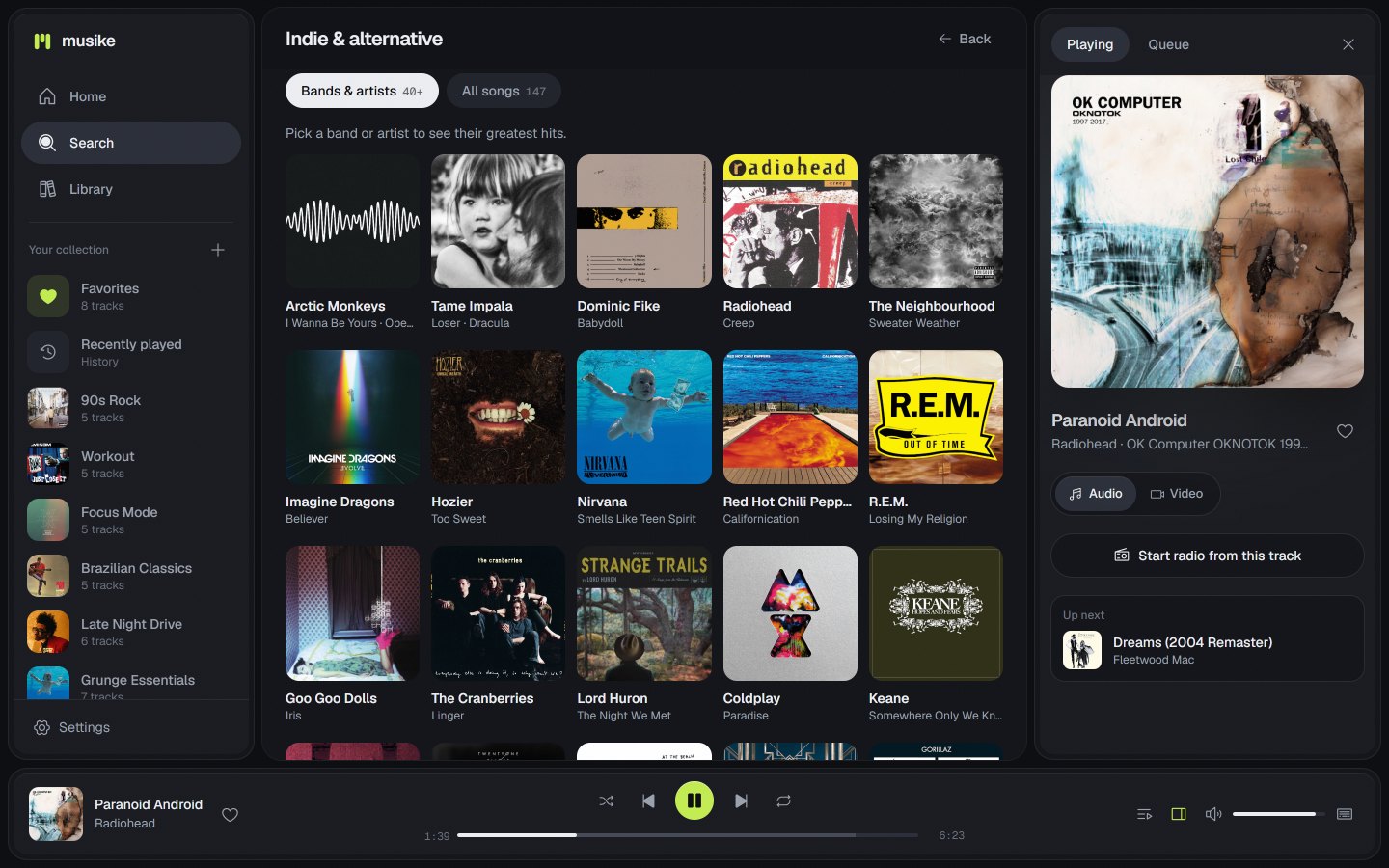

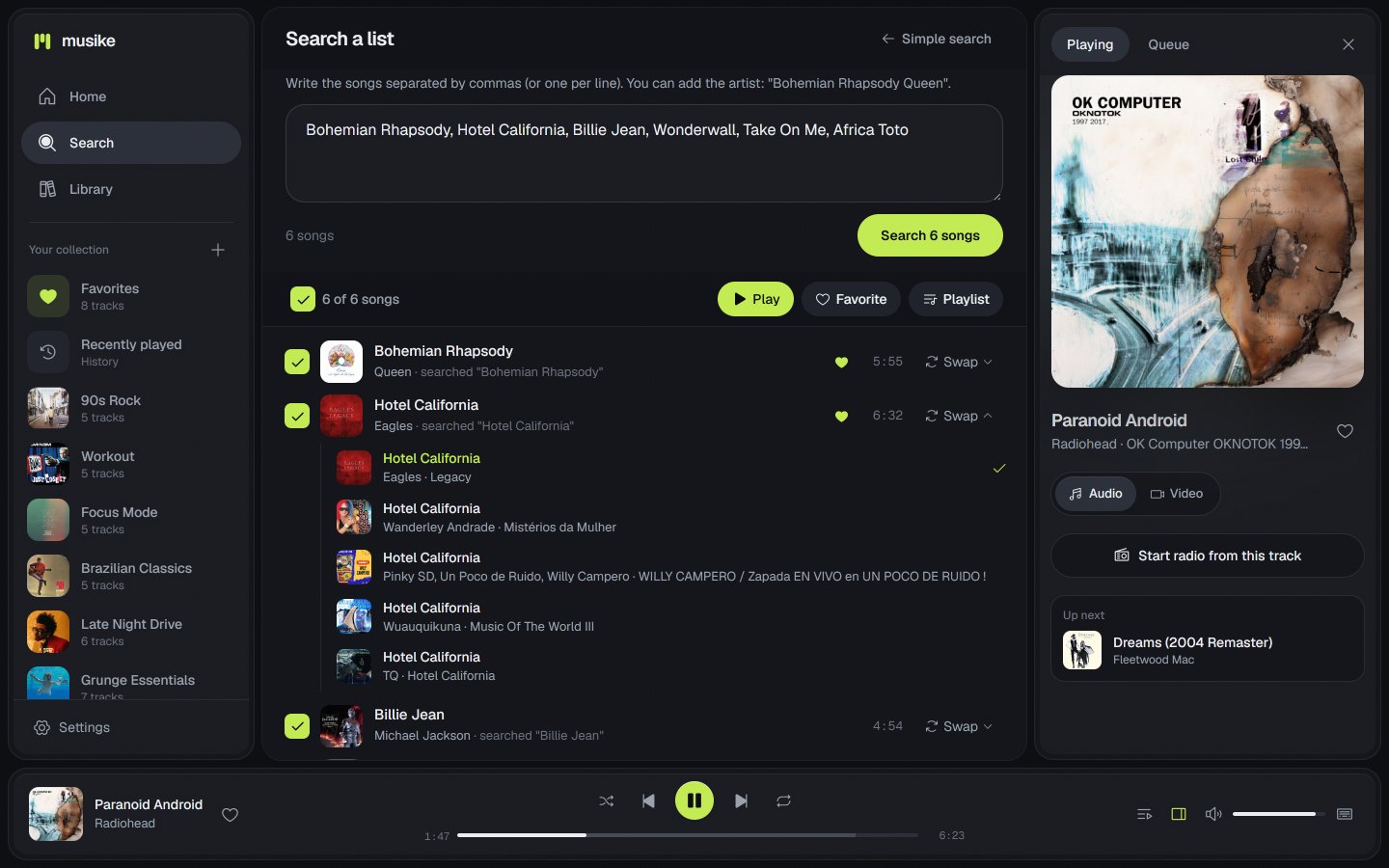
Open the app
About Musike
Musike is a personal music player for YouTube's catalog: any song or music video, as audio or video, with no ads, no account and no subscription. Your server fetches the music, so every device on your network can play it in the browser.
Features
- Search YouTube Music for songs, videos and albums, or paste a YouTube link
- Browse by genre, open artists and play full albums in order
- Search a list: type several songs at once and play them all
- Queue, shuffle, repeat and autoplay radio
- Video mode with the official music video, cinema mode and HD
- Playlists, favorites and history, with backup to a file
- Dark and light themes, any accent color, installable as an app on phones
How to use
- Open Musike from your dashboard.
- Search for a song, artist or album, or click Genres.
- Press play. Add songs to a playlist or your favorites to keep them.
Before you install
Set MUSIKE_LOCATION to your country, like US or GB. There is no account or password: everyone who can reach http://[ZIMAOS-IP-ADDRESS]:6189 shares the same library, so keep it on your home network. Run it at home, not on a rented server: YouTube blocks data-center addresses. If YouTube still asks you to sign in, see YTDLP_EXTRA_ARGS in the Variables tab. More settings are in the Variables tab; add them in the app settings. yt-dlp can be updated from Musike's Settings page; an app update brings a fresh copy.
The settings in the first table are already in the app settings. To use any other one, open the app settings, add the variable with your value, save, and the app restarts with it. A setting you leave out uses its default.
In the app settings
| Variable | Default value | Description |
|---|---|---|
TZ | $TZ | Your time zone. It is filled in from your ZimaOS time zone. Leave it unless you need another. |
MUSIKE_ | US | Your country, as a two-letter code like US, GB, DE or IN. It decides which YouTube Music results and charts you see. |
YouTube
| Variable | Default value | Description |
|---|---|---|
YTDLP_ | — | Extra yt-dlp options. If YouTube asks you to sign in to prove you are not a bot, export your YouTube cookies to cookies.txt, put it in the data folder and set this to --cookies /data/cookies.txt. |
MUSIKE_ | en | The YouTube Music language when the app does not send one, like en or pt. The app normally sends the language picked in Settings. |
Video cache
| Variable | Default value | Description |
|---|---|---|
MUSIKE_ | 2048 | How many megabytes of HD music videos to keep. The least recently played go first. |
name: musike

services:
  musike:
    image: ghcr.io/ernani1234/musike:1.5.1
    container_name: musike
    restart: unless-stopped
    stop_grace_period: 30s
    network_mode: bridge
    user: "0:0"
    environment:
      - TZ=$TZ
      - MUSIKE_LOCATION=US
    ports:
      - target: 4180
        published: "6189"
        protocol: tcp
    volumes:
      - type: bind
        source: /DATA/AppData/$AppID/data
        target: /data
        bind:
          create_host_path: true
      - type: bind
        source: /DATA/AppData/$AppID/cache
        target: /cache
        bind:
          create_host_path: true
    deploy:
      resources:
        limits:
          cpus: "2.00"
          memory: 1024M
        reservations:
          cpus: "0.00"
          memory: 128M
    labels:
      icon: https://cdn.jsdelivr.net/gh/HSinghHira/IceStore@main/Apps/musike/icon.png
    x-casaos:
      id: com.icestore.musike
      envs:
        - container: TZ
          description:
            en_US: >-
              Your time zone. It is filled in from your ZimaOS time zone.
              Leave it unless you need another.
        - container: MUSIKE_LOCATION
          description:
            en_US: >-
              Your country, as a two-letter code like US, GB, DE or IN. It
              decides which YouTube Music results and charts you see.
      ports:
        - container: "4180"
          description:
            en_US: Musike web player and API, published on host as 6189
      volumes:
        - container: /data
          description:
            en_US: >-
              Your library: playlists, favorites and history (library.json).
              Back this folder up.
        - container: /cache
          description:
            en_US: >-
              HD music videos already downloaded. Safe to delete; it is
              limited to 2 GB by default.

x-casaos:
  id: com.icestore.musike
  architectures:
    - amd64
    - arm64
  main: musike
  author: HSinghHira
  category: Media
  developer: Ernani1234
  icon: https://cdn.jsdelivr.net/gh/HSinghHira/IceStore@main/Apps/musike/icon.png
  thumbnail: https://cdn.jsdelivr.net/gh/HSinghHira/IceStore@main/Apps/musike/screenshot-1.jpg
  screenshot_link:
    - https://cdn.jsdelivr.net/gh/HSinghHira/IceStore@main/Apps/musike/screenshot-1.jpg
    - https://cdn.jsdelivr.net/gh/HSinghHira/IceStore@main/Apps/musike/screenshot-2.jpg
    - https://cdn.jsdelivr.net/gh/HSinghHira/IceStore@main/Apps/musike/screenshot-3.jpg
    - https://cdn.jsdelivr.net/gh/HSinghHira/IceStore@main/Apps/musike/screenshot-4.jpg
    - https://cdn.jsdelivr.net/gh/HSinghHira/IceStore@main/Apps/musike/screenshot-5.jpg
    - https://cdn.jsdelivr.net/gh/HSinghHira/IceStore@main/Apps/musike/screenshot-6.jpg
  title:
    en_US: Musike
  tagline:
    en_US: Music player for YouTube Music's catalog, with genres, full albums and playlists
  description:
    en_US: >-
      Visit: [https://icestore.hsinghhira.me/app/musike/](https://icestore.hsinghhira.me/app/musike/) for full details


      Musike is a personal music player for YouTube's catalog: any song or
      music video, as audio or video, with no ads, no account and no
      subscription. Your server fetches the music, so every device on your
      network can play it in the browser.


      **Features**


      - Search YouTube Music for songs, videos and albums, or paste a
        YouTube link

      - Browse by genre, open artists and play full albums in order

      - Search a list: type several songs at once and play them all

      - Queue, shuffle, repeat and autoplay radio

      - Video mode with the official music video, cinema mode and HD

      - Playlists, favorites and history, with backup to a file

      - Dark and light themes, any accent color, installable as an app on
        phones


      **How to use?**


      1. Open Musike from the Zima OS dashboard.


      2. Search for a song, artist or album, or click Genres.


      3. Press play. Add songs to a playlist or your favorites to keep them.
  tips:
    before_install:
      en_US: >-
        1. Set MUSIKE_LOCATION to your country, like US or GB.


        2. More settings, like cookies for YouTube's bot checks and the video
           cache size, are listed on the Musike page at
           https://icestore.hsinghhira.me/app/musike/ (Variables tab). You
           can add them now or later in the app settings.


        3. Start the installation.


        4. Open Musike from the Zima OS dashboard. There is no account; it
           opens straight away.


        5. On a phone, open http://[ZIMAOS-IP-ADDRESS]:6189 and add it to
           your home screen.
  index: /
  port_map: "6189"
  scheme: http
  is_uncontrolled: false
  version: "1.5.1"
  update_at: "2026-11-08"
  release_notes:
    en_US: |-
      - First IceStore version: ghcr.io/ernani1234/musike 1.5.1
      - Port 6189, library in /data, HD video cache in /cache
      - Runs as root inside the container so it can write to the ZimaOS data folders
  repo: "https://github.com/Ernani1234/musike"
  support: "https://github.com/Ernani1234/musike/issues"
  docs: "https://github.com/Ernani1234/musike#configuration"
Install Musike
Something not working with Musike?
Report it so it gets fixed, or ask for an app that is not here yet.
 ZimaOS
Add the store link, then find Musike in the App Store and install it.
 CasaOS
Add the store link, then find Musike in the App Store and install it.
 ReCasaOS
Add the store link, then find Musike in the App Store and install it.
 Homeio
Add the store link, then find Musike in the App Store and install it.
 MOS
Add the repository in MOS Hub Settings, then find Musike in Docker → MOS Hub and install it.


