
Select
AI agent orchestration with checked results, human approvals and autonomy agents earn.
- ghcr.io/hsinghhira/select:latest
- v1.0.0
- Updated 10 Nov 2026
- port 6702
- amd64 · arm64
- AI
- 4 stars
Screenshots
Open the app
About Select
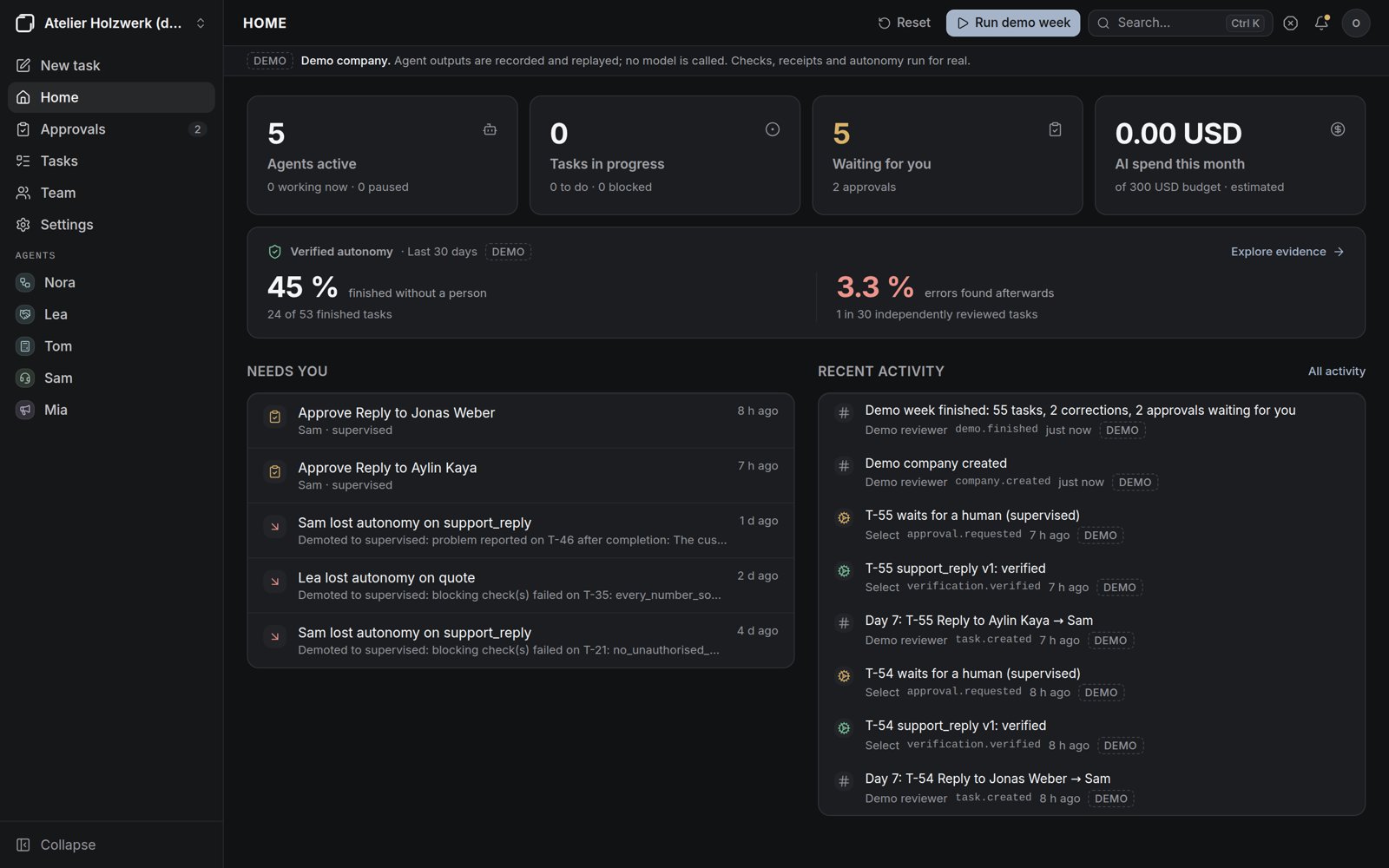
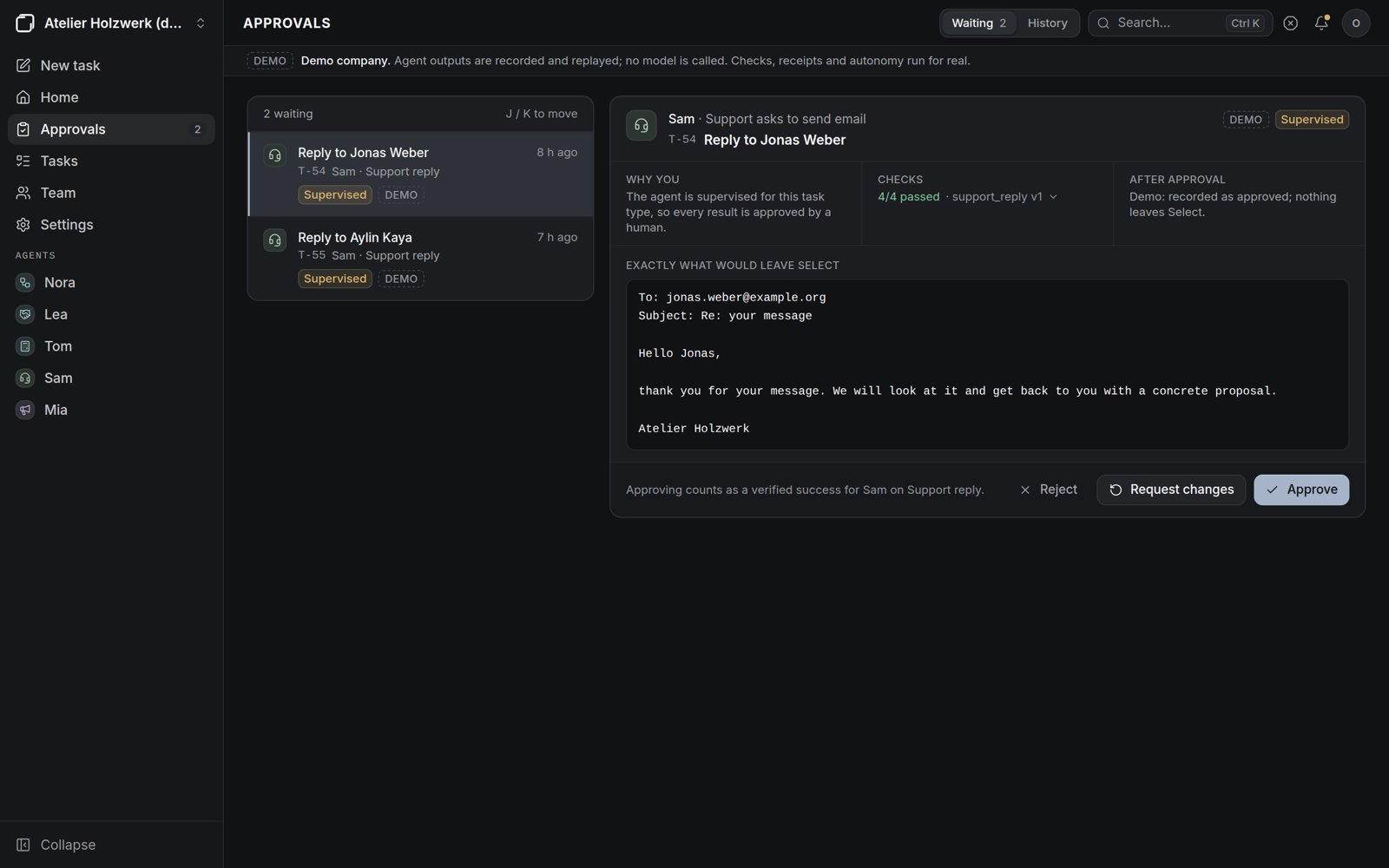
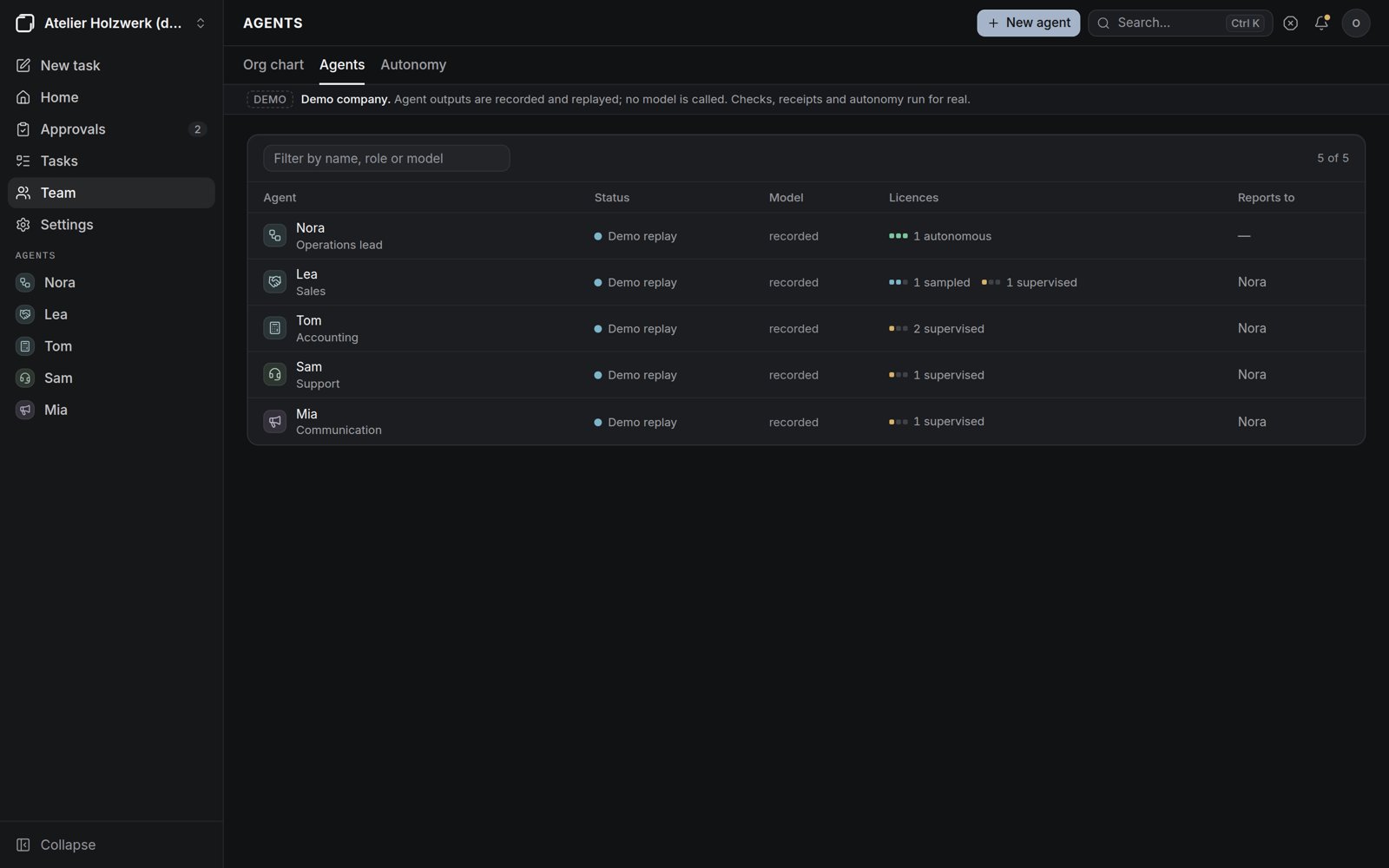
Select runs your company's work with AI agents that earn their autonomy. Agents of any kind work in an organization you design; every result is checked by code against a delivery contract, and an agent stops needing your approval only once its checked record shows it can. Built here from upstream's source, with PostgreSQL inside.
Features
- Agents with roles, models (Anthropic, OpenAI, Gemini, Ollama), budgets and an org chart
- Tasks from you, from incoming email or from routines; list and board
- Every result checked by code and kept with a receipt
- Autonomy per agent and task type, earned and revocable; payments, contracts, taxes and hiring always need a person
- Approvals, costs and budgets, an audit log, and a demo company with no API key needed
How to use
- Open Select from your dashboard.
- Create the owner account on the first visit.
- To look around first, open the demo company from the account menu and choose Run demo week.
- Follow the guided setup: country, a starting team, an AI model, a mailbox.
Before you install
Set PUBLIC_URL to the address you open Select at, like http://192.168.1.20:6702; it is used in invitation links, and Select opens from any address either way. Open http://[ZIMAOS-IP-ADDRESS]:6702 after about a minute and create the owner account. AI model keys and mailboxes are added inside Select, where they are stored encrypted with the key in the data folder. Upstream calls this a 1.0.0 core release: sandboxed coding and OAuth mail are not there yet.
The settings in the first table are already in the app settings. To use any other one, open the app settings, add the variable with your value, save, and the app restarts with it. A setting you leave out uses its default.
In the app settings
| Variable | Default value | Description |
|---|---|---|
TZ | $TZ | Your time zone. It is filled in from your ZimaOS time zone. Leave it unless you need another. |
PUBLIC_ | http://localhost:6702 | The address you open Select at, like http://192.168.1.20:6702 or https://select.example.com. Select works from any address; this one is used in invitation links, and with https the sign-in cookie is marked secure. |
Sign-in
| Variable | Default value | Description |
|---|---|---|
SELECT_ | password | password: people sign in with an email and password (the first visit makes the owner). token: every request needs an API token, for scripts. Never use local on a network. |
SELECT_ | 30 | How many days a sign-in lasts (1 to 365). |
Keys
| Variable | Default value | Description |
|---|---|---|
SELECT_ | — | The key that encrypts provider API keys and mailbox passwords (a Fernet key). Made on first start and kept in select/secret.key in the data folder when left out. |
Demo
| Variable | Default value | Description |
|---|---|---|
SELECT_ | 350 | The pause between events of the demo week, in milliseconds. |
name: select

services:
  select:
    image: ghcr.io/hsinghhira/select:latest
    container_name: select
    restart: unless-stopped
    stop_grace_period: 60s
    network_mode: bridge
    environment:
      - TZ=$TZ
      - PUBLIC_URL=http://localhost:6702
    ports:
      - target: 3000
        published: "6702"
        protocol: tcp
    volumes:
      - type: bind
        source: /DATA/AppData/$AppID/data
        target: /data
        bind:
          create_host_path: true
    healthcheck:
      test: ["CMD", "curl", "-fsS", "-o", "/dev/null", "http://127.0.0.1:8000/api/health"]
      interval: 30s
      timeout: 10s
      retries: 5
      start_period: 120s
    deploy:
      resources:
        limits:
          cpus: "2.00"
          memory: 1536M
        reservations:
          cpus: "0.10"
          memory: 256M
    labels:
      icon: https://cdn.jsdelivr.net/gh/HSinghHira/IceStore@main/Apps/select/icon.png
    x-casaos:
      id: com.icestore.select
      envs:
        - container: TZ
          description:
            en_US: >-
              Your time zone. It is filled in from your ZimaOS time zone.
              Leave it unless you need another.
        - container: PUBLIC_URL
          description:
            en_US: >-
              The address you open Select at, like http://192.168.1.20:6702 or
              https://select.example.com. Select works from any address; this
              one is used in invitation links, and with https the sign-in
              cookie is marked secure.
      ports:
        - container: "3000"
          description:
            en_US: Select web app (it passes /api on to the API), published on host as 6702
      volumes:
        - container: /data
          description:
            en_US: >-
              The database (postgres/), Select's files and its encryption key
              (select/secret.key) and the database password (state/). Back up
              the whole folder: without secret.key, saved provider keys and
              mailbox passwords can't be read.

x-casaos:
  id: com.icestore.select
  architectures:
    - amd64
    - arm64
  main: select
  author: HSinghHira
  category: AI
  developer: Kirby54
  icon: https://cdn.jsdelivr.net/gh/HSinghHira/IceStore@main/Apps/select/icon.png
  thumbnail: https://cdn.jsdelivr.net/gh/HSinghHira/IceStore@main/Apps/select/screenshot-1.jpg
  screenshot_link:
    - https://cdn.jsdelivr.net/gh/HSinghHira/IceStore@main/Apps/select/screenshot-1.jpg
    - https://cdn.jsdelivr.net/gh/HSinghHira/IceStore@main/Apps/select/screenshot-2.jpg
    - https://cdn.jsdelivr.net/gh/HSinghHira/IceStore@main/Apps/select/screenshot-3.jpg
  title:
    en_US: Select
  tagline:
    en_US: AI agent orchestration with checked results, human approvals and autonomy agents earn.
  description:
    en_US: >-
      Visit: [https://icestore.hsinghhira.me/app/select/](https://icestore.hsinghhira.me/app/select/) for full details


      Select runs your company's work with AI agents that earn their
      autonomy. Agents of any kind work in an organization you design; every
      result is checked by code against a delivery contract, and an agent
      stops needing your approval only once its checked record shows it can.
      Built here from upstream's source, with PostgreSQL inside.


      **Features**


      - Agents with roles, models (Anthropic, OpenAI, Gemini, Ollama),
        budgets and an org chart

      - Tasks from you, from incoming email or from routines; list and board

      - Every result checked by code and kept with a receipt

      - Autonomy per agent and task type, earned and revocable; payments,
        contracts, taxes and hiring always need a person

      - Approvals, costs and budgets, an audit log, and a demo company with
        no API key needed


      **How to use?**


      1. Open Select from the Zima OS dashboard.


      2. Create the owner account on the first visit.


      3. To look around first, open the demo company from the account menu
         and choose Run demo week.


      4. Follow the guided setup: country, a starting team, an AI model, a
         mailbox.
  tips:
    before_install:
      en_US: >-
        1. Open the app configuration before you install.


        2. Find PUBLIC_URL. It starts as http://localhost:6702. Change
           localhost to your ZimaOS IP, like http://192.168.1.20:6702, so
           invitation links work. Select opens from any address either way.


        3. More settings, like the sign-in mode, are listed on the Select
           page at https://icestore.hsinghhira.me/app/select/ (Variables
           tab). You can add them now or later in the app settings.


        4. Start the installation.


        5. Wait about a minute. The first start sets up the database.


        6. Open http://[ZIMAOS-IP-ADDRESS]:6702 and create the owner account.
           The address is also in the app's logs, in the box marked
           CREDENTIALS.
  index: /
  port_map: "6702"
  scheme: http
  is_uncontrolled: false
  version: "v1.0.0"
  update_at: "2026-11-10"
  release_notes:
    en_US: |-
      - First IceStore release: Select v1.0.0, built from upstream's source (upstream publishes no image), with the API, the worker, the web app and PostgreSQL 16 in one container.
      - Port 6702 and one data folder. The database password is made on first start; Select makes its own encryption key there too.
      - Fixed: the API never started (a start-script error), so the web app and the worker gave up waiting for it.
  repo: "https://github.com/Kirby54/Select"
  support: "https://github.com/Kirby54/Select/issues"
  docs: "https://github.com/Kirby54/Select/blob/main/docs/getting-started.md"
Install Select
Something not working with Select?
Report it so it gets fixed, or ask for an app that is not here yet.
 ZimaOS
Add the store link, then find Select in the App Store and install it.
 CasaOS
Add the store link, then find Select in the App Store and install it.
 ReCasaOS
Add the store link, then find Select in the App Store and install it.
 Homeio
Add the store link, then find Select in the App Store and install it.
 MOS
Add the repository in MOS Hub Settings, then find Select in Docker → MOS Hub and install it.


