
Uptime Kuma
Watches your websites and services and tells you when one goes down
- louislam/uptime-kuma:2.5.12
- v2.5.12
- Updated 22 Nov 2026
- port 6792
- amd64 · arm64
- Networking
- 94.8k stars
Screenshots
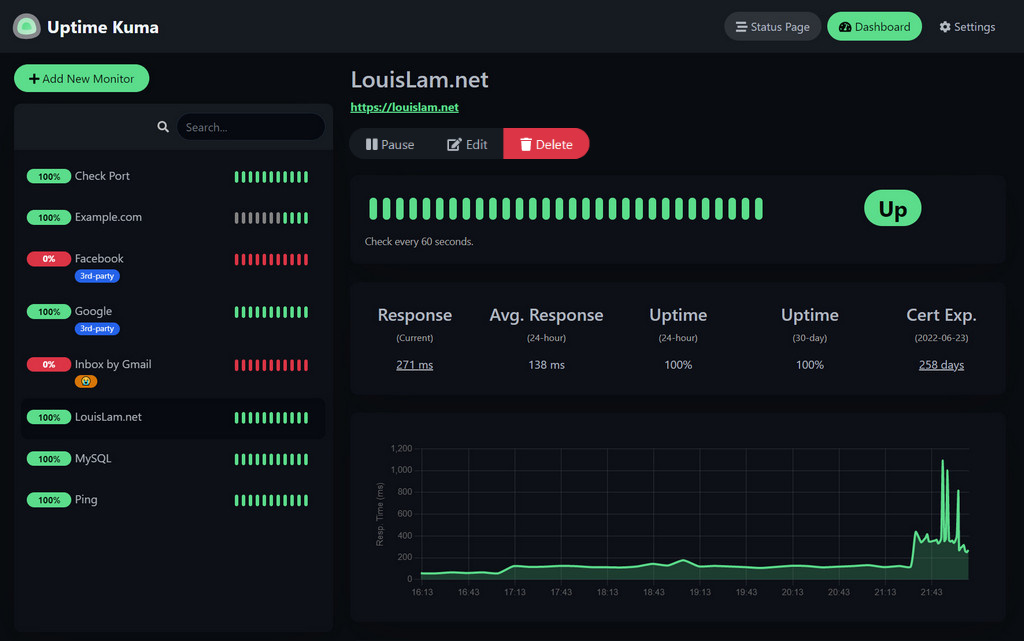
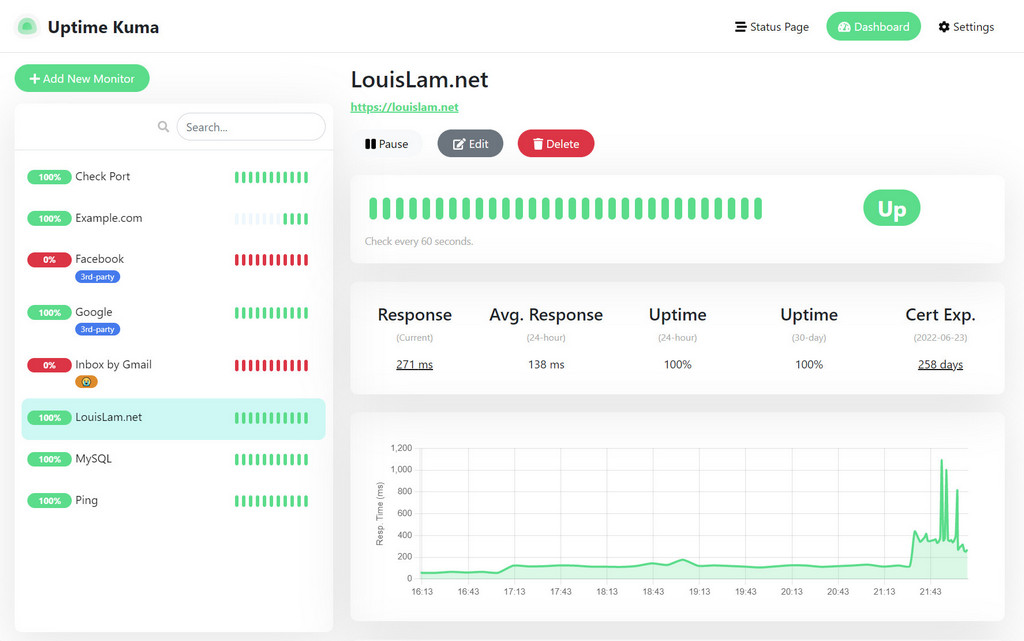
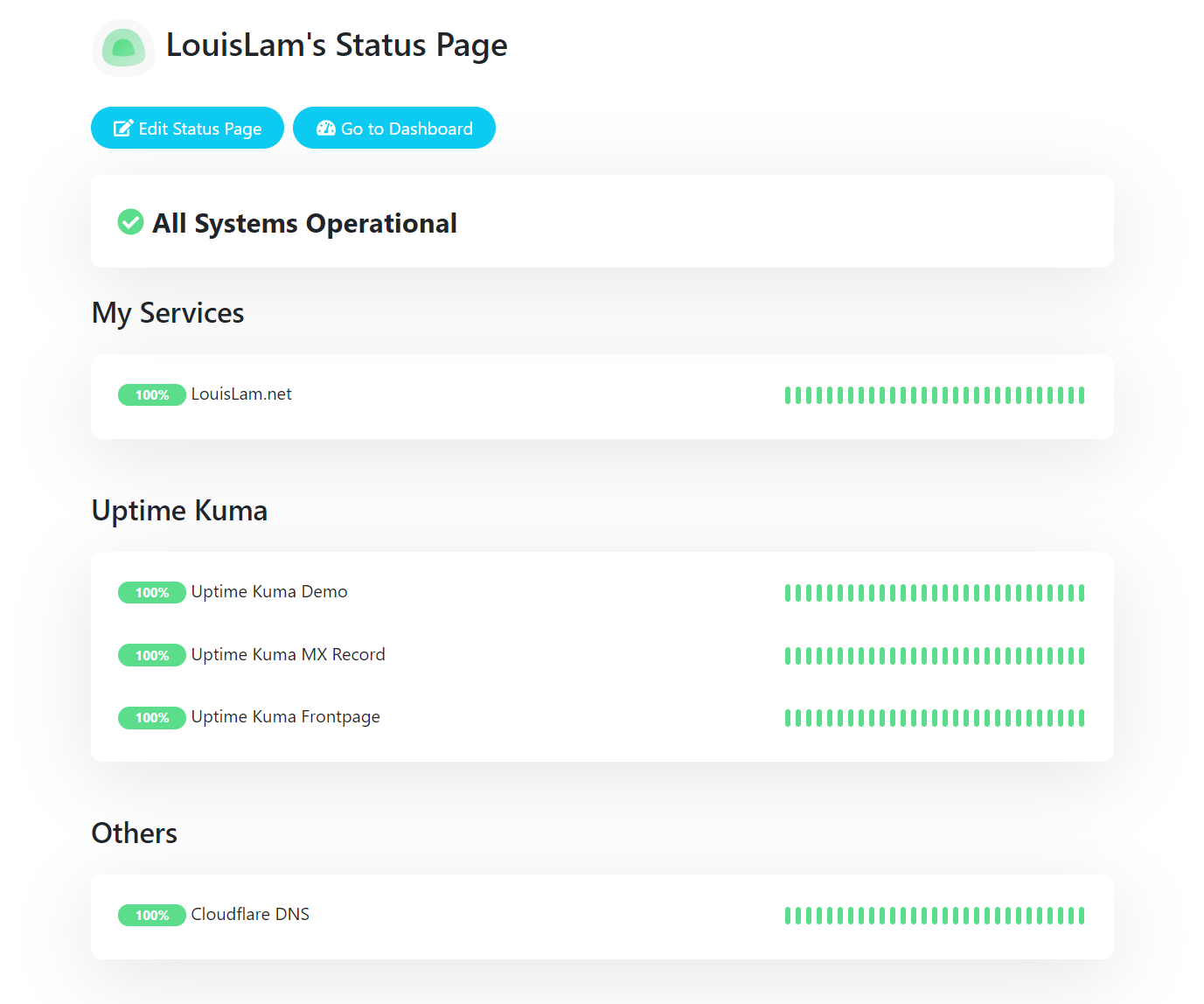
Open the app
About Uptime Kuma
Uptime Kuma checks your websites, servers and services every minute and alerts you the moment one stops answering. Share the results on a public status page.
Features
- HTTP(s), keyword, JSON, TCP port, ping, DNS, push and many more kinds of checks
- Alerts by Telegram, Discord, Slack, email, ntfy, Gotify and 90+ other services
- Status pages with your own domain and logo
- Response-time charts and SSL certificate expiry warnings
- Maintenance windows, two-factor sign-in and many languages
- SQLite or a built-in MariaDB database
How to use
- Open Uptime Kuma from your dashboard.
- Pick a database. SQLite is fine for most homes.
- Make your admin account.
- Click Add New Monitor, enter a website address and save.
- Under Settings > Notifications, add where alerts should go.
Before you install
Right after installing, open http://[ZIMAOS-IP-ADDRESS]:6792, pick a database (SQLite is fine) and make the admin account; until you do, anyone on your network who opens the page can. Monitors and history are kept in /DATA/AppData/uptime-kuma/data. Docker container monitors are not set up, because the Docker socket is not shared with the app. A few server settings are in the Variables tab and are added in the app settings. The first start takes about a minute.
The settings in the first table are already in the app settings. To use any other one, open the app settings, add the variable with your value, save, and the app restarts with it. A setting you leave out uses its default.
In the app settings
| Variable | Default value | Description |
|---|---|---|
TZ | $TZ | Your time zone. It is filled in from your ZimaOS time zone and used for times in alerts and on status pages. |
Server
| Variable | Default value | Description |
|---|---|---|
UPTIME_ | false | Set to true to let other sites show Uptime Kuma in a frame, like a dashboard that embeds your status page. |
UPTIME_ | cors-like | Set to bypass if the page loads but never connects behind your reverse proxy. |
NODE_ | — | Path to an extra CA certificate file inside the container, for checking sites that use your own certificate authority. |
name: uptime-kuma

services:
  uptime-kuma:
    image: louislam/uptime-kuma:2.5.12
    container_name: uptime-kuma
    restart: unless-stopped
    stop_grace_period: 30s
    network_mode: bridge
    environment:
      - TZ=$TZ
    ports:
      - target: 3001
        published: "6792"
        protocol: tcp
    volumes:
      - type: bind
        source: /DATA/AppData/$AppID/data
        target: /app/data
        bind:
          create_host_path: true
    healthcheck:
      test: ["CMD", "/app/extra/healthcheck"]
      interval: 60s
      timeout: 30s
      retries: 5
      start_period: 180s
    deploy:
      resources:
        limits:
          cpus: "1.00"
          memory: 1G
        reservations:
          cpus: "0.05"
          memory: 128M
    labels:
      icon: https://cdn.jsdelivr.net/gh/HSinghHira/IceStore@main/Apps/uptime-kuma/icon.png
    x-casaos:
      id: com.icestore.uptime-kuma
      envs:
        - container: TZ
          description:
            en_US: >-
              Your time zone. It is filled in from your ZimaOS time zone and
              used for times in alerts and on status pages.
      ports:
        - container: "3001"
          description:
            en_US: Uptime Kuma dashboard and status pages, published on host as 6792
      volumes:
        - container: /app/data
          description:
            en_US: >-
              Uptime Kuma's database (SQLite or the built-in MariaDB) with
              your monitors, history, alerts and status pages. Back it up.

x-casaos:
  id: com.icestore.uptime-kuma
  architectures:
    - amd64
    - arm64
  main: uptime-kuma
  author: HSinghHira
  category: Networking
  developer: Louis Lam
  icon: https://cdn.jsdelivr.net/gh/HSinghHira/IceStore@main/Apps/uptime-kuma/icon.png
  thumbnail: https://cdn.jsdelivr.net/gh/HSinghHira/IceStore@main/Apps/uptime-kuma/screenshot-1.jpg
  screenshot_link:
    - https://cdn.jsdelivr.net/gh/HSinghHira/IceStore@main/Apps/uptime-kuma/screenshot-1.jpg
    - https://cdn.jsdelivr.net/gh/HSinghHira/IceStore@main/Apps/uptime-kuma/screenshot-2.jpg
    - https://cdn.jsdelivr.net/gh/HSinghHira/IceStore@main/Apps/uptime-kuma/screenshot-3.png
  title:
    en_US: Uptime Kuma
  tagline:
    en_US: Watches your websites and services and tells you when one goes down
  description:
    en_US: >-
      Uptime Kuma checks your websites, servers and services every minute
      and alerts you the moment one stops answering. Share the results on
      a public status page.


      **Features**


      - HTTP(s), keyword, JSON, TCP port, ping, DNS, push and many more
        kinds of checks

      - Alerts by Telegram, Discord, Slack, email, ntfy, Gotify and 90+
        other services

      - Status pages with your own domain and logo

      - Response-time charts and SSL certificate expiry warnings

      - Maintenance windows, two-factor sign-in and many languages

      - SQLite or a built-in MariaDB database


      **How to use?**


      1. Open Uptime Kuma from the ZimaOS dashboard.

      2. Pick a database. SQLite is fine for most homes.

      3. Make your admin account.

      4. Click Add New Monitor, enter a website address and save.

      5. Under Settings > Notifications, add where alerts should go.
  tips:
    before_install:
      en_US: >-
        1. Start the installation. The first start takes about a minute.


        2. Right away, open http://[ZIMAOS-IP-ADDRESS]:6792 and pick a
           database. SQLite is fine.


        3. Make your admin account. Until you do, anyone on your network
           who opens the page can.


        4. More settings are listed on the Uptime Kuma page at
           https://icestore.hsinghhira.me/app/uptime-kuma/ (Variables tab).
           You can add them now or later in the app settings.
  index: /
  port_map: "6792"
  scheme: http
  is_uncontrolled: false
  version: "2.5.12"
  update_at: "2026-11-22"
  release_notes:
    en_US: |-
      - First IceStore release, on port 6792
      - The official louislam/uptime-kuma 2.5.12 image, with SQLite or the built-in MariaDB in the data folder
      - Docker container monitors are not set up (the Docker socket is not shared)
  repo: "https://github.com/louislam/uptime-kuma"
  support: "https://github.com/louislam/uptime-kuma/issues"
  docs: "https://github.com/louislam/uptime-kuma/wiki"
Install Uptime Kuma
Something not working with Uptime Kuma?
Report it so it gets fixed, or ask for an app that is not here yet.
 ZimaOS
Add the store link, then find Uptime Kuma in the App Store and install it.
 CasaOS
Add the store link, then find Uptime Kuma in the App Store and install it.
 ReCasaOS
Add the store link, then find Uptime Kuma in the App Store and install it.
 Homeio
Add the store link, then find Uptime Kuma in the App Store and install it.
 MOS
Add the repository in MOS Hub Settings, then find Uptime Kuma in Docker → MOS Hub and install it.


